New spectacle order
Book a pair of glasses from an eye test or an outside prescription, with lenses, frame, lab and promised date, then bill it and take the advance.
A spectacle order is one pair of glasses. It carries the prescription, the lenses, the frame and the lab. When you save it with an advance, EloERP makes an ordinary sale invoice for it.
Before you begin
- You need the Book, Bill & Hand Over Spectacle Orders permission. To bill, your role also needs to confirm sales invoices and take payments.
- Add your frames and stock lenses as products, with colours or sizes as variants, and their opening stock. See All Products.
- Set the fitting charge and the days to ready in Optical settings.
Where to find it
Open Optical → Daily → New Spectacle Order, or click Save & make spectacle order on an eye test.
Book an order
-
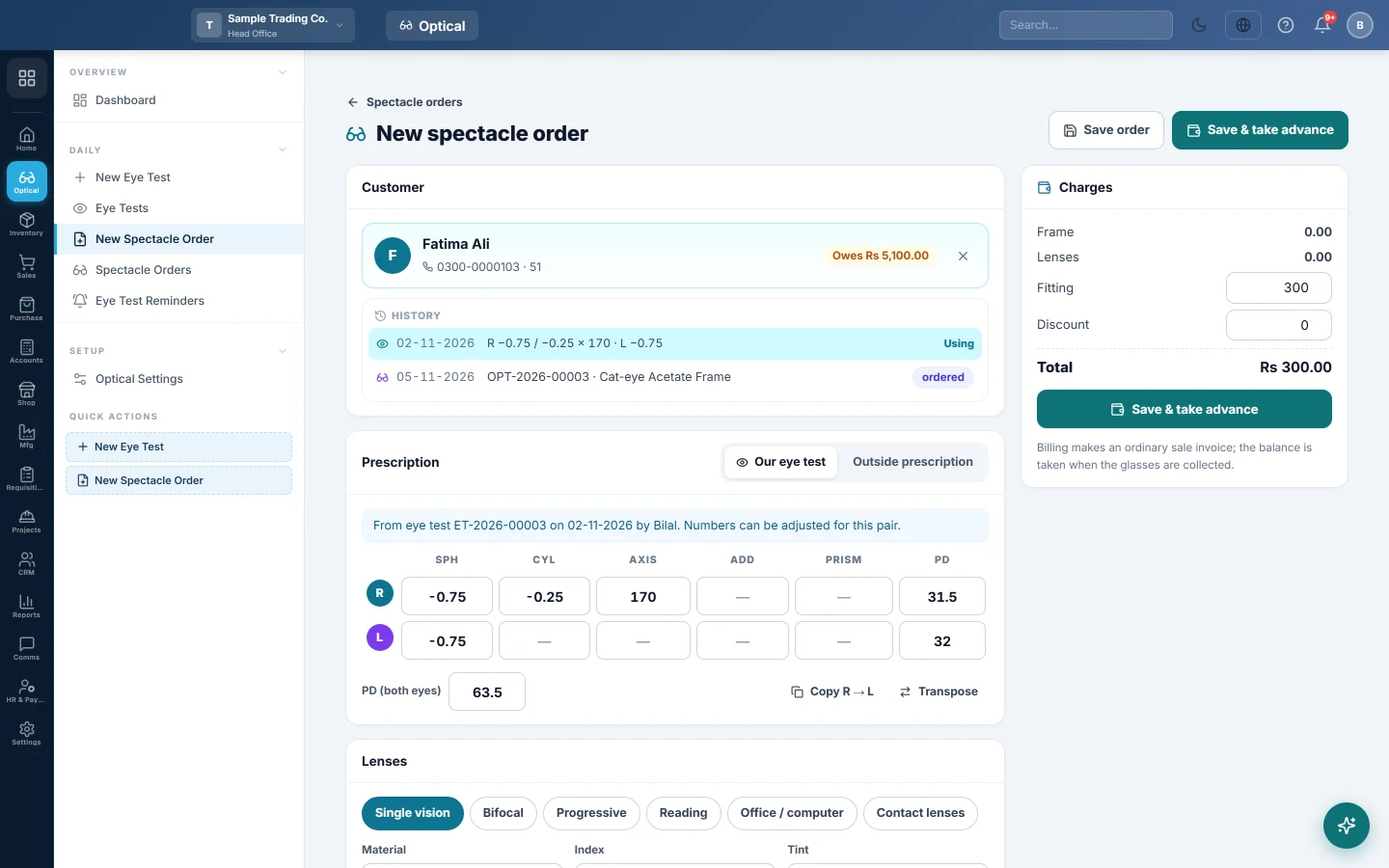
Pick the Customer. Their past tests show under History. Click Use on a test to take its prescription.
-
Under Prescription, choose:
- Our eye test: the numbers are copied from the test.
- Outside prescription: type the numbers and Prescribed by.
For bifocal and progressive lenses, type the Fitting height.
-
Under Lenses, pick the lens type, for example Progressive. Then pick the Material, Index, Tint and Coatings.
-
In Lens (from stock, or type the lab lens), search a stock lens, or type the lab lens name. Type the Lens price (pair).
-
Under Frame, search a frame by name, code or barcode and check the Frame price. Tick Customer's own frame if they brought one.
-
Under Lab & delivery, type the Lab, Lab reference and Promised for date, and any Notes for the lab / counter.
-
On the right, check Fitting, tick Eye test fee to add the test fee, and type any Discount.
-
Click Save & take advance.
-
In the Advance window, pick the Payment method. Type the amount, or click Full, Half or None.
-
Click Take.
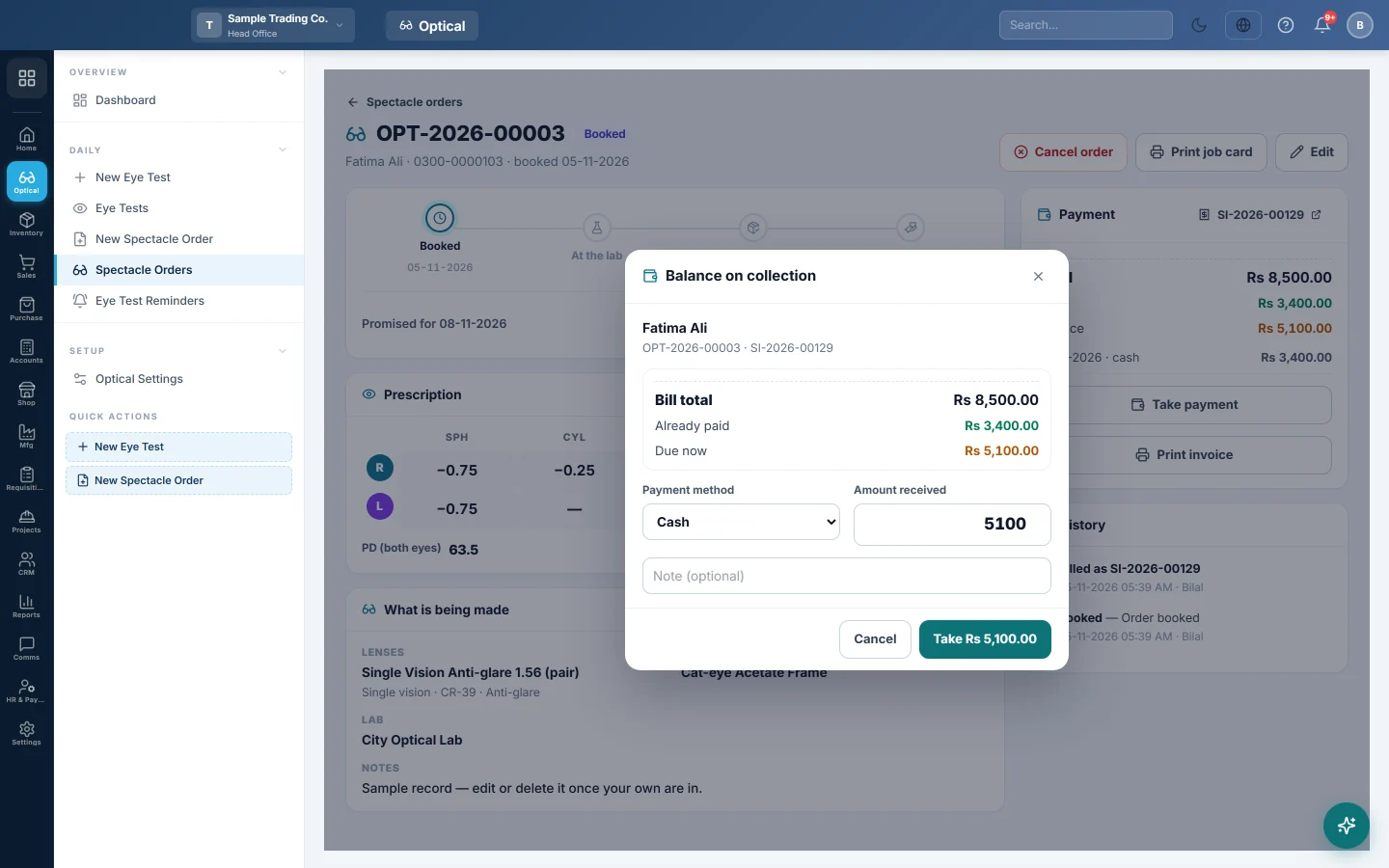
Click Save order instead to book now and bill later.
What happens in the books
Billing makes a sale invoice with one line each for the frame, the lenses, the fitting and the test fee.
- Stock: the frame, and any lens picked from stock, leave the warehouse when the invoice is confirmed. Lab lenses and the fitting are service lines with no stock.
- Sale: the customer's account is debited with the total, and sales are credited.
- Advance: recorded as a receipt into the cash or bank of the payment method.
Lab bills for lenses are entered as purchase invoices from the lab.
Common questions
Can I change the price after billing? No. The prices and items are locked while the invoice stands. Cancel the invoice in Sales, then bill the order again. The prescription, lab and dates can still be edited.
The customer owes the rest. Where is it? On the order and on the sale invoice. Take it at collection. See Track a spectacle order and hand it over.
Can I sell sunglasses or solution here? Sell those at the till or on a sale invoice. A spectacle order is for prescription glasses.
Obrigado. Se ainda precisar de ajuda, escreva para info@eloerp.net.