Optical settings
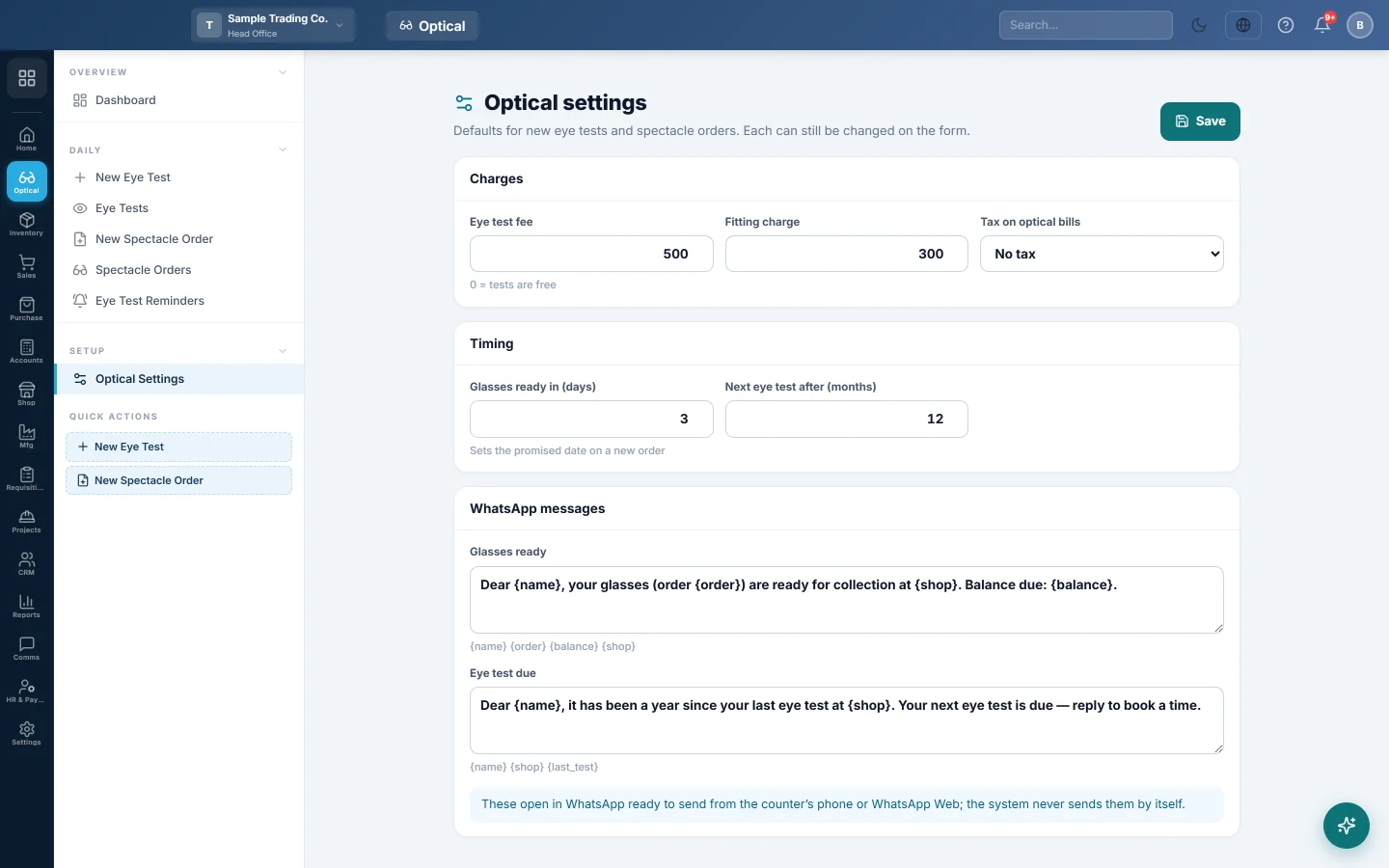
Set the eye-test fee, the fitting charge, the tax on optical bills, the days to ready, the months to the next test and the WhatsApp messages.
Optical settings hold the defaults for new eye tests and spectacle orders. Each one can still be changed on the form.
Before you begin
You need the Manage Optical Settings permission.
Where to find it
Open Optical → Setup → Optical Settings.
Set your defaults
- Under Charges:
- Eye test fee: 0 means tests are free.
- Fitting charge: added to every new order.
- Tax on optical bills: the sales tax added to optical invoices.
- Under Timing:
- Glasses ready in (days): sets the promised date on a new order.
- Next eye test after (months): sets the next test date on a new eye test.
- Under WhatsApp messages, edit Glasses ready and Eye test due. Words in braces are filled in for you:
- Glasses ready: {name}, {order}, {balance} and {shop}.
- Eye test due: {name}, {shop} and {last_test}.
- Click Save.
Common questions
Does a new fee change old tests? No. Each test keeps the fee it was saved with.
Where do I set prices of frames and lenses? On the products, in Inventory. The order screen fills the price from the product, and you can change it on the order.
Cet article vous a-t-il été utile ?
Merci. Si vous avez encore besoin d’aide, écrivez à info@eloerp.net.