Notifications
Read every alert sent to you - low stock, overdue invoices, cheques due, approvals waiting and more - open the document it points to, and mark alerts read.
Notifications is the full list of alerts sent to you. The bell in the top bar shows the latest ones; this page keeps them all, newest first, so you can catch up and open what needs you.
Before you begin
- Alerts must be switched on for your company. See Alerts.
- You choose which alerts reach you in My alerts.
Where to find it
- Open Home → Overview → Notifications.
- Or click the bell in the top bar, then See all.
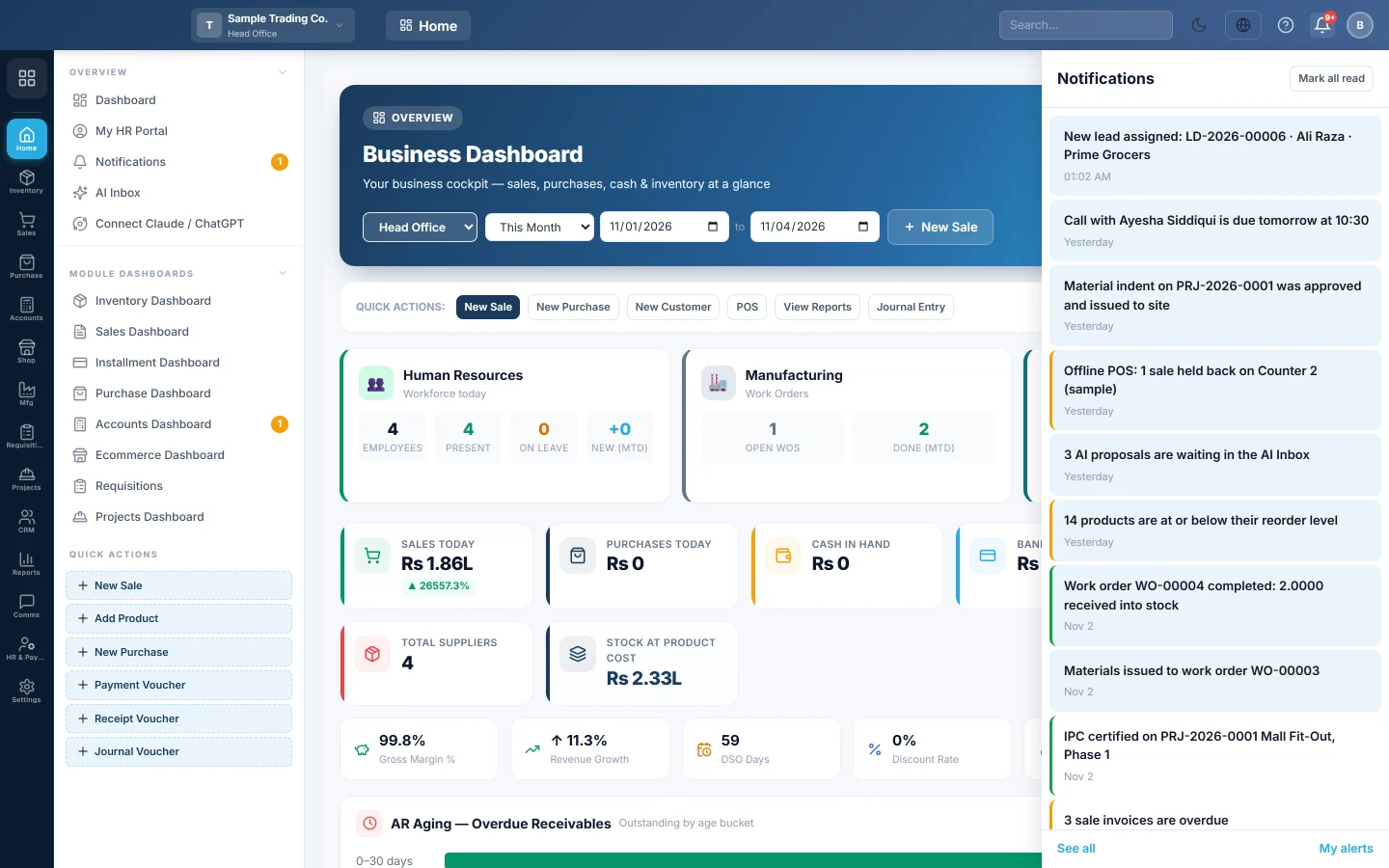
Check the bell
- Click the bell in the top bar. The number on it is how many alerts you have not read.
- Read the latest alerts. A coloured edge shows how serious each one is.
- Click an alert to open the screen it points to.
- Click Mark all read to clear the count.
An alert marked cleared is one whose cause has gone, for example stock that was refilled. The bell's My alerts link opens your alert choices.
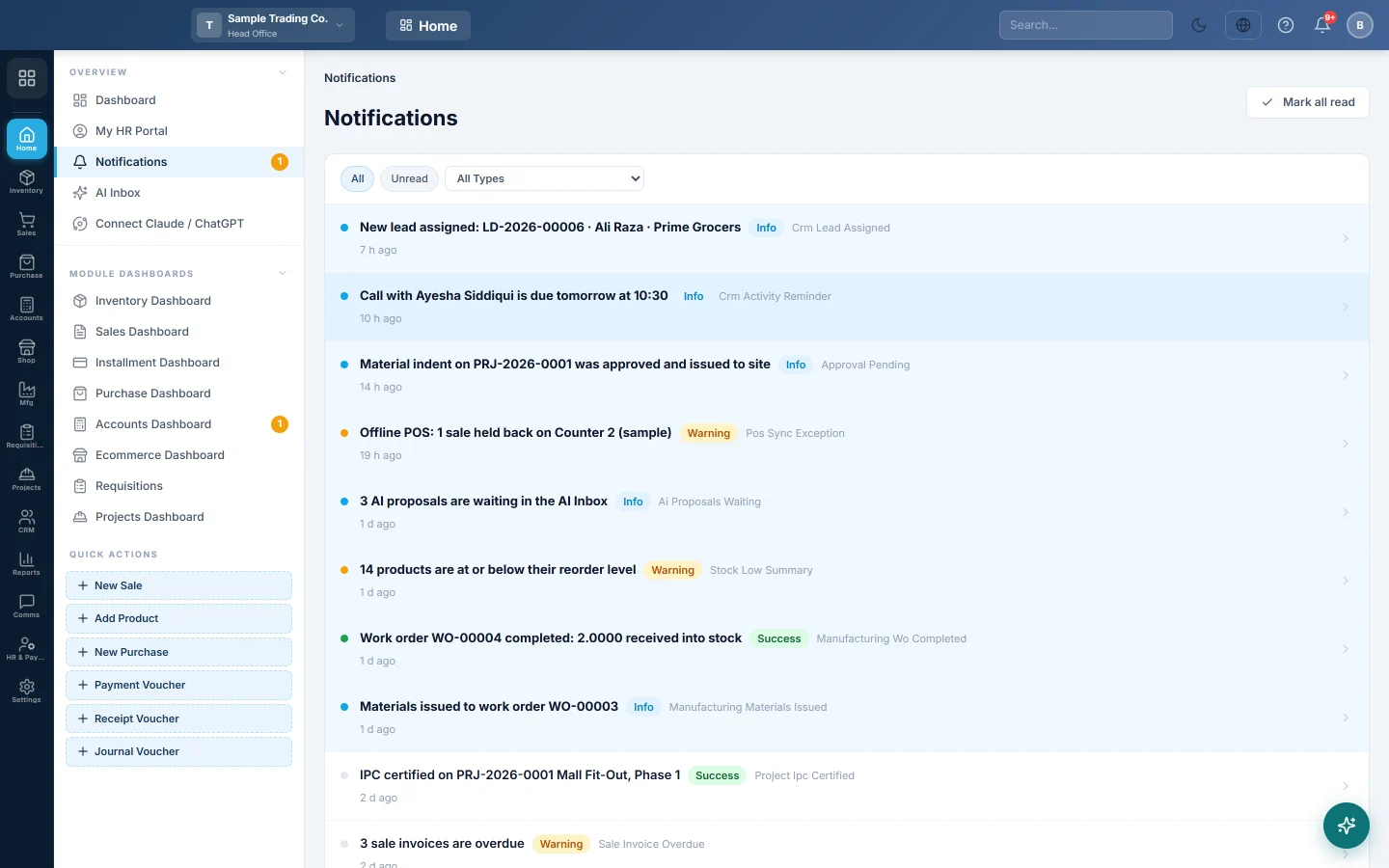
Read your notifications
- Open Home → Overview → Notifications.
- Click Unread to see only what you have not read, or All for everything.
- Choose a type in All Types to see one kind of alert, for example low stock. The list holds every type you have notifications of, not only those on this page.
- Read each row: the title, a badge for how serious it is, the type, the message and how long ago it came. The badge and the time show in your chosen language.
- Click a row to open the document or screen it points to. It is marked read.
An unread row has a light blue background and a coloured dot; a read row has a grey dot. Use the arrows at the bottom to move between pages of 25.
Mark everything read
Click Mark all read at the top right. The bell count goes back to zero.
Common questions
I get no notifications. Your company may have no alerts switched on, or you have switched them off for yourself. Check Alerts and My alerts.
Can I get an alert on WhatsApp or by email too? Yes. Tick Email or WhatsApp for that alert in My alerts.
Do other people see my notifications? No. Each person sees only their own list and read marks.
How long are notifications kept? As long as your company's Keep alerts for setting in Alerts, from 30 to 730 days.
Where do AI entries waiting for approval show? In the AI Inbox, not here.
Teşekkür ederiz. Hâlâ yardıma ihtiyacınız varsa info@eloerp.net adresine yazın.