Fix an invoice the tax authority rejected
Understand why FBR, PRA or another tax authority refused an invoice, in plain words with the fix, and how EloERP checks FBR invoices before sending so they are not refused.
When a tax authority refuses an invoice, its message is often hard to read. EloERP explains it in plain words and says what to fix. For FBR, it also checks each invoice before sending it, so the common mistakes are caught before the authority sees them.
Before you begin
- Tax authority invoicing must be set up for your company. See Tax Authorities and FBR Digital Invoicing.
- The explanations for common refusals work for every company. For a message nobody has explained before, the AI explains it when your company has the AI add-on.
Where to find it
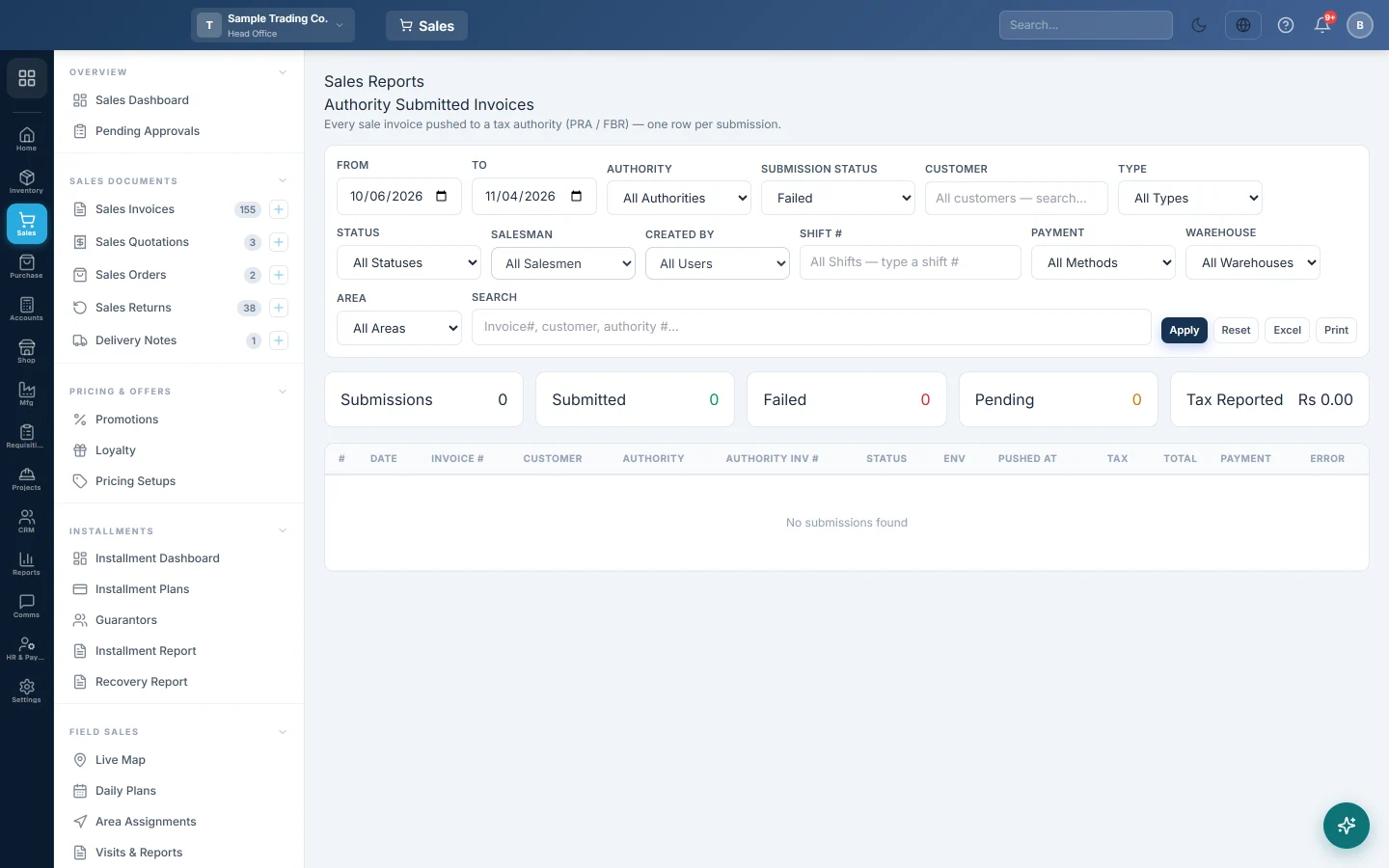
Open Sales → Reports → Authority Submitted Invoices. See Authority Submitted Invoices.
Read why an invoice was refused
- Open Sales → Reports → Authority Submitted Invoices.
- Set Submission Status to Failed and click Apply.
- Read the Error column. For a common refusal, the reason and Fix: show under the message.
- If there is no explanation yet, click Explain. It shows Explaining…, then the reason and the fix.
- Make the fix the explanation names, for example enter the product's HS code.
- Send the invoice again. For FBR, see FBR POS Integration.
If no explanation can be found, it says No explanation is available for this message yet. Check it with the authority.
Common refusals and their fixes
| The authority says | What to fix |
|---|---|
| HS Code cannot be empty | Open the product and enter its HS code. |
| Buyer registration number is not 13 digits or 7 digits | Fix the customer's NTN or CNIC, or mark the customer Unregistered. |
| Seller registration number is not 13 digits or 7 digits | Check your own Seller NTN and FBR token in Tax Authorities. |
| Buyer is not registered for sales tax | Mark the customer Unregistered, or correct their NTN. |
| Provided Rate is not correct | Fix the product's FBR sale type or rate. |
| Fixed/Notified Value or Retail Price is mandatory | Enter the product's printed retail price. |
| A timeout or a server that cannot be reached | Nothing to fix. It is sent again automatically. |
Invoices marked "Not sent"
Before an invoice goes to FBR, EloERP checks it for the mistakes FBR refuses most:
- every product on it has an HS code;
- a 3rd Schedule product has a retail price;
- a customer marked registered has a valid NTN (7 digits) or CNIC (13 digits);
- your own Seller NTN is entered.
If one is missing, the invoice is not sent. Its error starts with Not sent: and says what to fix and where, for example Not sent: Basmati rice 5 kg has no HS code. Open the product and enter its HS code. Make the fix; the invoice is sent again automatically within the hour.
These checks are fixed rules. No AI is used for them, and they never call FBR.
Common questions
Why is there no Explain button on a "Not sent" row? That message already says what to fix.
Does Explain cost anything? Common refusals are explained at once and free. A new message is explained once by the AI, and that explanation is kept, so the same message is never explained twice.
Is the invoice sent again by itself? Invoices refused for a timeout or a check that is now fixed are tried again every hour. After a fix to an FBR refusal, you can also send it again yourself.
Can the AI change my product or customer? No. It only tells you what to change. You make the change.
Does the morning briefing mention refusals? Yes. The WhatsApp briefing says how many invoices the tax authority refused the day before.
Obrigado. Se ainda precisar de ajuda, escreva para info@eloerp.net.