What the AI can do for you
A tour of the AI in EloERP - asking about your books, voice entries, reading supplier bills, suggested orders, the WhatsApp briefing and connecting your own Claude or ChatGPT - and the rule that nothing posts until a person approves it.
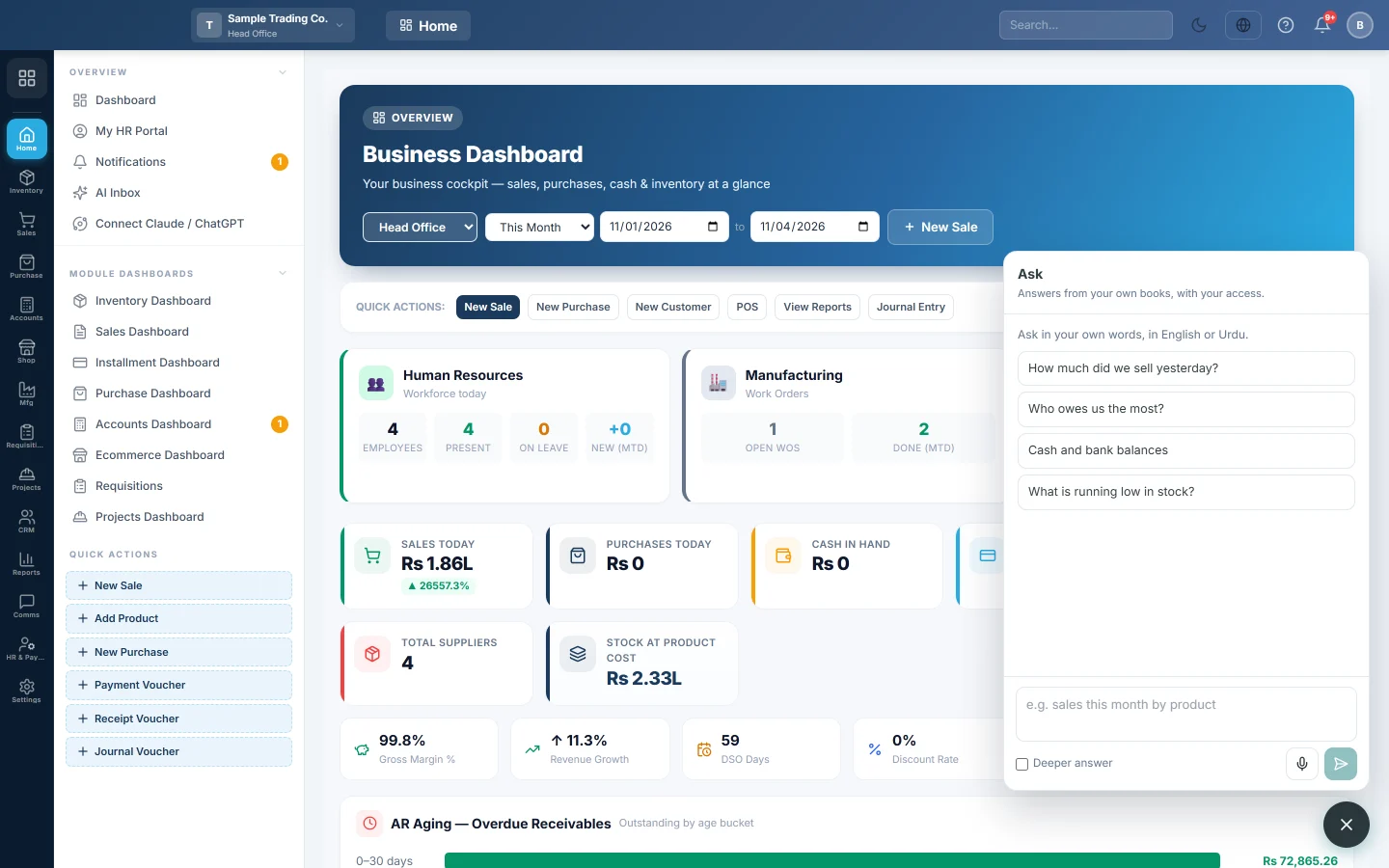
EloERP has an AI assistant that reads your own books and does the typing for you. It answers questions, turns a voice note or a photo of a bill into an entry, and suggests what to reorder. It never posts anything by itself: a person checks and approves every entry first.
Before you begin
- The AI is switched on for your company by your service provider. See Switch AI on for your company.
- The AI sees only what the person using it may see. A cashier asking a question gets a cashier's answer.
Where to find it
- The round Ask button with a sparkle icon, at the bottom right of every screen (not on the till or kitchen screens).
- Home → Overview → AI Inbox: entries the AI prepared, waiting for approval.
- Home → Overview → Connect Claude / ChatGPT: link your own AI app to your books.
- Purchases → Purchases → Invoices → Capture a bill: read a supplier bill from a photo.
- Settings → Notifications → AI: what is switched on, this month's usage and the WhatsApp briefing. See AI.
Three ways to get the AI
| Way | What you get | Who pays for the AI |
|---|---|---|
| Connect Claude / ChatGPT | Your own Claude or ChatGPT reads your books and prepares entries. | Your own Claude or ChatGPT plan. EloERP does not charge for the connector. |
| AI add-on | Everything below, inside EloERP and on WhatsApp, with a monthly allowance. | Your EloERP plan. |
| AI add-on on your own key | The same as the add-on, run on your own Anthropic or OpenAI key, with no allowance limit. | Your own key, billed by that AI company. |
Your company can have the connector, the add-on, or both. Ask your service provider which suits you.
What the AI can do
- Answer questions about your business: sales, who owes you, cash and bank, stock, profit, expenses, payroll. See Ask a question about your business.
- Take entries by voice: say what you sold, bought, paid or received, then tap to post it. See Enter a sale, payment or expense by voice.
- Read a supplier bill or receipt from a photo or PDF and match it to your suppliers and products. See Read a supplier bill from a photo.
- Suggest purchase orders from your sales and stock, as draft orders. See Get suggested purchase orders.
- Send a morning briefing on WhatsApp to the owner, and answer questions sent from that phone. See Get a daily briefing on WhatsApp and Ask on WhatsApp.
- Explain a tax authority rejection in plain words. See Fix an invoice the tax authority rejected.
- Work inside your own Claude or ChatGPT. See Connect Claude or ChatGPT to your books.
Your online store has its own shopping assistant and agents. See AI Agents and Conversations.
What the AI cannot do
- It cannot post, change or delete anything in your books. It only prepares entries for the AI Inbox.
- It cannot change settings, users or roles.
- It cannot see more than your role allows, or branches you do not work in.
- It does not make up figures. Every number comes from your books; if it cannot find one, it says so.
Common questions
Is the AI on for every company? No. Your service provider switches it on. Until then the Ask button and the AI menu items do not show.
Can the AI make a mistake? Yes, it can misread a bill or mishear a voice note. That is why every entry waits for a person to check it.
Which languages does it understand? Ask in your own words, in English, Urdu or Roman Urdu. It answers in the language you wrote in.
What happens to my data? Only the figures needed for an answer are sent to the AI provider. See Your data and the AI.
Do I need a Claude or ChatGPT account? Only for the connector. The AI add-on works without one.
Vielen Dank. Wenn Sie weitere Hilfe brauchen, schreiben Sie an info@eloerp.net.