Run your first production
Set up a product you make, write its recipe, run a work order and check the finished stock and its cost, from start to finish.
This page walks through one production run from nothing: the products, the recipe, the work order, and checking that stock and cost came out right. The example makes 10 wooden chairs.
Before you begin
- The Manufacturing module is on for your company.
- You have a warehouse for raw materials and finished goods. See Warehouses.
Where to find it
The steps use Inventory → All Products, then Manufacturing → Manufacturing → Bill of Materials and Work Orders.
1. Add the products
- Add each raw material as a product that keeps stock, for example Wood plank, Screws and Varnish. See All Products.
- Add the finished product, Wooden chair, with its sale price.
- Get the raw materials into stock with their cost: buy them, see Invoices, or enter opening stock, see Opening Stock.
2. Write the recipe
- Open Bill of Materials and click New BOM.
- Pick Wooden chair as the Finished Product and Make to Stock (Pre-sale, Manual) as the Production Type.
- Set Output Qty per Run to 10.
- Add the components for 10 chairs: 20 Wood plank, 160 Screws, 2 Varnish.
- Set Status to Active and click Save BOM.
See Bill of Materials.
3. Run the work order
- Open Work Orders and click New Work Order.
- Pick the BOM, type Qty to Produce 10, and choose the Output Warehouse.
- Click Save.
- Click Start Production when work begins.
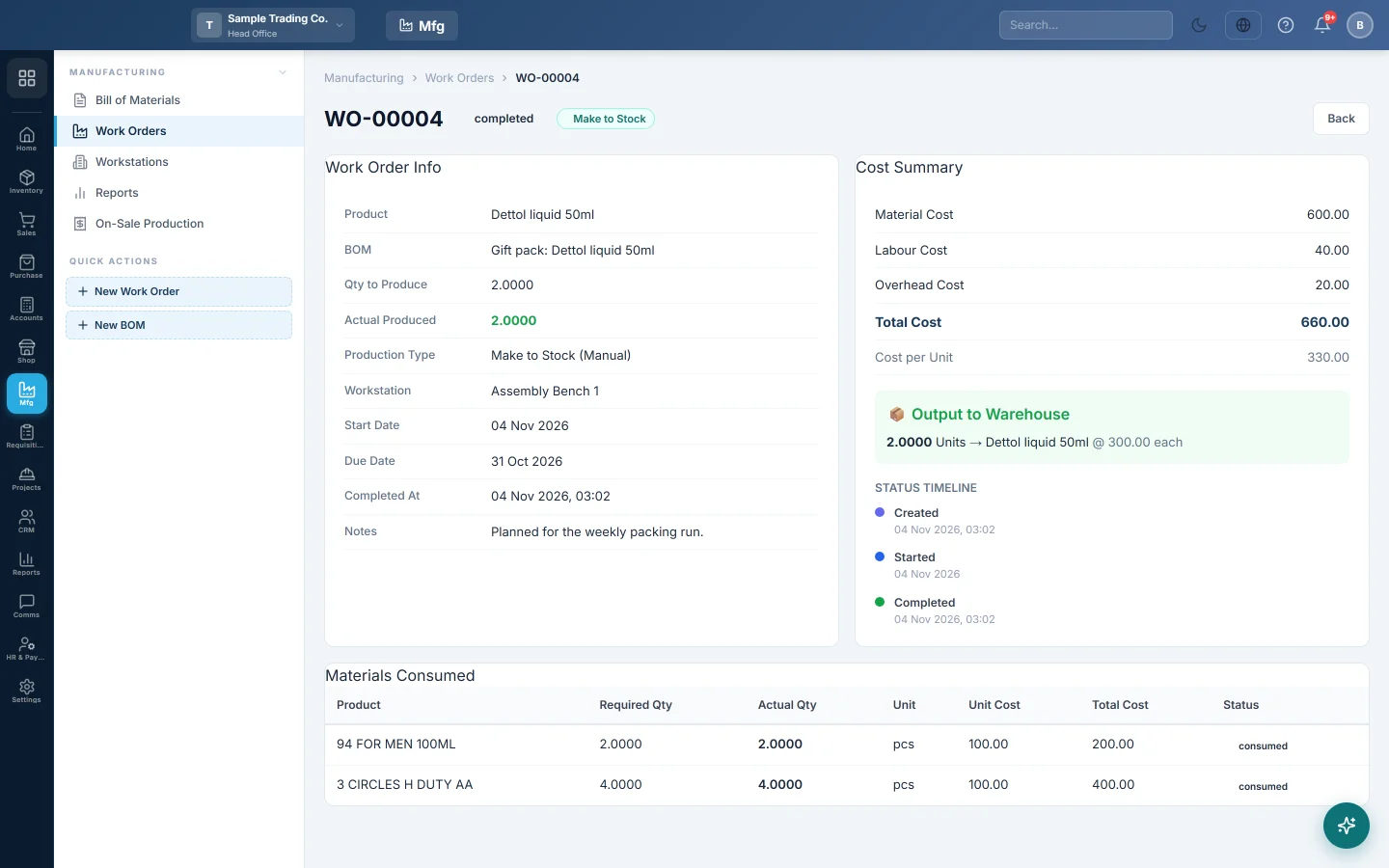
- When the chairs are made, click Complete Production, type the Actual Qty Produced and confirm.
See Work Orders.
4. Check the result
- On Stock Levels, Wooden chair is up by 10 and the raw materials are down by what the run used.
- On the work order, the Cost Summary shows the cost per chair.
- On Stock Ledger, the run shows as consumption rows for the materials and an output row for the chairs.
What happens in the books
The raw materials leave stock at their average cost and the chairs enter stock at the same total. Both sit in your Inventory account, so no voucher is posted for the run. When you sell a chair, the sale invoice posts its cost to Cost of Goods Sold.
Common questions
What if I sell the product before I make it? Use Make to Order (Post-sale, Auto) with Auto-trigger on Sale Confirmation on the BOM. The run is recorded when the sale is confirmed. See On-Sale Production.
Some materials went negative. The run used more than you had recorded in stock. Record the missing purchase, or count the stock. See Stock Count (Physical).
How do I include labour in the chair's cost? Type Labour Cost per Unit on the BOM. It shows in each work order's cost and in the reports; the stock value stays at the material cost.
Terima kasih. Jika masih butuh bantuan, kirim email ke info@eloerp.net.