Connect your WooCommerce store
Pair a WooCommerce (WordPress) store with one click so its orders come into EloERP, and pull or push products.
Connecting your WooCommerce store brings its orders into EloERP and lets you move products between the two. You pair it with one click: WordPress makes the keys and hands them to EloERP, so nothing has to be copied.
Before you begin
- You can sign in to your WordPress admin as an administrator, and WooCommerce is installed.
- Your role in EloERP needs the online shop platform permissions. See Users & Roles.
Where to find it
Open Online shop → Setup → Channels.
Pair the store
- Click Connect New.
- Choose WooCommerce in Platform Type.
- Type a Store Name and the Store URL, for example https://yourstore.com.
- Click Connect Platform. The store is saved without keys.
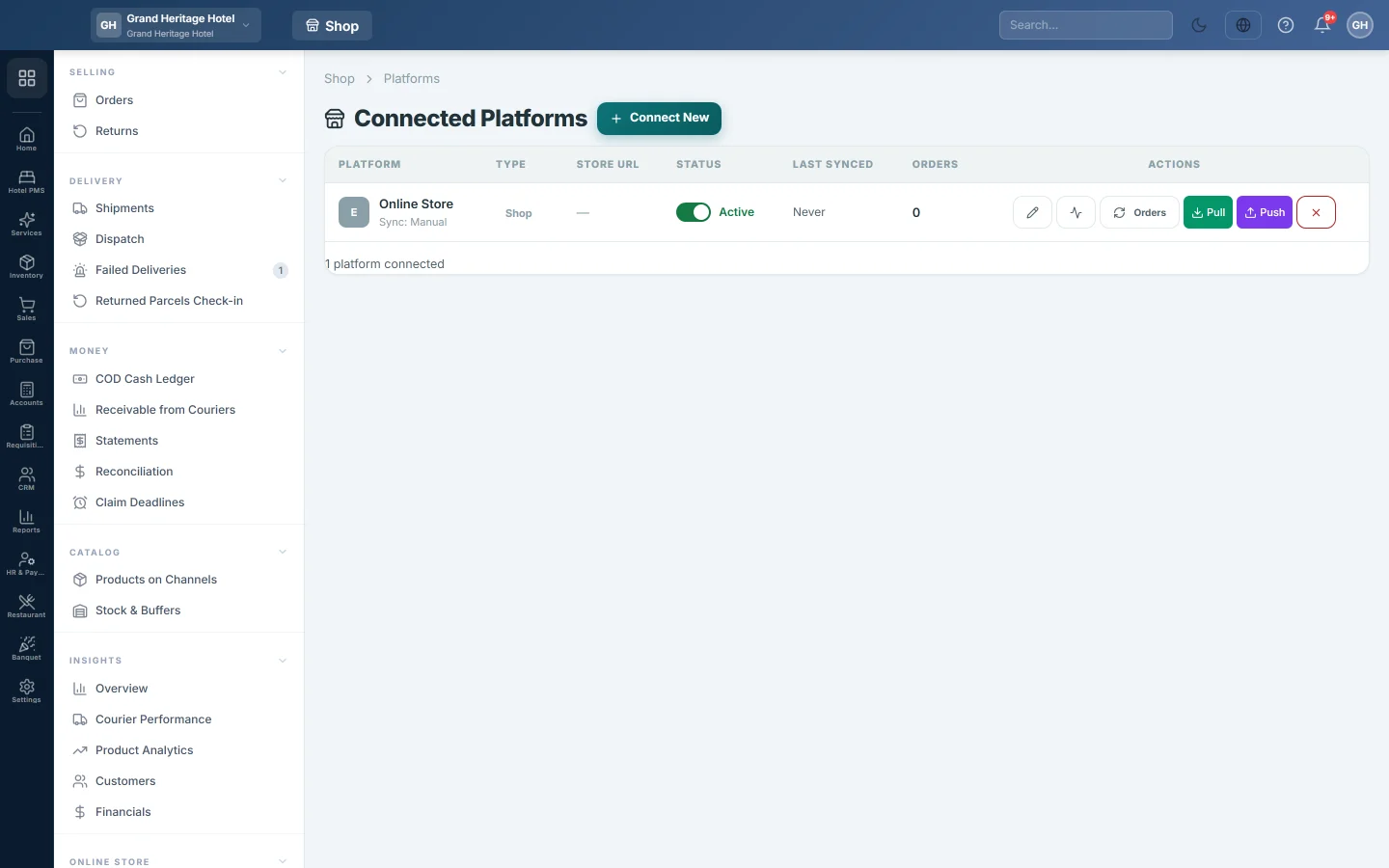
- Click the pencil on the new row to open it again.
- Click Authorize on WordPress. Your WordPress admin opens.
- Sign in if asked, and approve the access.
- You come back to EloERP with the message WooCommerce authorized successfully. Keys saved.
- Click Test Connection on the row. It should say the connection worked.
When the keys arrive, EloERP also registers its webhooks on your store, so new orders can be sent across. Product changes on the store are logged and ignored, so your catalogue here stays the master, unless your service provider sets the channel to pull products by webhook.
Bring in orders and products
- Click Orders to bring in new WooCommerce orders. They appear in Orders.
- Click Pull to read your WooCommerce products into EloERP, with categories and images.
- Click Push to send your Ecommerce products to WooCommerce. EloERP first checks the store and tells you how many products will be updated and how many created. Click OK to go ahead.
Check each run on Sync Logs.
Common questions
The Authorize on WordPress button is missing. It appears only after the store is saved. Save it first, then open it with the pencil.
I approved in WordPress but no keys were saved. WordPress could not reach EloERP to hand over the keys, often because a security plugin blocks it. Use Advanced: enter keys manually instead.
Push says it will create products that are already on my store. A product is matched by its earlier link, or else by SKU. Give the products in both places the same SKU, then push again.
Can I connect two WooCommerce stores? Yes. Click Connect New for each one.
I marked an order completed on WooCommerce. Why is there no invoice here? An order completed on the store with no courier booked here is not invoiced on its own. It gets a timeline note and an alert; open the order and post it with Create Fulfillment.
An order was cancelled on WooCommerce but is still open here. Its sale invoice is already posted, so a status change cannot undo it. The timeline asks you to reverse it with Mark RTO or Start return.
Obrigado. Se ainda precisar de ajuda, escreva para info@eloerp.net.