Find buyers and cities that return COD parcels
Use the risk profiles, the city ranking and the courier scorecard to see who and where refuses cash-on-delivery parcels, and act before you ship the next one.
Every cash-on-delivery parcel that comes back costs you freight both ways. This guide shows how to find the buyers and cities with the most returns, so you can ask for advance payment before you ship.
Before you begin
- Order statuses must be up to date, so delivered and returned parcels are known. See Shipments and Returned Parcels Check-in.
Where to find it
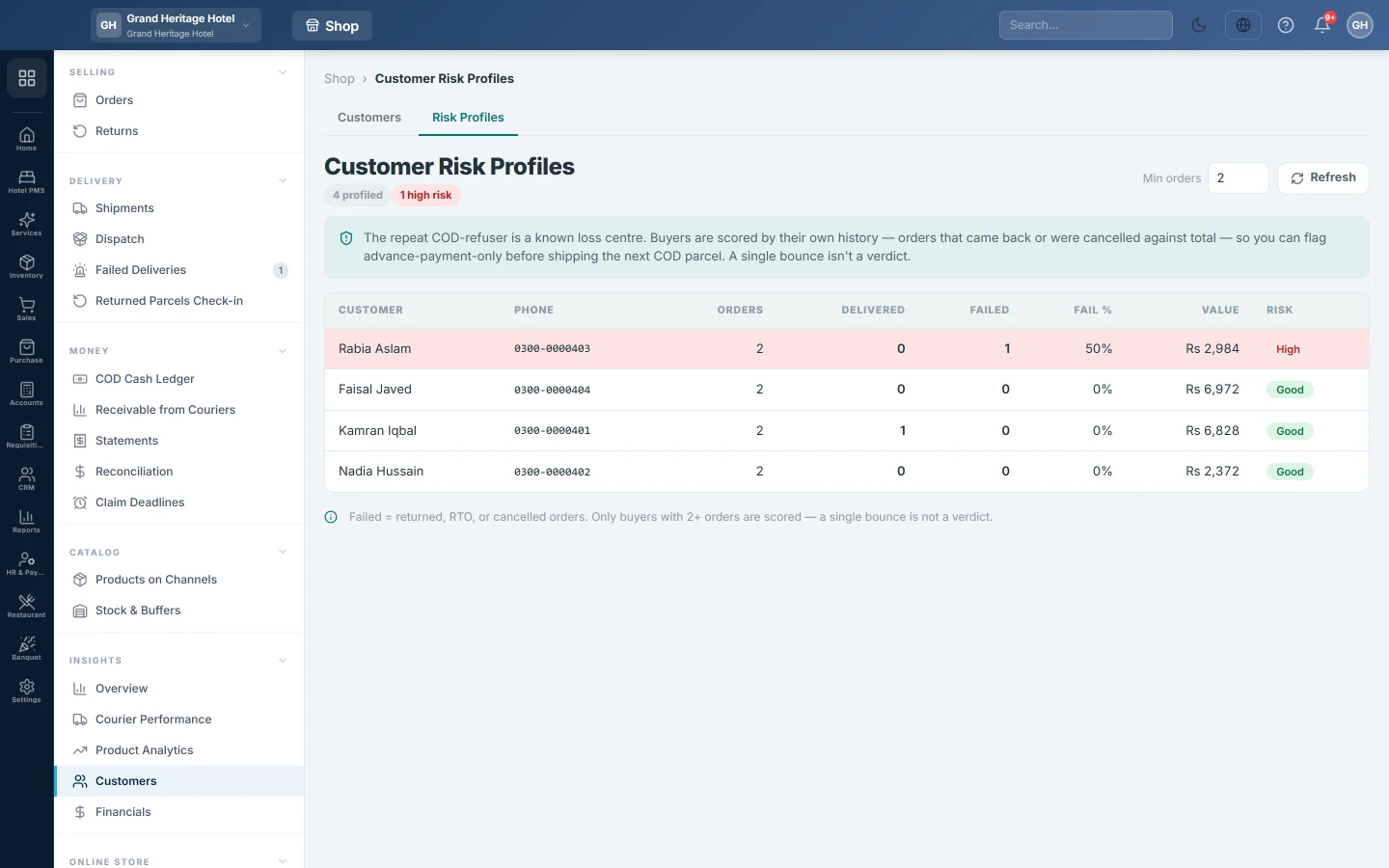
Open Online shop → Insights → Customers and click the Risk Profiles tab.
1. Find the risky buyers
- Set Min orders, for example 3. Buyers with fewer orders are not scored.
- Click Refresh.
- Read the list from the top. Fail % is the share of the buyer's orders that were returned or cancelled.
The Risk tier is High from 50%, Medium from 25%, and Watch above zero.
2. Find the risky cities
- Open Online shop → Insights → Courier Performance.
- Click the City & Route Performance tab.
- Set the dates and click Refresh.
- Look at RTO %. Cities above 30% are highlighted.
3. Check whether the courier is the problem
On the Courier Performance tab, compare the couriers' Return rate and the Success rate & delays grid. If one courier returns far more parcels in a city than another, change the courier for that city on Courier Rules.
4. Act before the next parcel
- Add an automation rule for COD orders whose Risk tier is High or Medium, with Require prepayment (flag + hold), so staff ask for advance payment first. See Automation Rules.
- Call the buyer to confirm the order before you dispatch it.
- Merge a buyer's duplicate records first, so their whole history counts. See Customers.
Common questions
A good buyer shows as Watch. One cancelled order puts a buyer on Watch. Raise Min orders or look at their orders before you act.
Why is the city Unknown? The customer record has no city. Add it on the customer.
Where do I see the money lost on returns? On the Contribution Margin tab of Financials, in RTO freight loss.
谢谢。 如果仍需帮助,请发邮件至 info@eloerp.net。