Fix price and SKU differences with your website
Read your WooCommerce or Shopify catalogue, find every product and variation whose price or SKU differs from yours, and push or pull the right version.
When a shopper sees a different price online than in your shop, or orders arrive without a matching product, the two catalogues have drifted. This guide finds the differences and fixes them one product at a time.
Before you begin
- Your WooCommerce or Shopify store is connected on Channels.
- Your role needs the catalogue comparison permission.
Where to find it
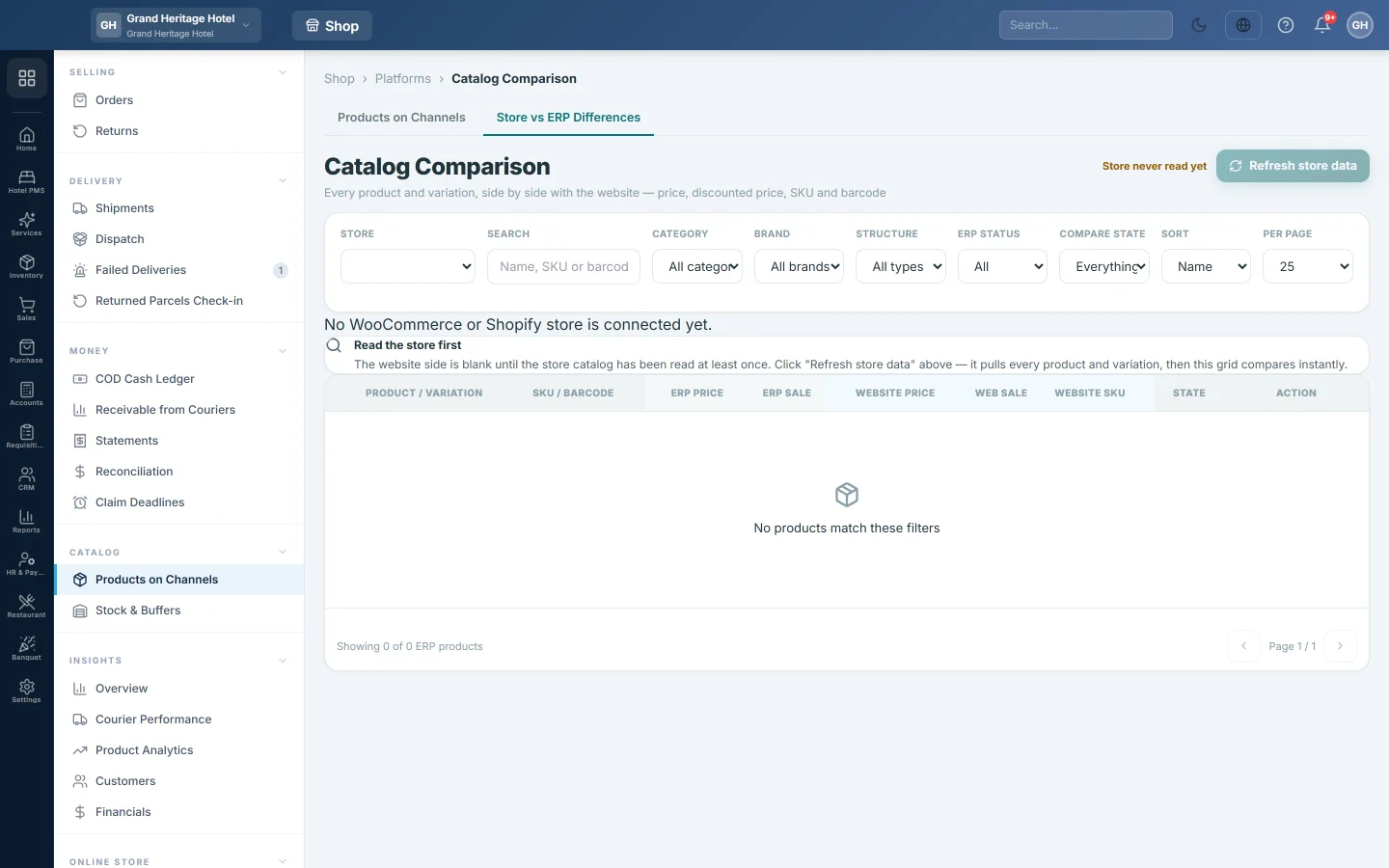
Open Online shop → Catalog → Products on Channels and click the Store vs ERP Differences tab.
Read the store
- Pick the Store.
- Click Refresh store data. EloERP reads every product and variation from the store; a big catalogue takes a few minutes.
- Keep the page open until the grid updates.
The note beside the button shows how old the store data is. It turns orange after an hour, and a warning appears after a day.
Find the differences
- Set Compare state to Different.
- Look for red cells: ERP price against Website price, ERP sale against Web sale, and Website SKU.
- For a product with options, click the arrow to open its variations. Each has its own state.
Not on website means the store has no product with this product's link or SKU.
Fix each product
Decide which side is right, then:
- EloERP is right: click Push. Your version goes to the store and the row is read again.
- The store is right: click Pull. The store's version replaces yours in EloERP.
The row shows a timer while it works. When it finishes, its state should read In sync.
Fix a SKU mismatch
A product with a blank or different SKU on the store does not match, so a push would create a second copy.
- Open the product in Inventory and check its SKU.
- Change the SKU on the store, or in EloERP, so both are the same.
- Click Refresh store data and check the row again.
Common questions
A row stays Different after a push. The store may round the price, or it has a sale price set by hand. Open the product on the store and check its sale price.
Why does a product show Hidden? Its Website tick is off on the Products on Channels tab, so shoppers cannot see it.
Can I fix many products at once? Push all products from the store's card on Channels. Fix the SKUs here first, so the push updates instead of copying.
Gracias. Si todavía necesita ayuda, escriba a info@eloerp.net.