Record a gateway payout
When a card or wallet gateway pays your online store's prepaid orders into the bank, post the payout with its fees, refunds and chargebacks.
Card and wallet gateways keep your customers' payments for a few days, take their fee, and pay the rest into your bank in one batch. Record each batch as a payout so the bank and the gateway's balance agree.
Before you begin
- Your online store takes card or wallet payments. The gateway's payment method and its clearing account are made with the first paid order. See Online Store.
- Have the gateway's settlement report: which orders it paid, the fees and any refunds or chargebacks.
- Your role needs Perform Reconciliation. See Users & Roles.
Where to find it
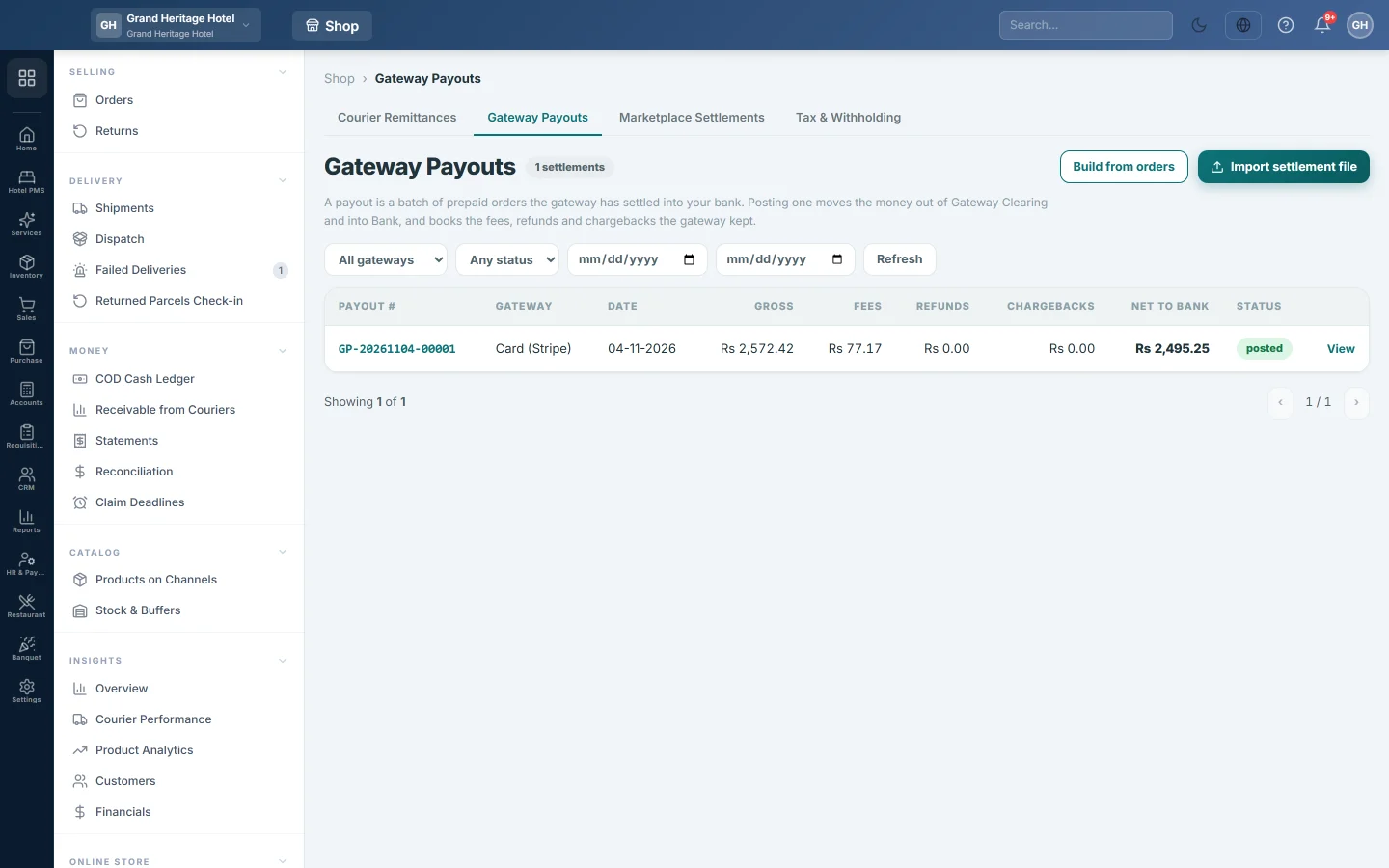
Open Online shop → Money → Statements and click the Gateway Payouts tab.
Post the payout
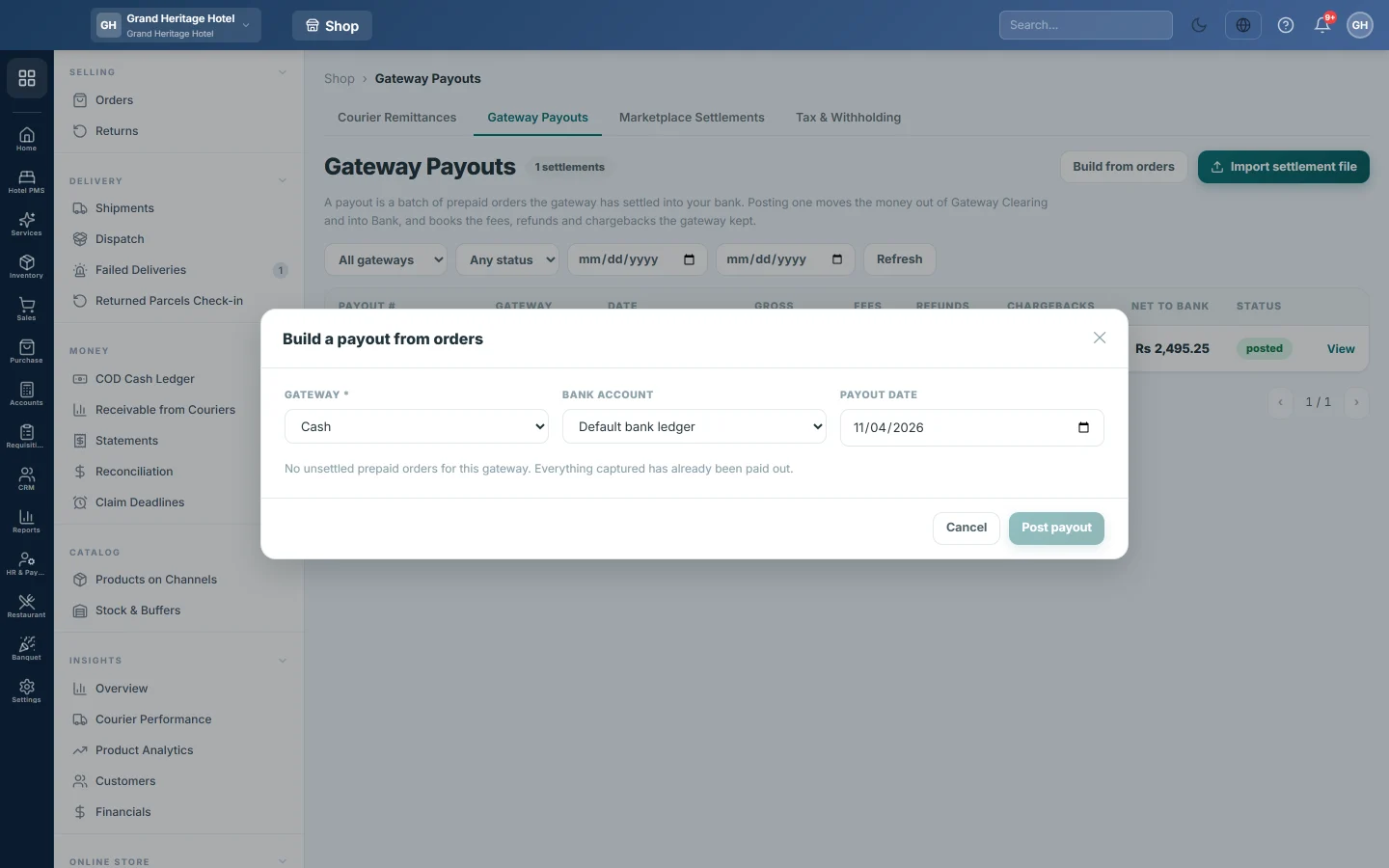
- Click Build from orders.
- Choose the GATEWAY. Its prepaid orders not yet paid out load, all ticked.
- Choose the BANK ACCOUNT the money reached. Each bank shows as bank — account title ··last four digits.
- Set the PAYOUT DATE from the gateway's report.
- Untick every order that is not in this payout.
- For each order, check the Gross and type the Fee, Refund and Chargeback from the report.
- Compare the DR Bank line under THIS WILL POST with the amount in your bank.
- Click Post payout.
The payout gets a number starting GP- and appears in the register.
Or import the gateway's file
- Click Import settlement file.
- Choose the GATEWAY and the FILE (CSV or XLSX).
- Click Match against orders. The chips count the lines matched, with an amount mismatch and unmatched. An unmatched line is money the gateway says it sent that fits no order; it is listed but not posted.
- Click Post the {n} matched rows.
Undo a payout
- Click the payout number or View.
- Click Void this payout.
- Type a reason, or leave it blank, and confirm.
The voucher is reversed with a mirror entry dated today.
What happens in the books
- The bank account is debited with the net paid out. With no bank account chosen, the default bank ledger is used.
- The gateway's Fees account is debited with the fees, Ecommerce Refunds with refunds and Gateway Chargebacks with chargebacks.
- The gateway's Clearing account is credited with the gross, so its balance on Receivable from Couriers falls.
Common questions
No orders load for the gateway. Every paid order for it is already on a payout, or you picked a payment method that is not a gateway.
The post fails saying clearing and bank are the same account. The gateway's money would move from an account to itself. Choose a different bank account.
The post fails asking for a bank ledger. No bank account was chosen and there is no default bank ledger. Choose the BANK ACCOUNT, or add one in Bank Accounts.
Where do I see payouts against my bank statement? The net posts to the bank account, so it shows in Bank Reconciliation.
Спасибо. Если помощь всё ещё нужна, напишите на info@eloerp.net.