Report and sign a scan
Write the radiology report for a performed exam, save it as a draft, flag a critical finding and sign it as the radiologist so it becomes final and printable.
A performed exam needs a report. Anyone with the report right writes and saves a draft; a radiologist then signs it, and only a signed report prints as final.
Before you begin
- The exam is performed. See Perform an exam.
- To write, your role needs Write Imaging Reports. To sign, it needs Verify / Sign Imaging Reports (Radiologist). See Users & Roles.
- Link the radiologist's user to their doctor record, so their name prints on the report. Otherwise pick it each time you sign.
Where to find it
Open Imaging → Work → Imaging Orders, click To Report and open the order. Radiologists with assigned exams can start from My Reporting.
Write the report
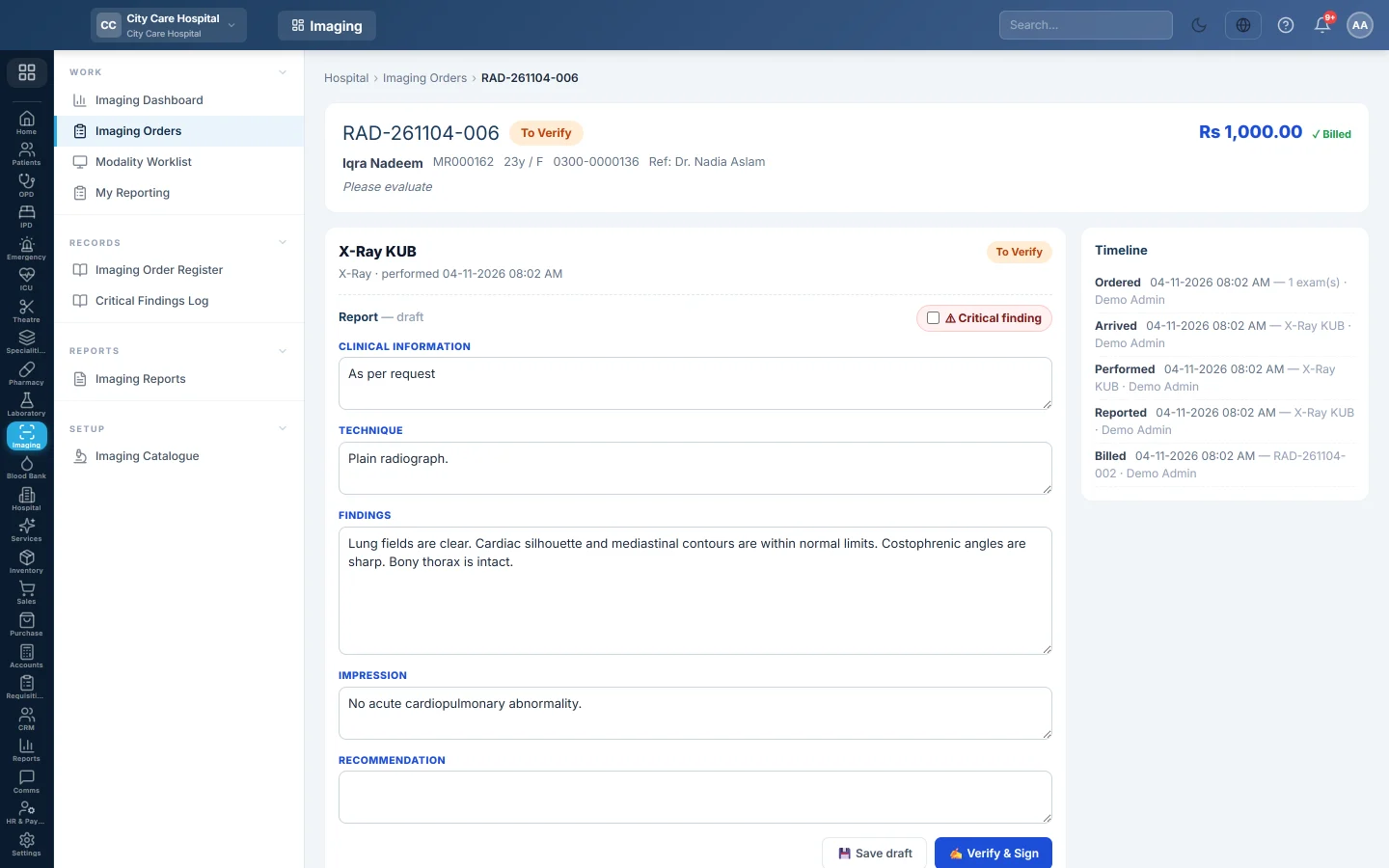
- On the exam card, read the Report sections. When the exam has a template, they say pre-filled from template, not saved yet.
- Edit Clinical information, Technique, Findings, Impression and Recommendation.
- Click Save draft.
The exam moves to To Verify. You can come back and change the draft as often as you need.
Flag a critical finding
When the scan shows something the referring doctor must know about now, such as a bleed or a pneumothorax:
- Tick ⚠ Critical finding above the report.
- Call the referring doctor or the ward.
- Save the draft, or go straight to signing.
Sign the report
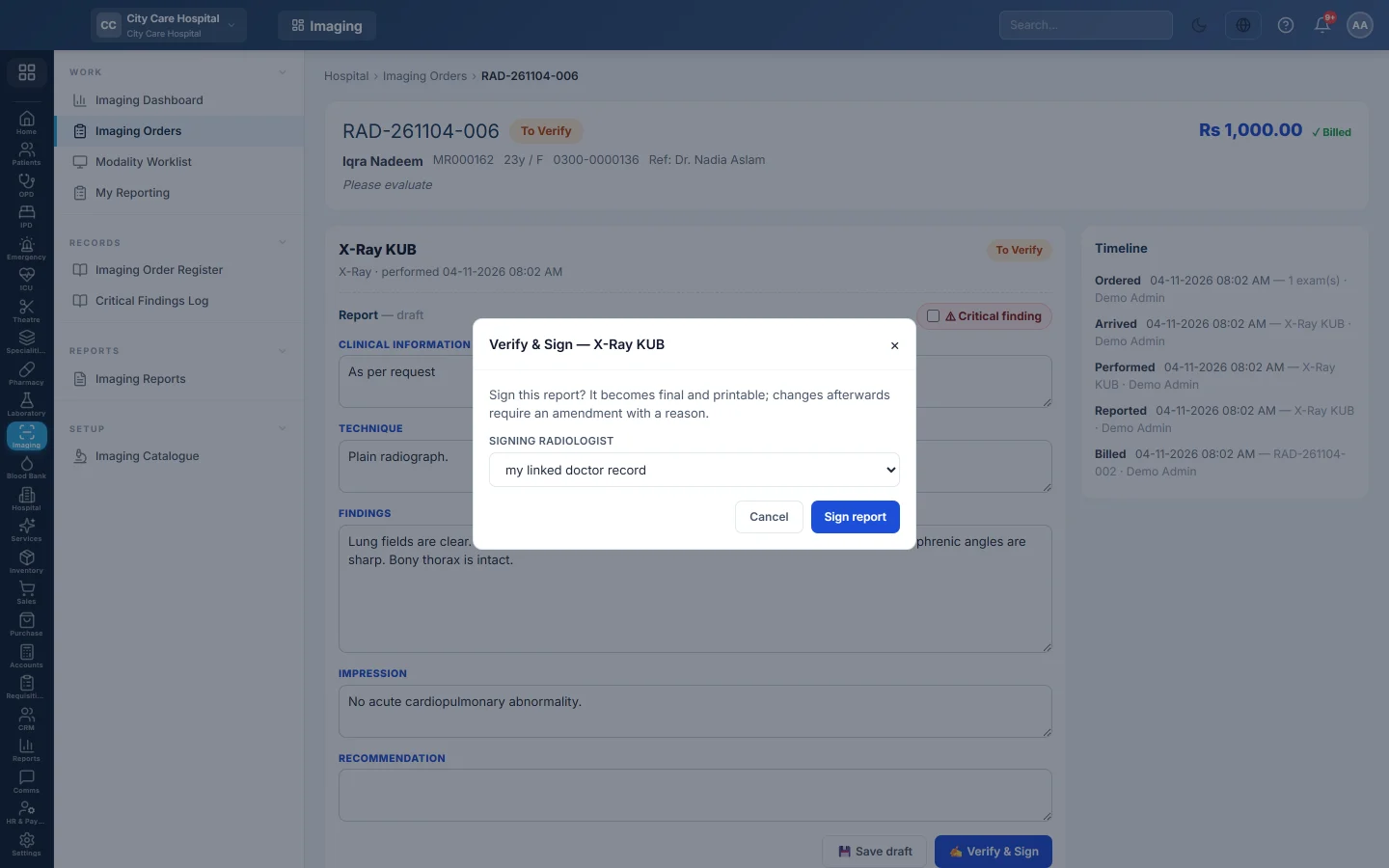
- Click Verify & Sign. It appears once a draft is saved.
- For a critical report, type who was told, how and when under Critical finding, for example Dr. Ayesha Malik (referring), by phone 14:20. The report cannot be signed without it.
- Choose the Signing radiologist, or leave my linked doctor record.
- Click Sign report.
Any unsaved changes are saved first. The exam shows Verified with the radiologist's name and time, and the report becomes read-only.
What happens next
- A referring doctor on staff gets the result in their inbox, marked critical when it is.
- Print Report appears on the order once an exam is signed. When every exam is signed, the order turns Verified. See Print or correct an imaging report.
- A critical report is listed on the Critical Findings Log with who was told and when.
Common questions
I see Save draft but no Verify & Sign. Either the draft is not saved yet, or your role cannot sign. Save the draft and ask a radiologist to sign it.
It says the exam is assigned to someone else. The exam is assigned for tele-reporting. Only that radiologist or a radiology manager can write or sign it.
The report prints "Radiologist" instead of a name. No doctor was linked when it was signed. Amend the report and sign it again with the Signing radiologist chosen.
Can I report one exam and leave the other? Yes. Each exam on an order is reported and signed on its own card.
Merci. Si vous avez encore besoin d’aide, écrivez à info@eloerp.net.