Verify and sign out a lab report
Check entered lab results as a technologist, then release the report as the pathologist, confirming any critical values were called through.
A lab report goes out in two checks. A technologist verifies the entered results, then a pathologist signs out the report, which releases it for printing.
Before you begin
- All results on the order are entered. See Take a lab sample and enter results.
- The first check needs Technical Verification of Results. The release needs Medical Sign-out / Release Reports. See Users & Roles.
Where to find it
Open Laboratory → Work → Lab Orders, click the Resulted or To Sign-out chip, and open the order.
Verify the results
- Open an order at Resulted.
- Check each value against its Reference and Flag.
- Correct any value, then click 💾 Save Results.
- Click ✓ Technical Verify.
The order moves to To Sign-out. If anyone clicks Save Results after this, the results go back to Resulted and need verifying again.
Sign out and release
- Open an order at To Sign-out.
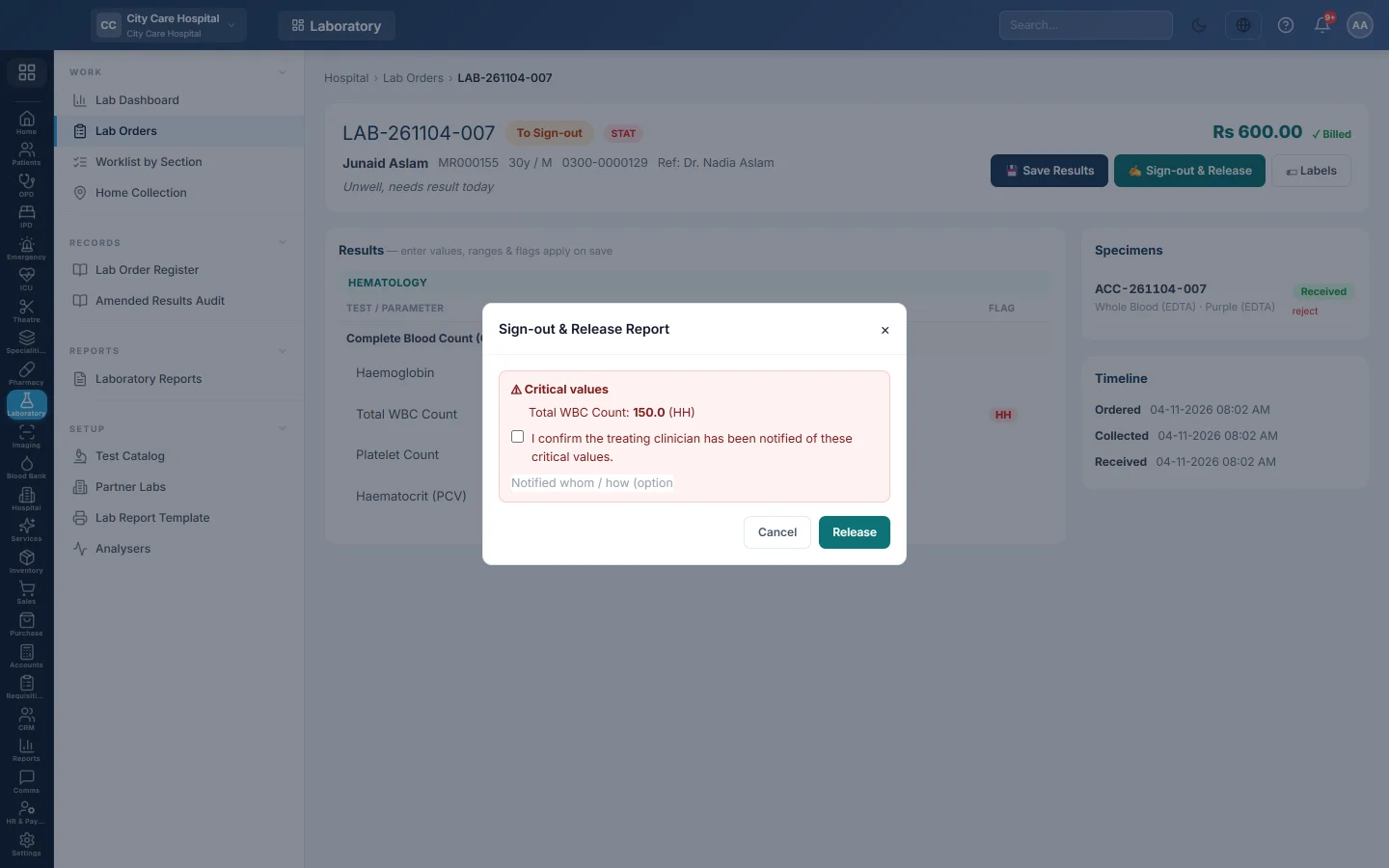
- Click ✍ Sign-out & Release.
- If the report has critical values, they are listed. Tick I confirm the treating clinician has been notified of these critical values. and note whom you told and how.
- Click Release.
The order moves to Reported. The results are now final and the 🖨 Print Report button appears. See Print a lab report.
What happens when a report is released
- The referring doctor, if the order has one, is told in their inbox that the report is ready.
- If your hospital has a message rule for a ready lab report, the patient gets an SMS or WhatsApp. Rules are set up under Comms.
- The release, and the critical-value call-back note, are kept on the order's history.
Common questions
Sign-out says technical verification is still needed. Some lines were entered or changed after the last verify. Click ✓ Technical Verify first.
Sign-out says to enter all results. At least one line has no value. Enter it, or ask the lab to run it.
The Release button stays grey. The report has critical values. Tick the confirmation that the clinician was told.
Can the same person verify and sign out? Yes, if their role has both permissions. Many labs keep them separate.
Merci. Si vous avez encore besoin d’aide, écrivez à info@eloerp.net.