Record a medico-legal case (MLC)
Record a medico-legal case on an emergency visit - nature, incident, police station, FIR and examination - print it, and correct a locked record with a reason.
A medico-legal case (MLC) is a patient whose injury or illness concerns the police, such as a road accident, assault or poisoning. EloERP keeps the MLC on the emergency visit and locks it as evidence.
Before you begin
- Your role can treat emergency patients. Correcting a locked MLC needs its own unlock permission. See Users & Roles.
Where to find it
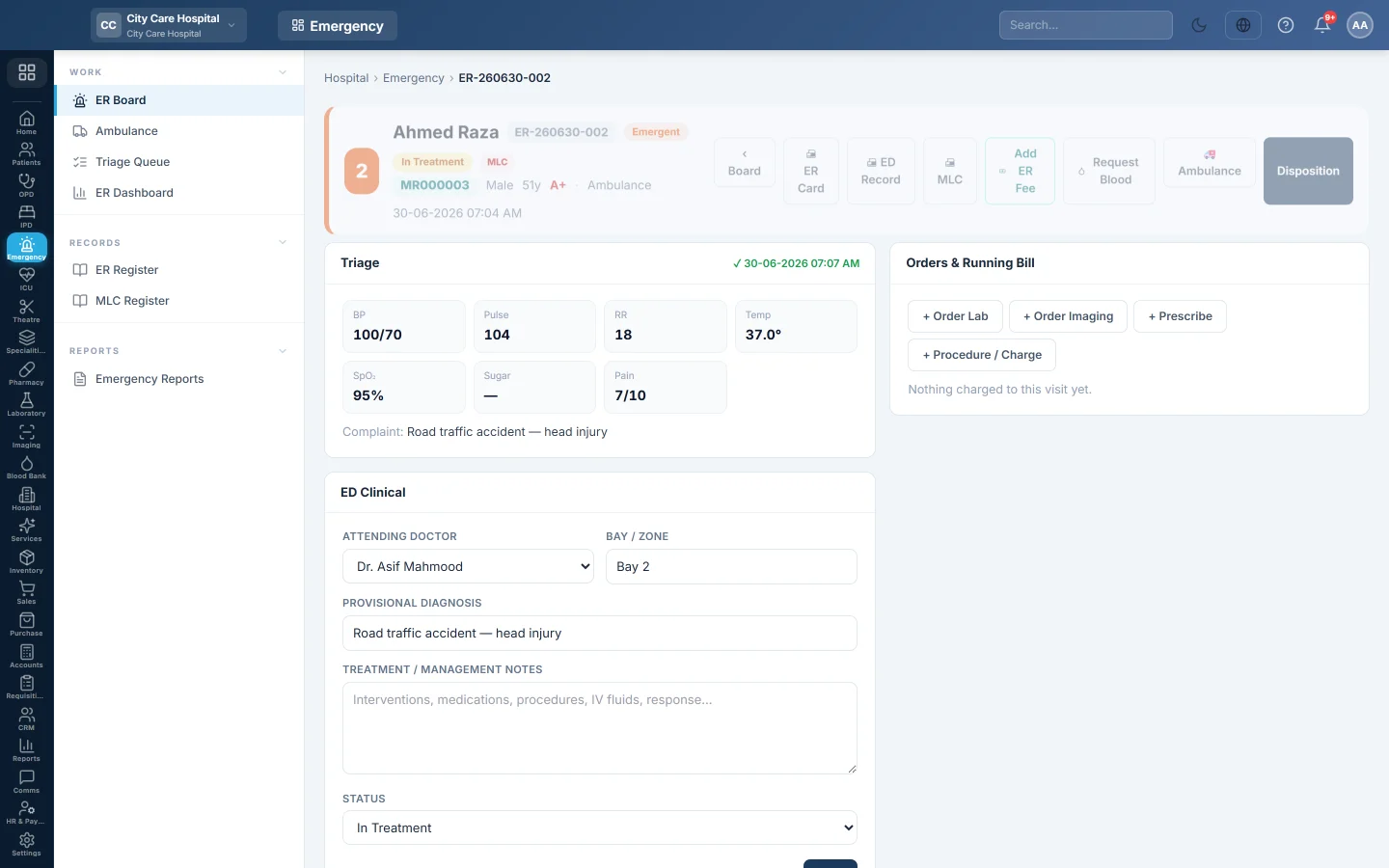
Open Emergency → Work → ER Board and open the patient's visit. The MLC section is on the visit page.
Record the MLC
- Register the arrival with Medico-legal case (MLC) ticked, or open the visit.
- In Medico-Legal (MLC), choose the Nature: Road Traffic Accident, Assault, Burn, Poisoning, Firearm, Fall, Sexual Assault, Self-harm or Other.
- Fill in the Incident Date/Time and Place of Incident.
- Type who Brought By.
- Tick Police informed, and fill in the Police Station, FIR No. and Constable / Official.
- Record the Identification Marks, the Alleged Cause and the Examination Note.
- Click Record MLC.
The visit shows MLC on the board, and the record is locked. Click MLC at the top of the visit to print it.
Correct a locked MLC
The section says Locked — this record is medico-legal evidence.
- Click Unlock to correct.
- Type why it must change, for example FIR number received from the police station after discharge.
- Click Unlock.
- Make the correction and click Update MLC.
Saving locks it again. The earlier versions are kept and shown on the record.
Common questions
Unlock to correct is missing. Your role does not have the MLC unlock permission. Ask a senior doctor or administrator.
The patient dies. Record the disposition as Expired. Because it is an MLC, Deaths & Mortuary asks for the police intimation before the body is released.
Where is the list of all MLCs? In the MLC Register.
Thank you. If you still need help, write to info@eloerp.net.