Record a donation and print the receipt
Receive a donation into a fund, from a registered or anonymous donor, print the receipt and, when asked, a tax certificate.
When someone gives money to the hospital, record it here so the donor gets a numbered receipt, the fund's balance rises and the accounts show the income.
Before you begin
- The fund exists. See Donations & Funds.
- For cash or card, your cash shift is open. See Cash Register.
- For a regular donor, add them first with + Donor.
Where to find it
Open Hospital → Finance → Donations & Funds.
Receive the donation
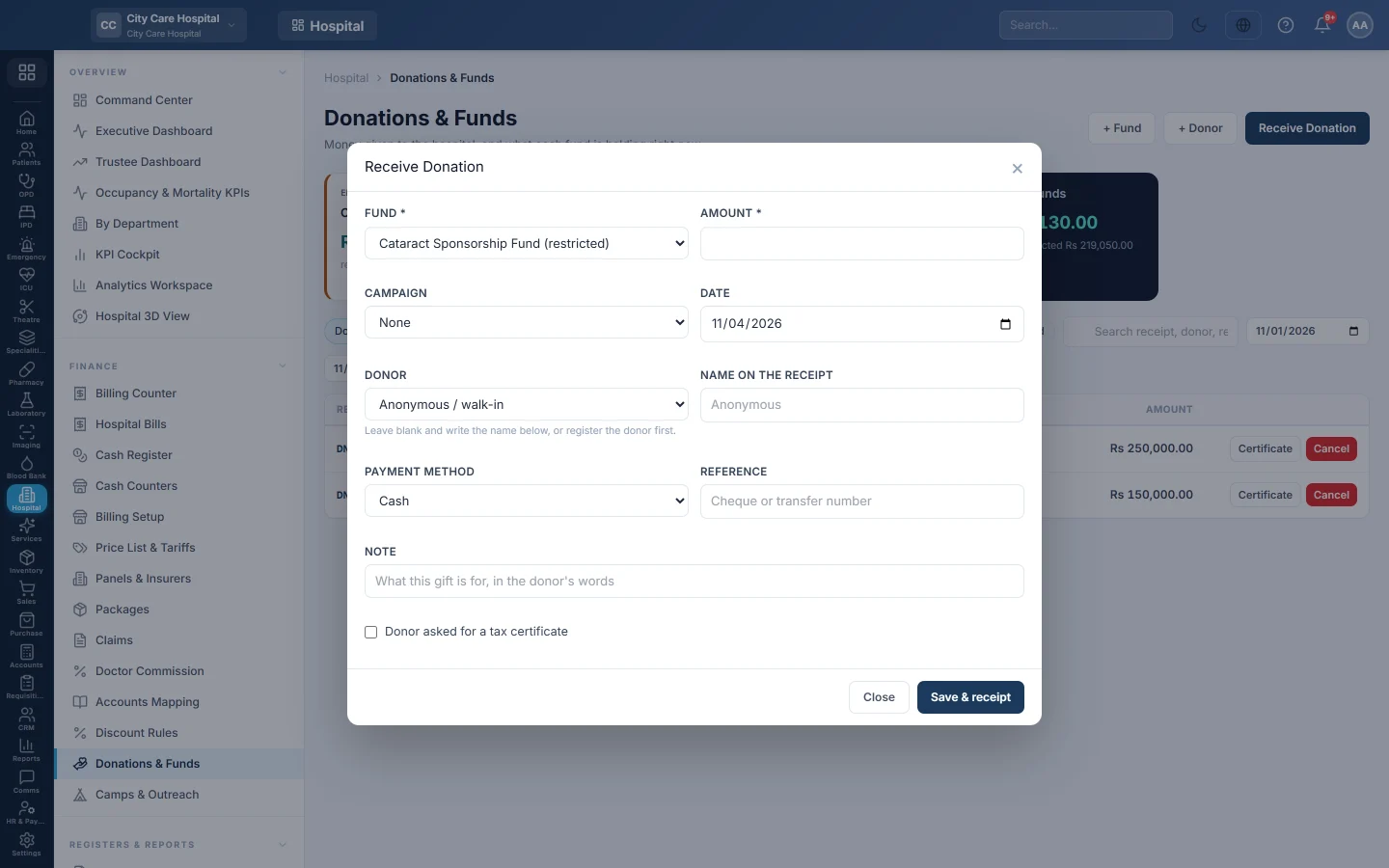
- Click Receive Donation.
- Choose the Fund, for example Zakat Fund. A restricted fund is marked.
- Type the Amount.
- If the gift is for an appeal, choose the Campaign.
- Check the Date.
- Choose the Donor, or leave Anonymous / walk-in and type the Name on the receipt.
- Choose the Payment method. For a cheque or transfer, type the Reference.
- Add a Note if needed.
- Tick Donor asked for a tax certificate when they want one.
- Click Save & receipt.
The window shows Saved as receipt with the receipt number, the donor's copy prints, and the donation joins the list. To print it again, use the steps below.
Print the receipt or tax certificate
- For one donation: on the Donations tab, click Certificate on its row. Without the hospital's tax details it prints as an acknowledgement.
- For a tax year: on the Donors tab, click Certificate on the donor.
The certificate prints the hospital NTN, approval reference, wording and signatory you enter under Who pays → What a tax certificate says about this hospital. A line left blank does not print.
Cancel a receipt
Click Cancel on the receipt, give a reason and confirm. The money leaves the fund and the entry is reversed. The receipt stays in the list as cancelled.
What happens in the books
The payment method's cash or bank ledger is debited and the fund's income ledger, by default Donations Received (4680), is credited. A cash donation also shows on your shift.
Common questions
The window says Saved as receipt, not posted to the ledger. The receipt exists but the accounting entry failed. Check the donation account in the chart of accounts, then ask your accountant.
Can a donor give to two funds at once? Record two receipts, one per fund.
Where is the receipt number? In the Receipt column of the Donations tab.
Merci. Si vous avez encore besoin d’aide, écrivez à info@eloerp.net.