Move a guest to another room
Move an in-house guest to another room, including an upgrade to another room type, change the nightly rate for part of a stay, and put back a guest who was checked out by mistake.
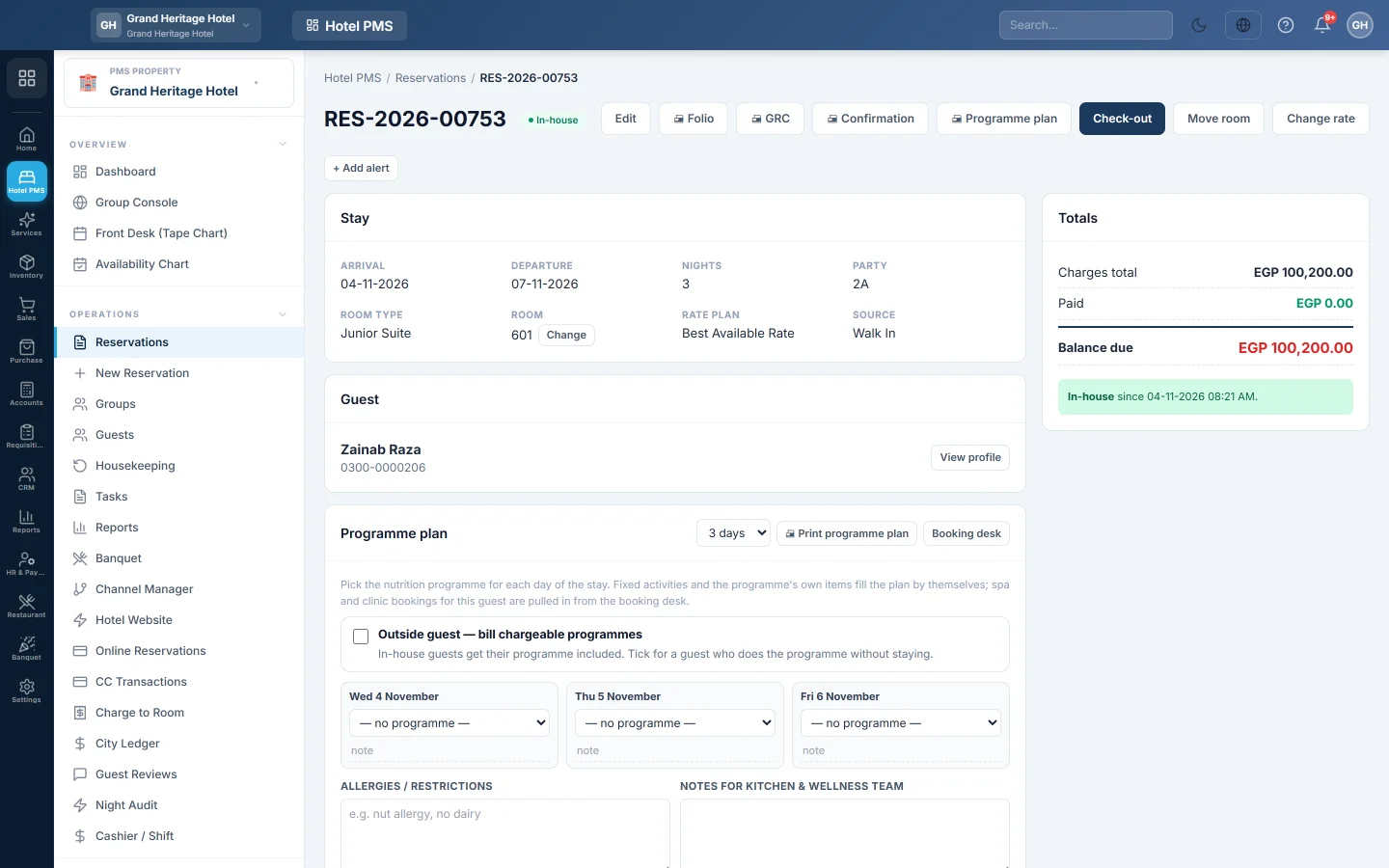
Mid-stay changes are made on the reservation page: Move room, Change rate and Re-check-in. Each one asks for a reason, which is kept with your name and shows in the room change and rate override reports.
Before you begin
- Move room works for an In-house guest. Before arrival, assign or change the room with Assign instead.
- Change rate works for Confirmed and In-house bookings.
- Your role has the reservation permissions. See Users & Roles.
Where to find it
Open Hotel → Operations → Reservations and click the booking. The buttons are at the top of the reservation page.
Move an in-house guest
- Click Move room.
- Under Move to, pick the new room. Only rooms free for the rest of the stay are listed; a room of another type is marked different type.
- Type the Reason, for example AC not working or Upgrade.
- Click Confirm.
The guest's old room becomes Vacant Dirty and the new one occupied. The nightly rate does not change, even for an upgrade. If the price should change, change the rate next.
Change the nightly rate
- Click Change rate, or Reprice on one night in Nightly rates.
- Enter the new Nightly rate, and the Extra bed charge if any.
- Set First night and Last night. Leave First night blank to start today and Last night blank to run to the end of the stay. Nights already past are never repriced.
- Type the Reason and click Confirm.
For an in-house guest, the difference is posted to the folio as one adjustment line.
Put back a guest checked out by mistake
- Open the checked-out booking.
- Click Re-check-in.
- Type the Reason and click Confirm.
The guest is in-house again. The folio is left as it is; re-open a settled folio separately, see Check out and settle a folio.
Common questions
The new room is not in the list. It is occupied, out of order or out of service for some of the remaining nights.
Can I drag the guest to another room on the tape chart? For a booking not yet in-house, yes. For an in-house guest, use Move room so the reason is recorded.
Where do I see who moved or repriced a guest? On the booking's Audit card (Show history), and in the room change log and rate override reports in PMS Reports Hub.
Terima kasih. Jika masih butuh bantuan, kirim email ke info@eloerp.net.