Sign in on the offline till
How cashiers sign in on the offline till with their own password, why a name is missing from the list, how a manager lets someone in without internet, and how two cashiers share one PC.
Each cashier signs in on the offline till with the same password they use online. The till checks it with EloERP while the internet is up and remembers it for when it is down.
Before you begin
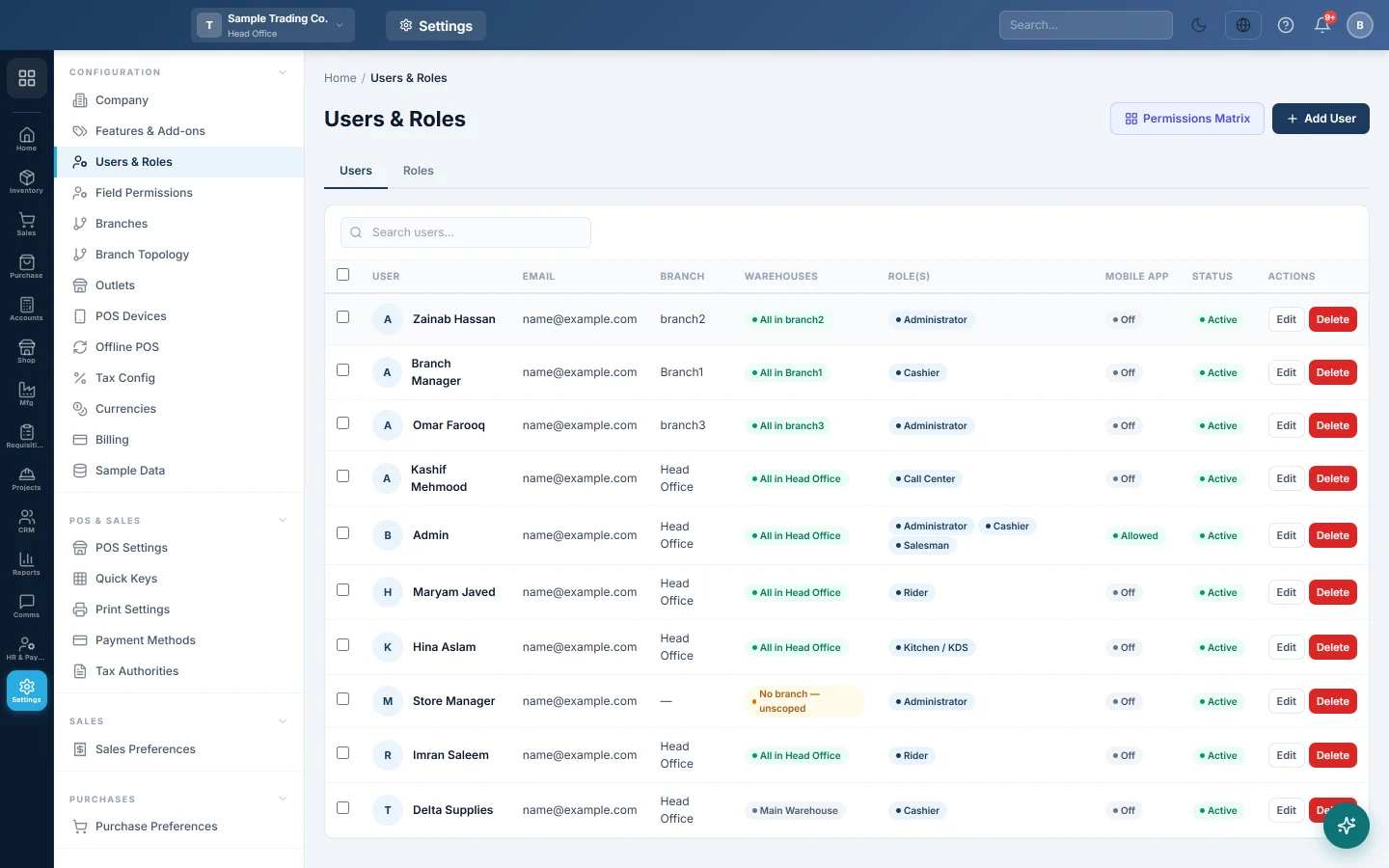
- The user is active and has Allow Offline POS Login ticked in Settings → Configuration → Users & Roles. New users have it ticked. See Users & Roles.
- The user's branch is the till's branch, or the user has no branch. Users of other branches are not on the till.
- A user with Enable Cash Register ticked opens a shift before the first sale. See Open and close a shift.
- Changes to users reach the till at its next download, within about 10 minutes while it is online.
Where to find it
The Who is working? screen appears when the POS app opens on the PC, and after each logout.
Sign in
- Click your name. The tile also shows the screen you work on and your role.
- Type your Password.
- Click Sign in, or press Enter.
Users whose role opens another screen online, such as the kitchen display, go to that screen here too.
Sign out
- Click the logout button at the top right of the till.
- Click OK to confirm.
The till goes back to Who is working? for the next cashier.
Let someone in for the first time without internet
The till can check a password offline only if that user has signed in on this till before while it was online. Otherwise it says "First sign-in for this user needs the internet (or a manager override)."
- Click Manager override under the password box.
- A manager types the Manager PIN in the yellow box.
- Click Sign in.
The Manager PIN is set on that PC in the Manager Console. See The Manager Console on the offline till. After the user's next online sign-in, the till remembers their password.
Two cashiers on one PC
- Open POS Hub from the desktop again. A second till window opens.
- The second cashier signs in there.
Each window has its own sign-in. Each sale is booked to the cashier signed in where it was rung.
Common questions
My name is not on the list. Check Allow Offline POS Login, that your user is active and that your branch is the till's branch. Then open the Manager Console on the till and click Pull data.
"Wrong password." after I changed my password. While the till is offline it knows only the password last used on it online. Use the old one, or sign in once the internet is back.
"Too many attempts — wait a minute and try again." Several wrong passwords lock that user for a minute. Wait and try again.
"This user is not allowed to sign in on the offline POS." Ask an administrator to tick Allow Offline POS Login on your user, then pull the data on the till.
Can a cashier see another cashier's shift? No. A user with Enable Cash Register sees only their own shift on the X Report. Managers see every shift on the till.
Спасибо. Если помощь всё ещё нужна, напишите на info@eloerp.net.