Hold and recall a sale
Park a bill at the till with Hold while the customer fetches something, serve the next customer, then bring the bill back from Held Orders.
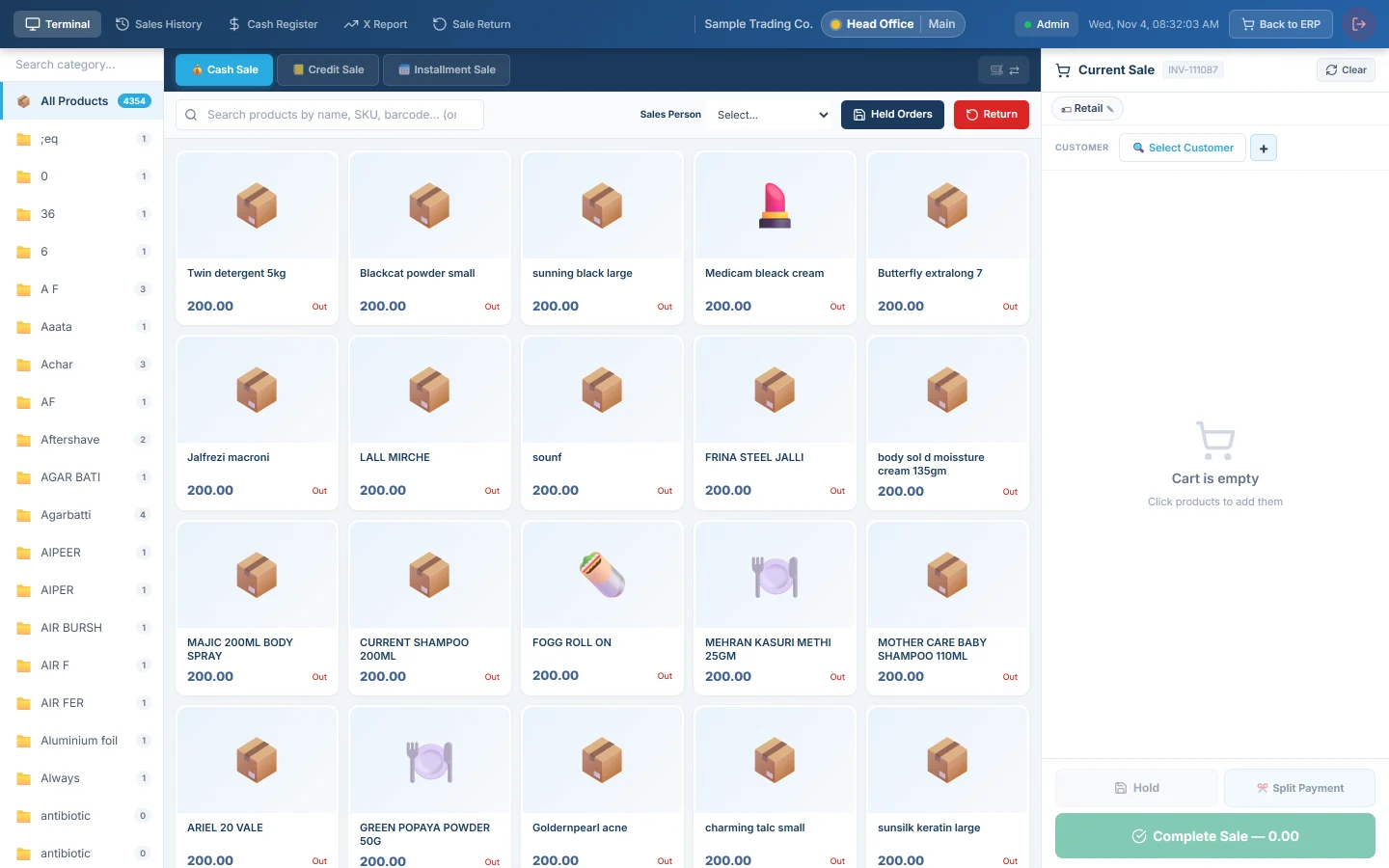
Hold parks the bill you are ringing so the till is free for the next customer. The parked bill waits under Held Orders until you recall it and complete it. For the whole till screen, see POS Terminal.
Before you begin
- You can open the POS Terminal and, if your user has a cash register, your shift is open.
- Held bills belong to the cashier who held them, in the branch where they were held. Another cashier does not see yours.
Where to find it
On the POS Terminal, Hold is next to Split Payment under the bill. Held Orders is in the bar above the product grid; its badge shows how many bills you have parked.
Hold a bill
- Add the items to the bill as usual.
- Click Hold.
- The message reads "Order held successfully" and the bill clears for the next customer.
The held bill keeps its items, prices, customer and bill discount, under the bill number shown at the top of the cart.
Recall a held bill
- Finish or hold the bill that is on screen now. Recalling replaces whatever is on the bill.
- Click Held Orders.
- Find the bill. Type in Search ref, table, waiter… to narrow a long list.
- Click Recall. The items come back onto the bill and the bill leaves the held list.
- Check the customer, the discount and the sale type, and add anything the customer brought back.
- Click Complete Sale.
Discard a held bill
- Click Held Orders.
- Click the bin icon on the bill's row.
Restaurant orders
In restaurant mode the button is Hold Order. Held table orders appear in the same Held Orders list with their table. Each row also has a printer icon for the kitchen ticket (Print KOT) and a receipt icon for a Temp Invoice. Recall opens the order with its table, waiter and guests.
What happens in the books
Nothing. A held bill is not an invoice: it posts no entries and does not take stock. Stock and the books change only when you complete the sale.
Common questions
Does a held bill reserve the stock? No. Another sale can sell the same items while the bill is held. Serial or batch picks that were sold meanwhile are cleared on recall and you are asked to pick again.
I held a credit sale. Why is it a cash sale now? The sale type is not part of the held bill. Click Credit Sale or Installment Sale again before you complete it.
My colleague cannot see the bill I held. Held bills are kept per cashier. Recall it on your own login, or ring it again.
I logged out. Are my held bills gone? No. They are saved on the server and are still there when you sign in again in the same branch.
Recall says the held order is no longer there. It was already recalled or discarded, for example in another browser tab. It drops off the list.
Terima kasih. Jika masih butuh bantuan, kirim email ke info@eloerp.net.