Menus
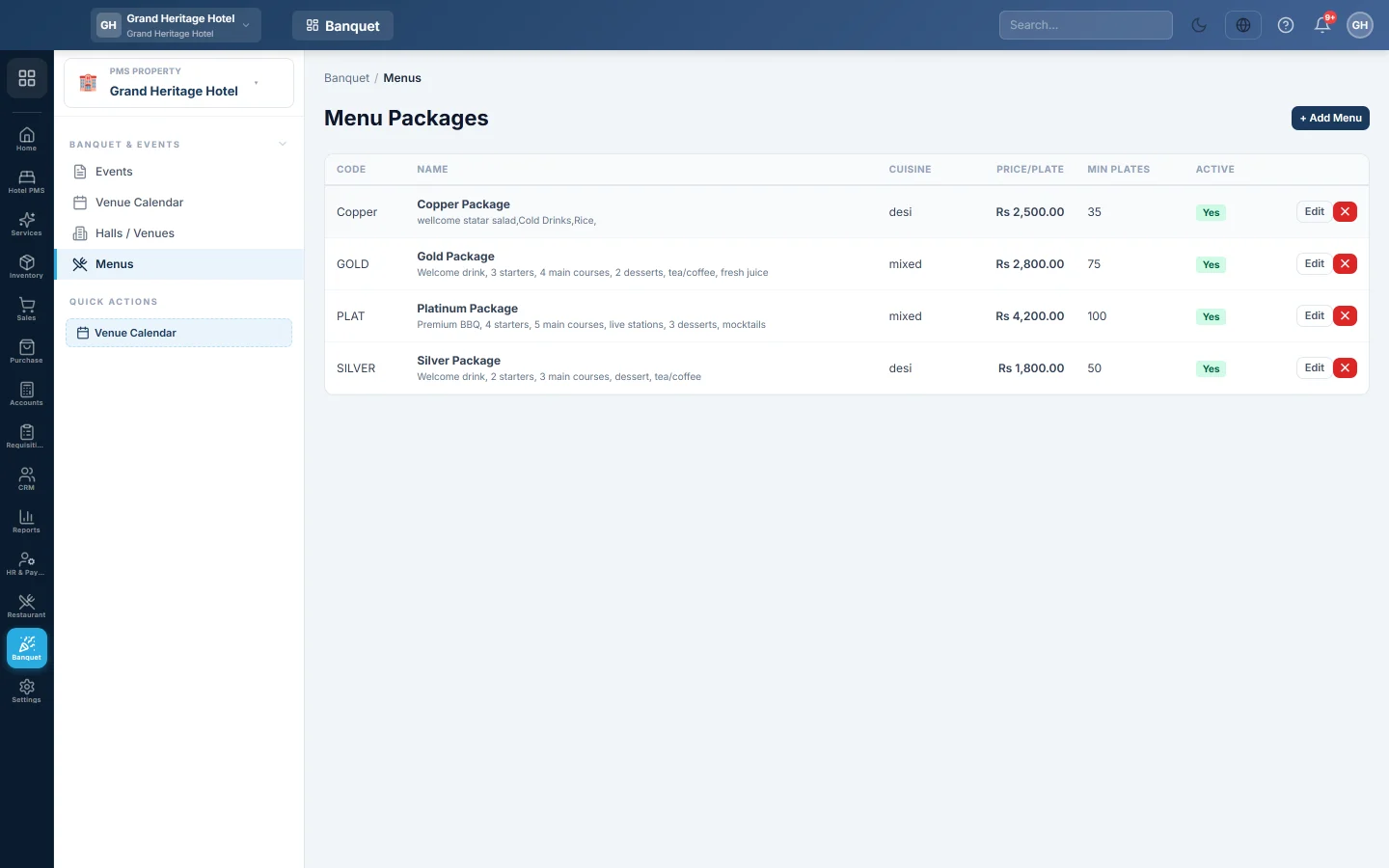
Keep your banquet menu packages with their price per plate and minimum number of plates, so an event's food is priced the moment you pick the menu.
Menus holds your banquet menu packages, such as a silver or gold package, each with a price per plate and a minimum number of plates. When you pick a menu on an event, the food is priced for you.
Before you begin
- Your role needs the banquet menus permissions. See Users & Roles.
Where to find it
Open Banquet → Banquet & Events → Menus.
Add a menu package
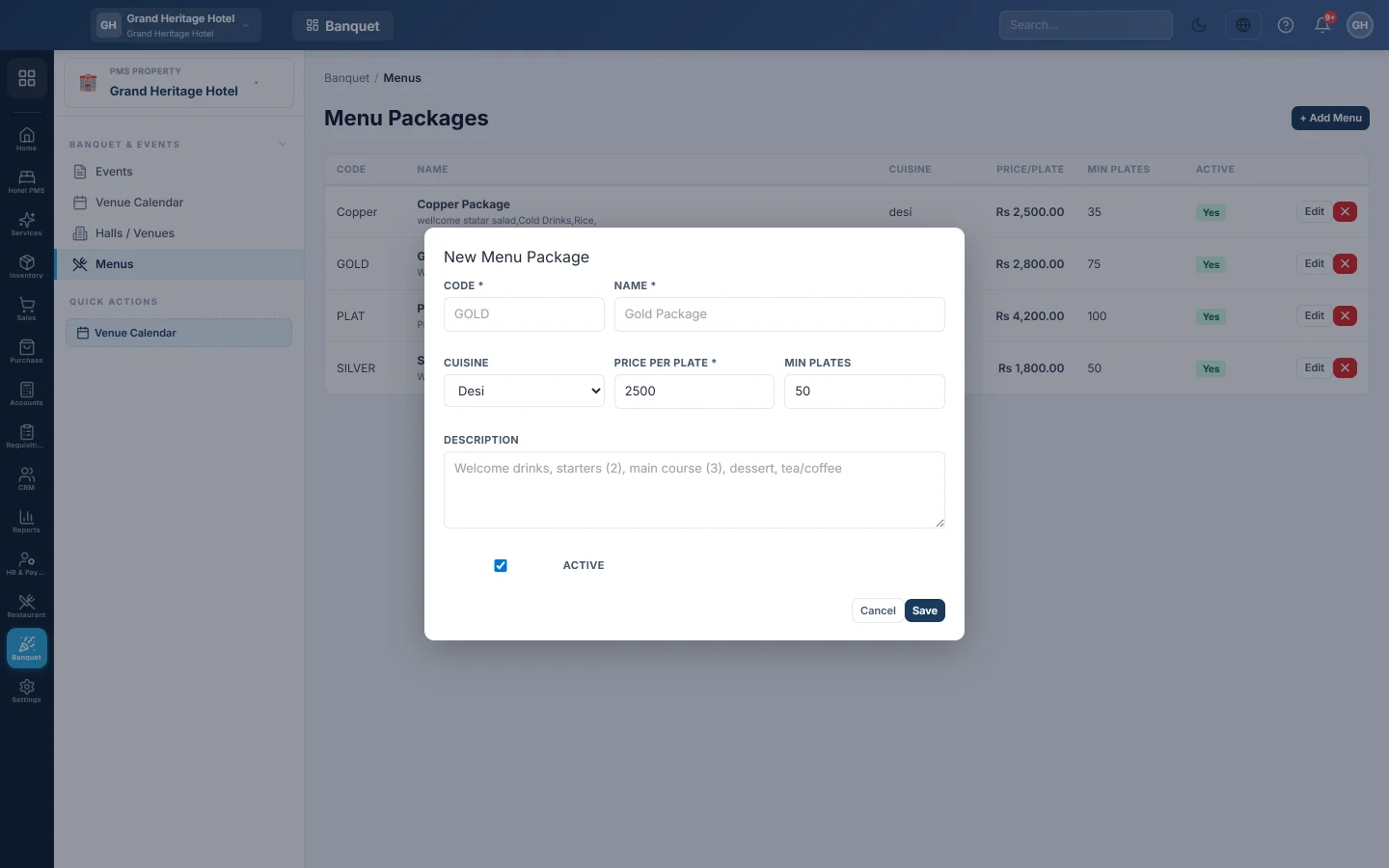
- Click + Add Menu.
- Enter a Code and a Name, for example Gold Package.
- Pick the Cuisine: Desi, Continental, Chinese or Mixed.
- Enter the Price per plate, for example Rs 2,500.
- Enter the Min plates, the fewest plates you will cater for with this menu.
- List the dishes in the Description, for example welcome drinks, two starters, three main courses, dessert, tea.
- Keep Active ticked and click Save.
How the menu is charged
An event is charged the Price per plate times the guests expected, or times Min plates when there are fewer guests. For example, 40 guests on a menu with a minimum of 50 plates at Rs 2,500 is charged 50 × Rs 2,500 = Rs 125,000. The event shows when the minimum was applied.
Edit or hide a menu
Click Edit to change a package. Changes apply to new events; events already booked keep their price. Clear Active to stop offering a menu.
Common questions
The event charges more plates than guests. The menu's Min plates is higher than the guests expected.
Can I add extra dishes for one event? Yes. Add them as an F&B charge on the event, see Events.
Is the menu linked to my kitchen stock? No. A banquet menu is a price package; it does not take items out of stock.
Vielen Dank. Wenn Sie weitere Hilfe brauchen, schreiben Sie an info@eloerp.net.