Halls / Venues
Add your banquet halls and party rooms with their capacity, event rate and booking mode, and the fixed time slots, such as a lunch and a dinner sitting, that the calendar offers.
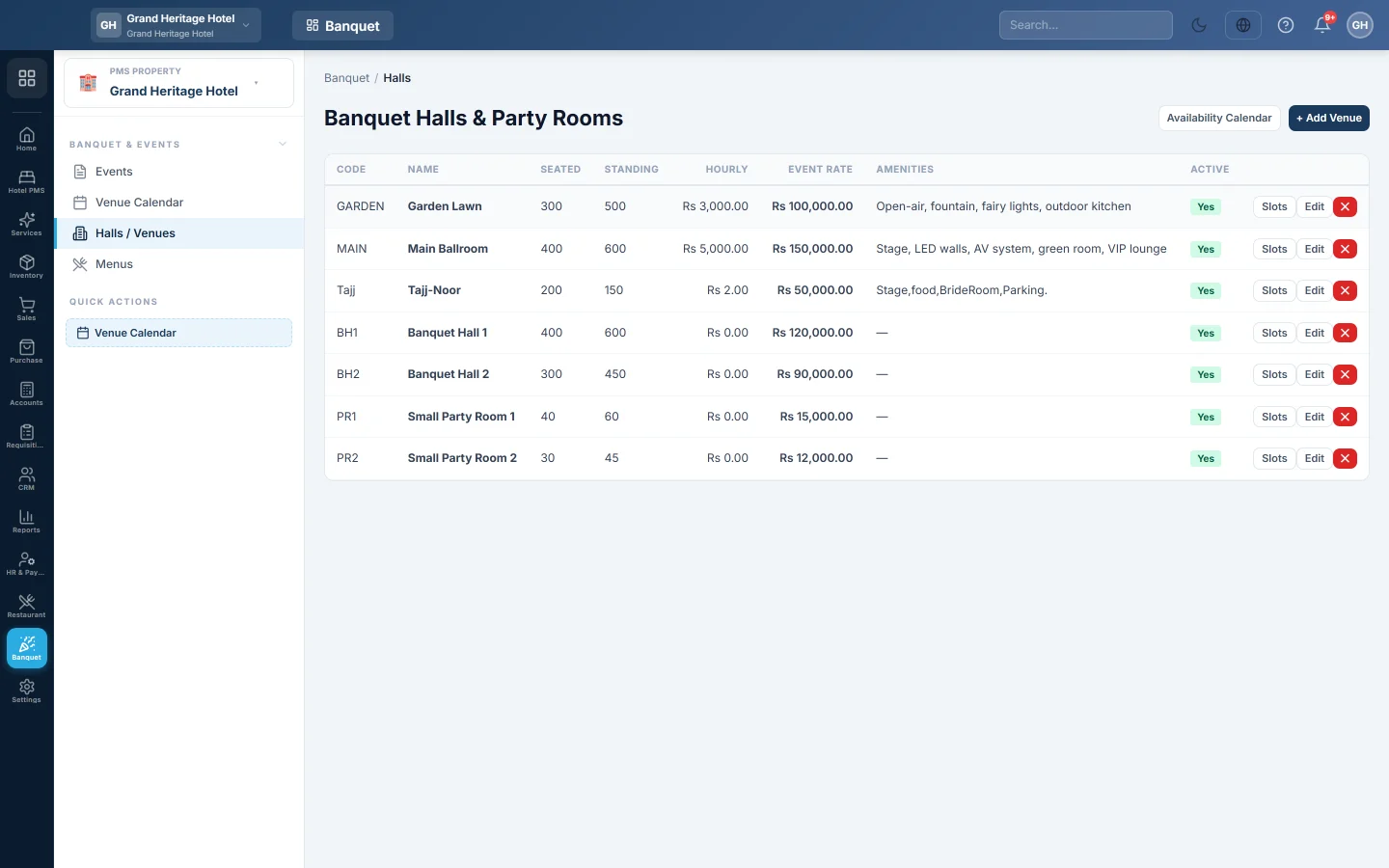
Halls / Venues is the list of the spaces you rent out for events: banquet halls and smaller party rooms. Each venue has its capacity, its price for an event, and how it is booked, by fixed sittings or by the hour.
Before you begin
- Your role needs the banquet halls permissions. See Users & Roles.
Where to find it
Open Banquet → Banquet & Events → Halls / Venues.
Add a venue
- Click + Add Venue.
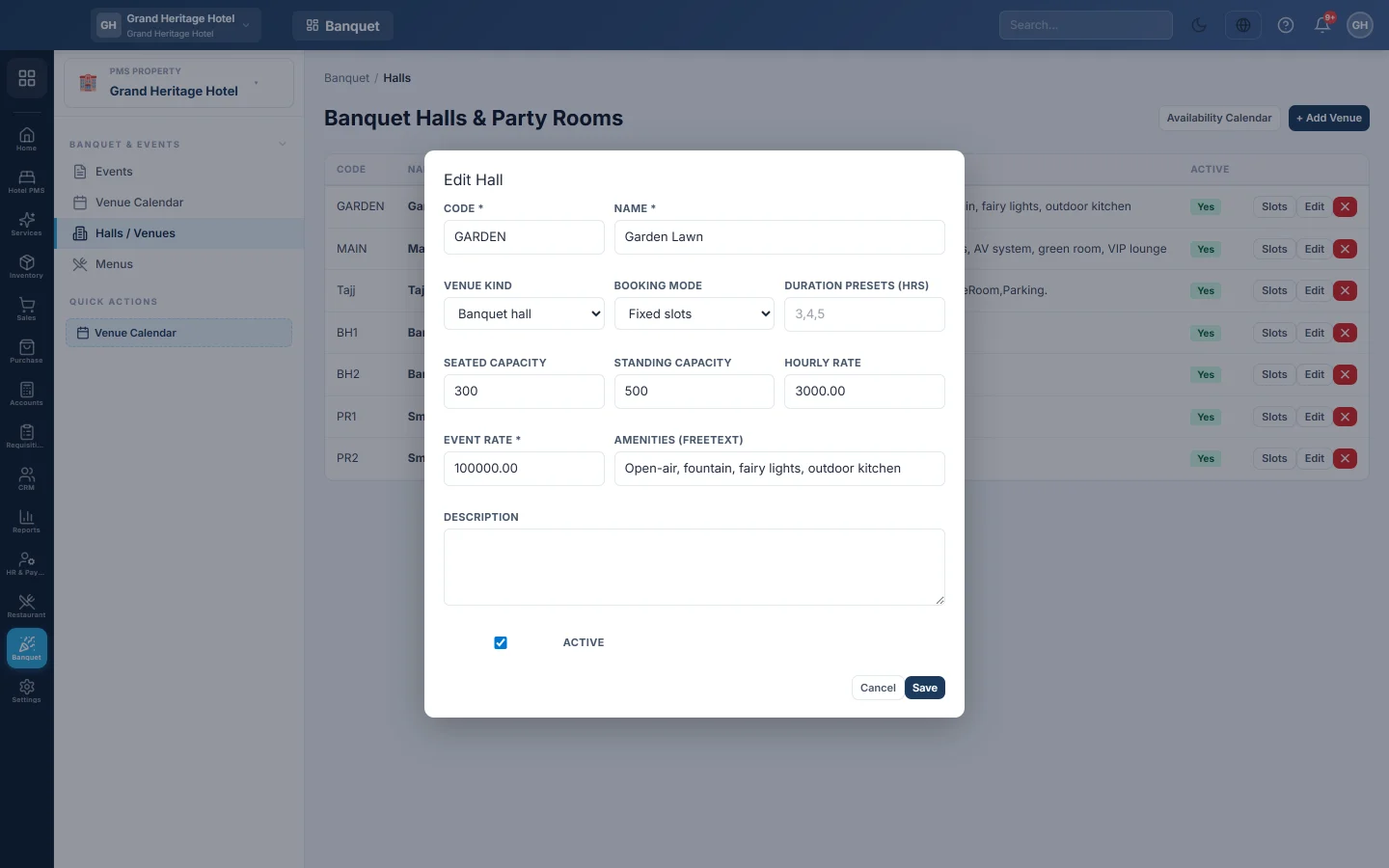
- Enter a Code and a Name, for example Main Ballroom.
- Pick the Venue kind: Banquet hall or Party room.
- Pick the Booking mode:
- Fixed slots: guests book set sittings, such as lunch or dinner.
- Free duration: guests book any start time and number of hours.
- Both: either way.
- For free duration, enter the Duration presets (hrs) the calendar offers, for example 2, 3 and 4.
- Enter the Seated capacity and Standing capacity.
- Enter the Event rate (the hall rent for one event) and, for your records, the Hourly rate.
- List the Amenities (freetext), for example Stage, AV, parking, green room, and a Description.
- Keep Active ticked and click Save.
Add time slots
- Click Slots on the venue.
- Enter a name, for example Evening, with its Start and End.
- Click Add. Add each sitting, for example Morning 9–2 and Evening 2–10.
- Click Done.
The Venue Calendar offers these slots when you book.
Edit or remove a venue
Click Edit to change a venue. To stop taking bookings without losing its history, clear Active.
Common questions
The calendar does not offer my lunch and dinner sittings. Add them with Slots, and set the Booking mode to Fixed slots or Both.
Can two events use the same hall on one day? Yes, when their times do not overlap, for example a lunch and a dinner.
Can I charge by the hour? The hall rent is the Event rate for each event. Add extra hours as a charge on the event, see Events.
Terima kasih. Jika masih butuh bantuan, kirim email ke info@eloerp.net.