Venue Calendar
See which halls and party rooms are free by day and time, and book a venue by clicking a free slot or dragging across the hours you need.
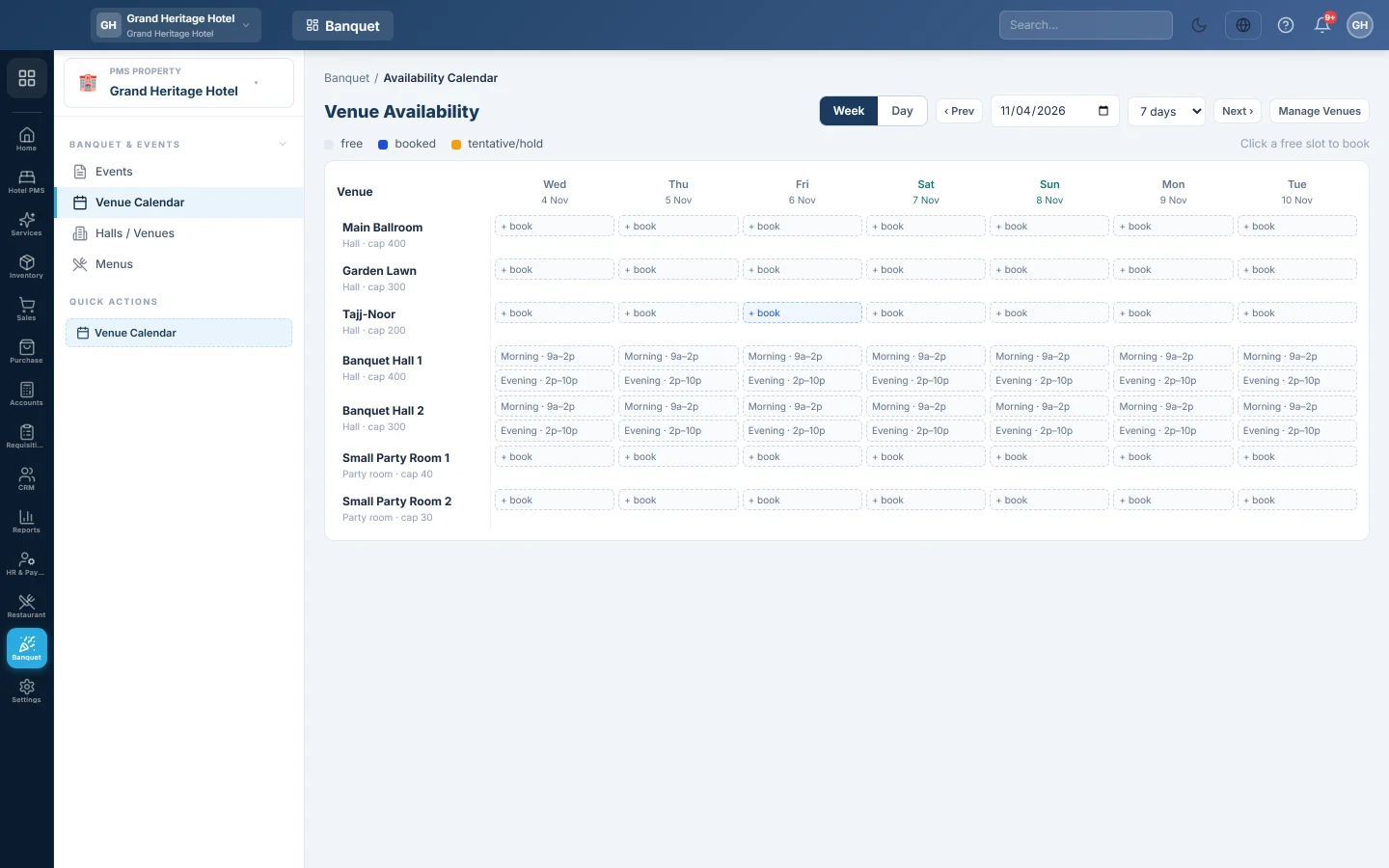
The Venue Calendar shows each hall and party room against the days and hours, with what is free, booked or on hold. You book straight from it: click a free slot, or drag across a row for a custom time.
Before you begin
- Add your venues, and their time slots if you sell fixed sittings. See Halls / Venues.
- Your role needs the banquet permissions. See Users & Roles.
Where to find it
Open Banquet → Banquet & Events → Venue Calendar. The side menu also has a Venue Calendar quick action.
Read the calendar
- Switch between Week and Day, and show 7 days or 14 days. Use Prev and Next to move.
- Each venue shows its kind (Hall or Party room) and capacity.
- The legend shows free, booked and tentative/hold (an inquiry not yet confirmed).
Manage Venues opens Halls / Venues.
Book a venue
- Click a free slot, or, in Day view, drag across a venue's row to pick a time range. A single click books one hour.
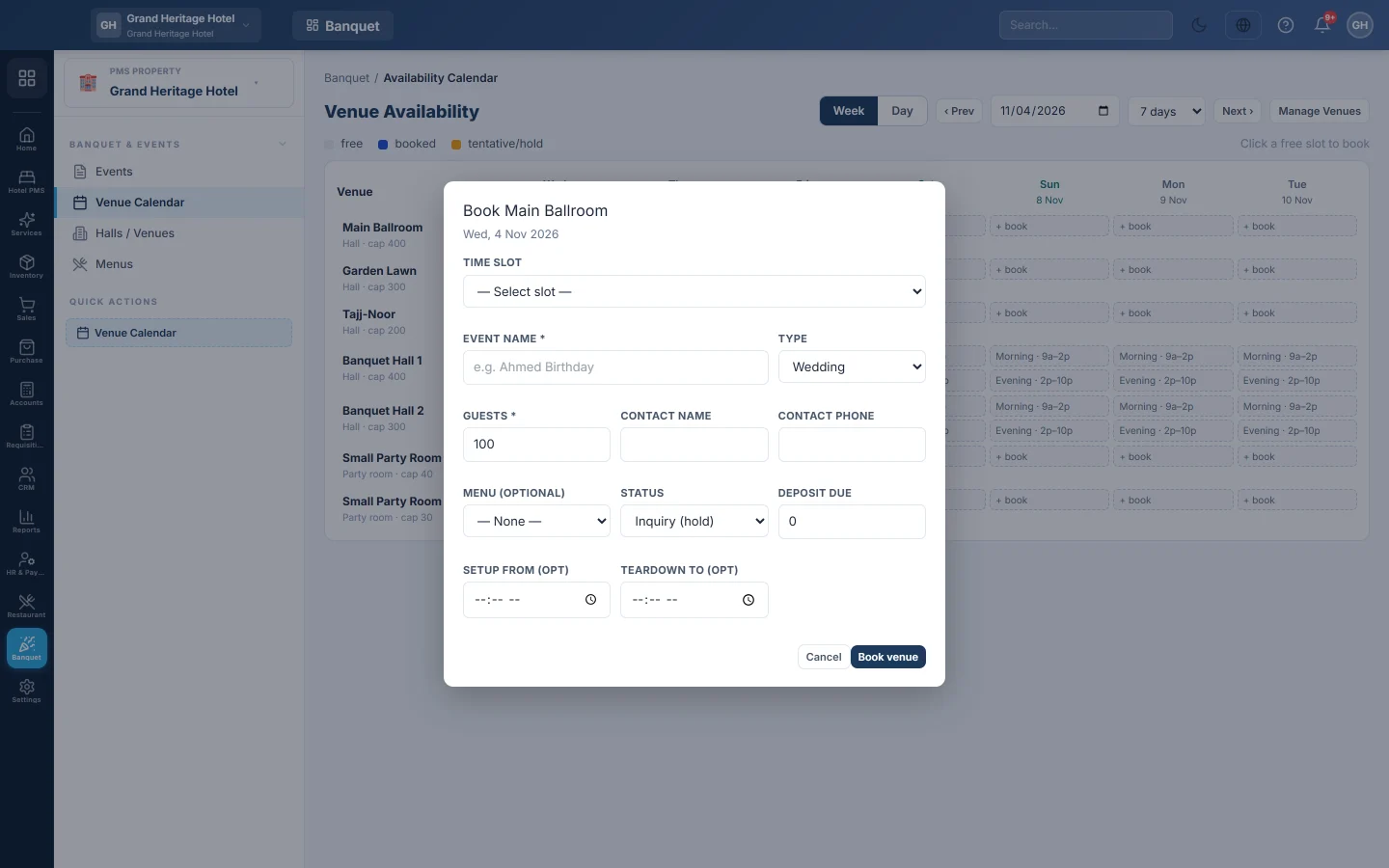
- Pick Fixed slot and choose the Time slot, or Custom duration and set the Start time with the Duration (hrs) or the End time.
- Enter the Event name, the Type and the Guests.
- Enter the Contact name and Contact phone, and pick a Menu (optional).
- Pick the Status: Inquiry (hold) or Confirmed. Enter the Deposit due if any.
- Optionally set Setup from (opt) and Teardown to (opt) for decoration and clearing time.
- Click Book venue.
EloERP asks whether to open the new event, so you can add charges or take an advance straight away.
Common questions
A slot I need is not offered. The venue only takes fixed slots. Change its Booking mode to Free duration or Both on Halls / Venues.
The booking was refused because it overlaps. Another event in that venue overlaps the start and end times. Pick other hours or another venue.
What is Inquiry (hold) for? It holds the date on the calendar while the client decides, so nobody else books it. Use Confirmed for a client who has committed. When the client commits later, open the event and click Confirm booking; only a confirmed event can be settled. See Book a banquet event.
Спасибо. Если помощь всё ещё нужна, напишите на info@eloerp.net.