Exchange Rates
Keep the rates at which the front desk accepts foreign cash, such as US dollars or riyals, with one buy margin, and see the foreign cash taken.
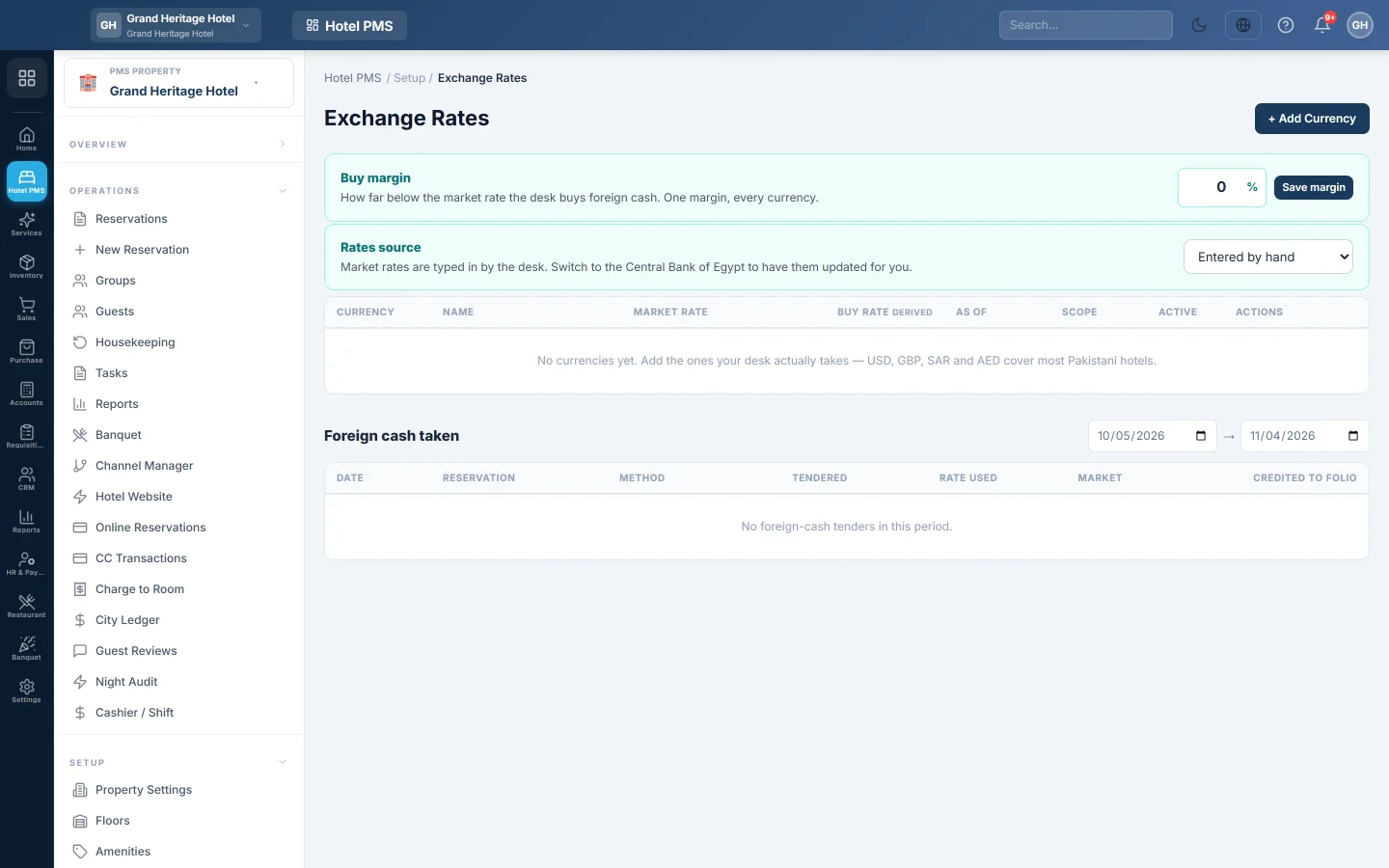
Exchange Rates is where you list the foreign currencies the front desk accepts in cash, with today's market rate. The desk then takes a payment in, for example, US dollars and EloERP credits the folio in your own currency at the buy rate.
Before you begin
- Folios stay in the property's own currency. These rates only convert cash the guest hands over.
- Your role needs the exchange rate permissions. See Users & Roles.
Where to find it
Open Hotel → Setup → Exchange Rates.
Set the buy margin
The Buy margin is how far below the market rate the desk buys foreign cash. One margin applies to every currency.
- Type the margin in percent, up to 25.
- Click Save margin.
Every currency's Buy rate changes at once. Payments already taken keep the rate they were taken at.
Add a currency
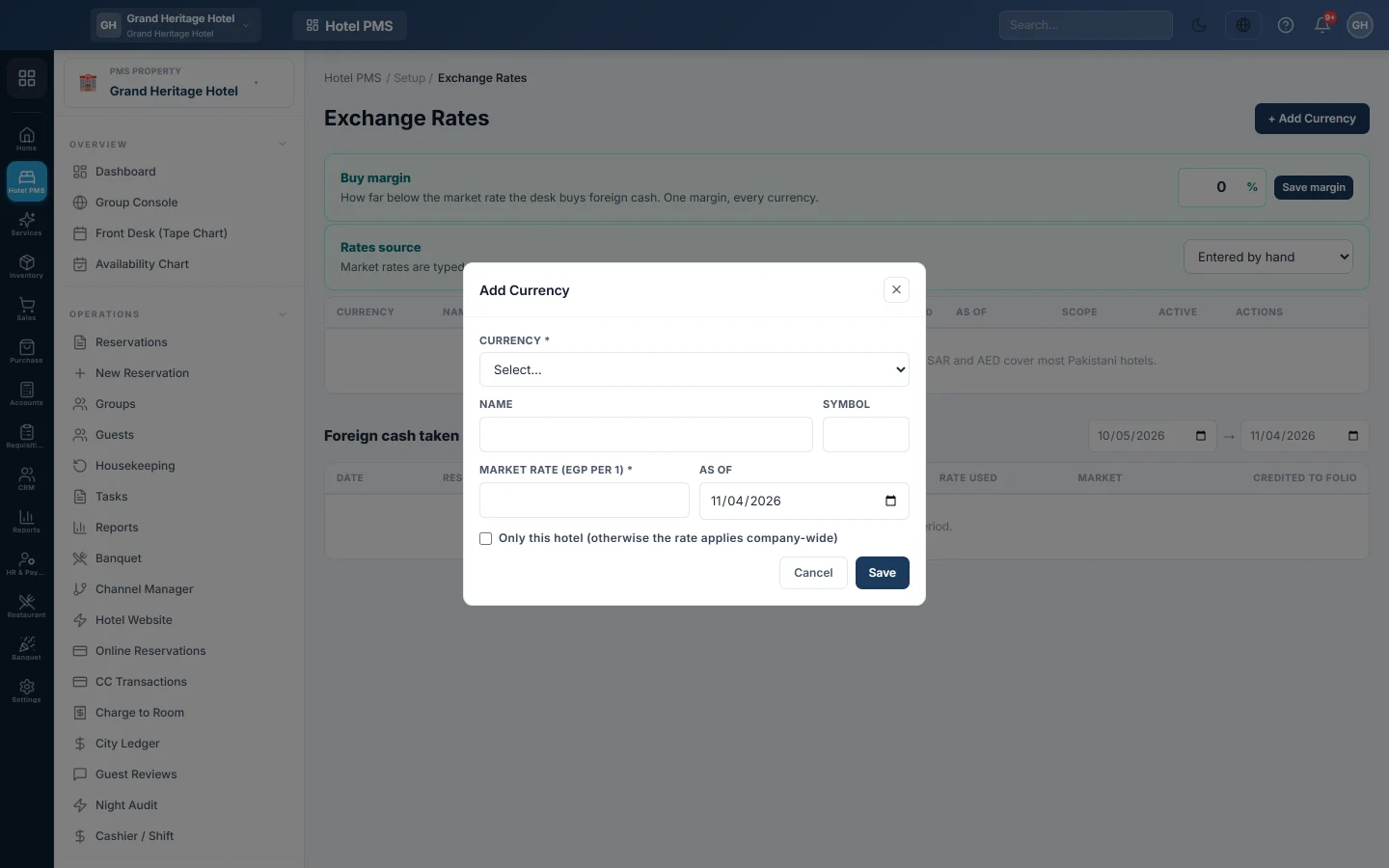
- Click + Add Currency.
- Pick the Currency. The Name and Symbol fill in.
- Enter the Market rate: how much of your currency one unit buys, for example 280 for one US dollar.
- Set the As of date.
- Tick Only this hotel (otherwise the rate applies company-wide) if the rate is for this property only.
- Click Save. The window shows what a 100-unit payment would credit before you save.
Click Edit to update a rate each day, or clear Active — the desk may accept this currency to stop taking it. Remove deletes it. A rate not touched for over a week is marked stale.
Take foreign cash at the desk
- On the guest's folio, add a payment.
- Tick Guest is paying in foreign cash.
- Pick the currency and type the Foreign amount.
- Check the amount it Credits to the folio, then save the payment.
See the foreign cash taken
Foreign cash taken lists every foreign cash payment between two dates: the reservation, the amount tendered, the Rate used, the market rate and the amount Credited to folio. The tiles at the top total each currency and show the Spread earned by the margin.
Common questions
The foreign cash tick box is missing on the payment form. No active currency has a rate. Add one here first.
The page shows Rs although my hotel uses another currency. Some labels on this page always say Rs. The amounts are in your property's currency.
Does this change my folio currency? No. The folio, the receipt and the books stay in your own currency.
Thank you. If you still need help, write to info@eloerp.net.