Budget Targets
Enter monthly revenue, occupancy and average rate targets for each hotel department, so the Budget vs Actual report can compare them with what you earned.
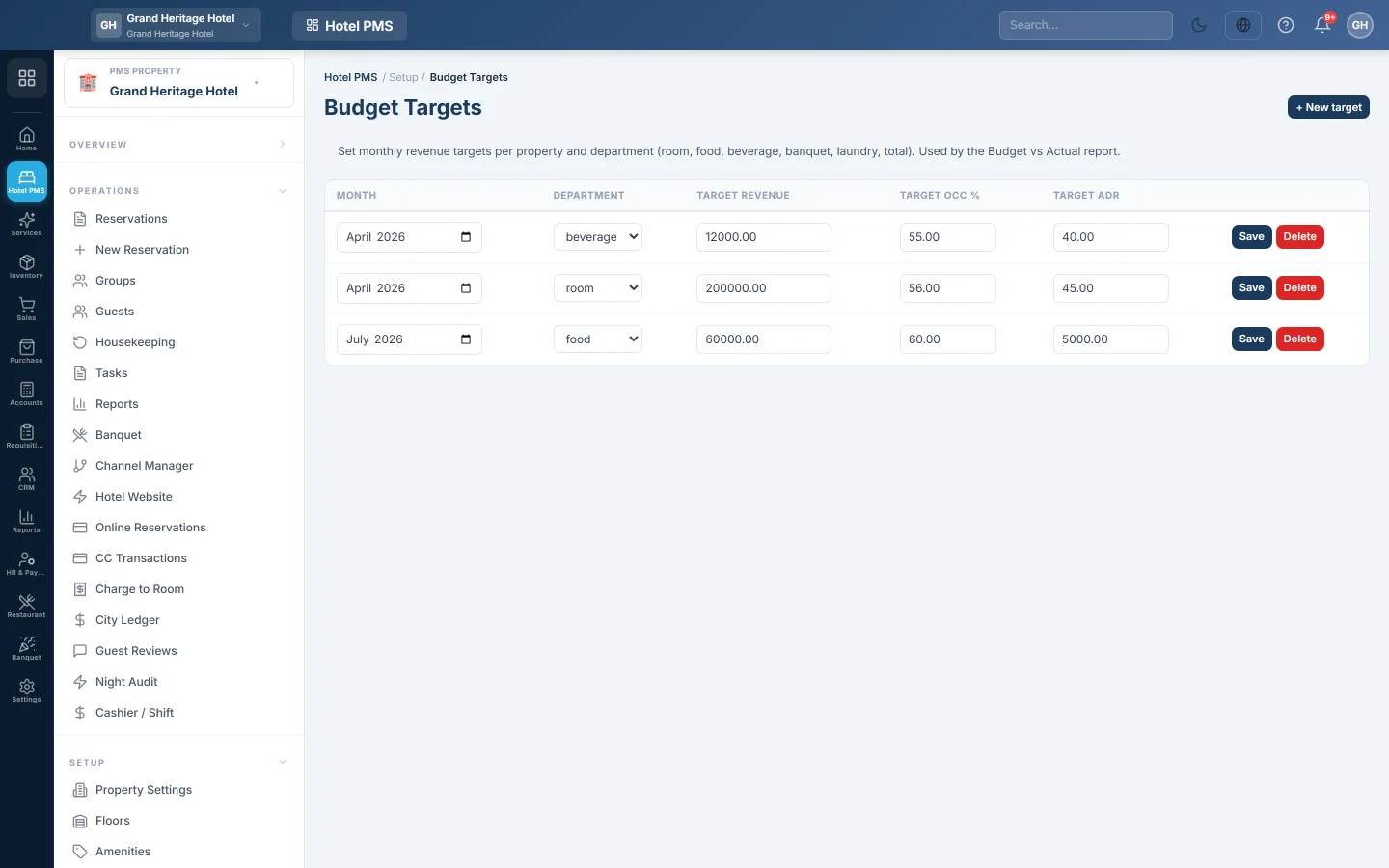
Budget Targets holds the monthly targets for your hotel: revenue per department, occupancy and the average daily rate (ADR). The Budget vs Actual report in the hotel reports compares each month's results with these targets.
Before you begin
- Targets belong to the hotel picked in the PMS Property box in the side menu.
- Your role needs the hotel reports permissions. See Users & Roles.
Where to find it
Open Hotel → Setup → Budget Targets.
Add a target
- Click + New target. A new row appears at the top, set to the current month.
- Pick the Month.
- Pick the Department: room, food, beverage, banquet, laundry, extras or total.
- Enter the Target Revenue for that month.
- Optionally enter the Target Occ % (0 to 100) and the Target ADR.
- Click Save on the row.
Add one row per department per month. A second save for the same month and department replaces the first one.
Change or remove a target
Change the numbers in the row and click Save. Click Delete and confirm to remove a target. On a row you have not saved yet, Cancel removes it.
Common questions
Where do I see the comparison? In the hotel reports, under Budget vs Actual. See PMS Reports Hub.
Do I need a row for every department? No. Add the ones you track. Many hotels start with total and room.
Can I enter a whole year at once? Add one row per month. The table keeps every month you save.
Thank you. If you still need help, write to info@eloerp.net.