Programmes
Set up the wellness or nutrition programmes a guest follows each day, with their timed drinks, meals and supplements, the kitchen message and the printed guest plan.
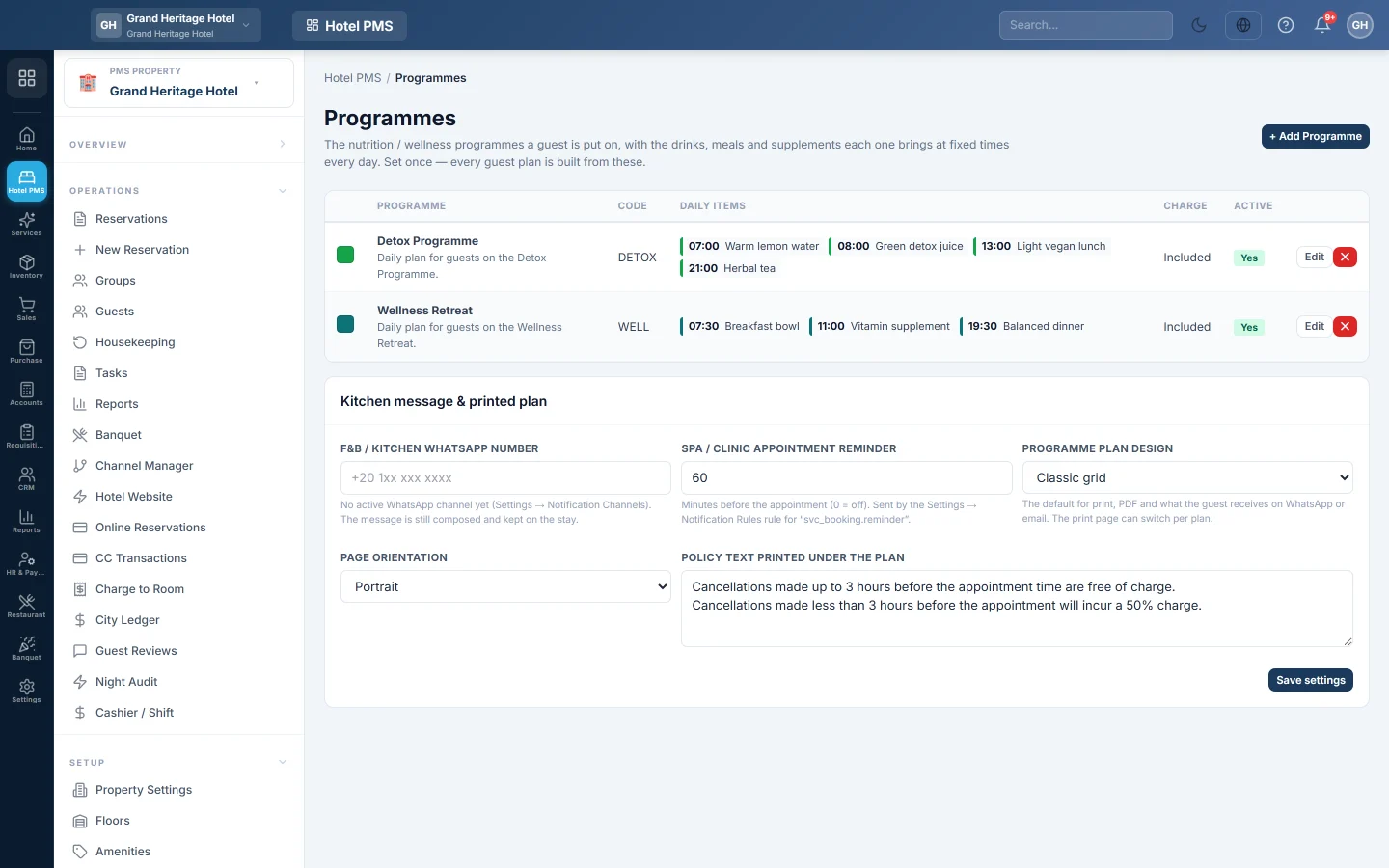
Programmes are for wellness and retreat hotels. A programme is a daily routine, such as a juice or detox programme, with drinks, meals and supplements at fixed times. You set each programme up once; the desk then picks a programme for each day of a guest's stay.
Before you begin
- Programmes belong to the hotel picked in the PMS Property box in the side menu.
- To send the plan to the kitchen on WhatsApp, a WhatsApp channel must be active under Settings → Notification Channels.
- Your role needs the programmes permissions. See Users & Roles.
Where to find it
Open Hotel → Setup → Programmes.
Add a programme
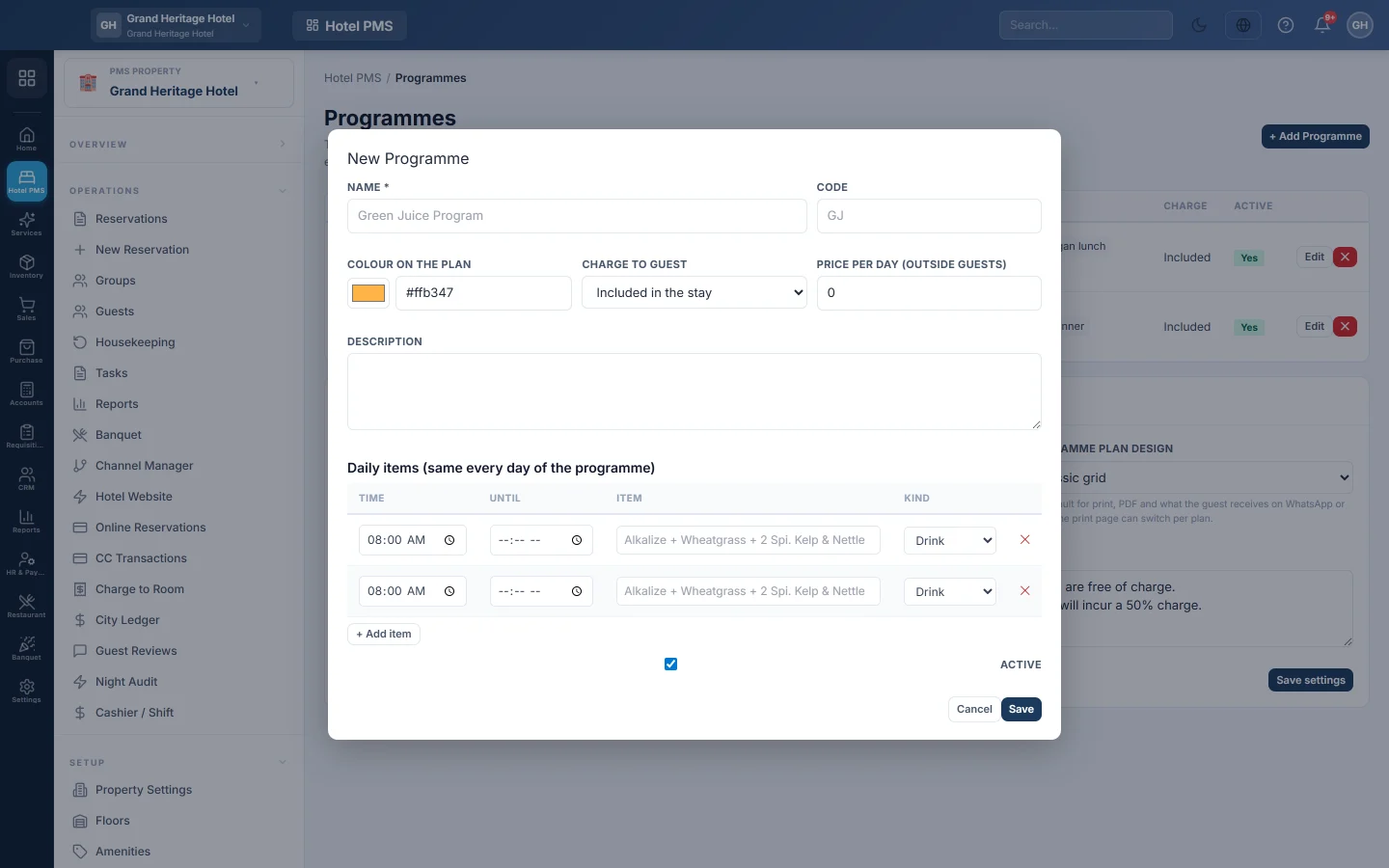
- Click + Add Programme.
- Enter the Name, for example Green Juice Programme, and an optional Code.
- Pick the Colour on the plan so guests and staff can tell programmes apart.
- Under Charge to guest, pick Included in the stay or Chargeable. For a chargeable programme, enter the Price per day (outside guests).
- Add a Description if you like.
- Under Daily items (same every day of the programme), click + Add item for each item. Enter the Time, an optional Until, the Item text and the Kind: Drink, Meal, Supplement or Other.
- Keep Active ticked and click Save.
Kitchen message and printed plan
The card Kitchen message & printed plan holds settings for every programme:
- F&B / kitchen WhatsApp number: the number that gets the guest's plan each time it is saved.
- Spa / clinic appointment reminder: minutes before an appointment to remind the guest; 0 turns it off.
- Programme plan design: Classic grid or Modern, the default look of the printed and sent plan.
- Page orientation: Portrait or Landscape.
- Policy text printed under the plan: your house rules for programme guests.
Click Save settings after you change them.
Put a guest on a programme
- Open the guest's reservation.
- In the Programme plan card, pick a programme for each day of the stay.
- Add any allergies and Notes for kitchen & wellness team.
- Click Save plan. The kitchen gets the plan on WhatsApp when a channel is active.
- Click Print programme plan to print the guest's schedule for up to 7 days.
Fixed activities that run on those days are added to the plan by themselves. See Fixed Activities.
Charging outside guests
In-house guests get their programme included. For a guest who does the programme without staying, tick Outside guest — bill chargeable programmes on the plan. Each day with a chargeable programme then posts its price to the folio on that day, as a food and beverage charge.
Common questions
The plan says No programmes are set up yet. Add at least one active programme on this page.
I changed a guest's programme after the day was billed. The billed day is not charged again. The plan shows a note; adjust the folio by hand if the price differs. See Post a charge to a folio.
The kitchen did not get the WhatsApp message. No WhatsApp channel is active. The message is still written and kept on the stay; set up the channel under Settings → Notification Channels.
Do I need programmes for a normal hotel? No. Leave this page empty; reservations work without it.
شكرًا لك. إذا كنت لا تزال بحاجة إلى مساعدة، راسلنا على info@eloerp.net.