Charge to Room
Post a charge to an in-house guest's bill by room number, for room service, minibar, laundry and other extras, and how restaurant and shop tills charge a sale to the room.
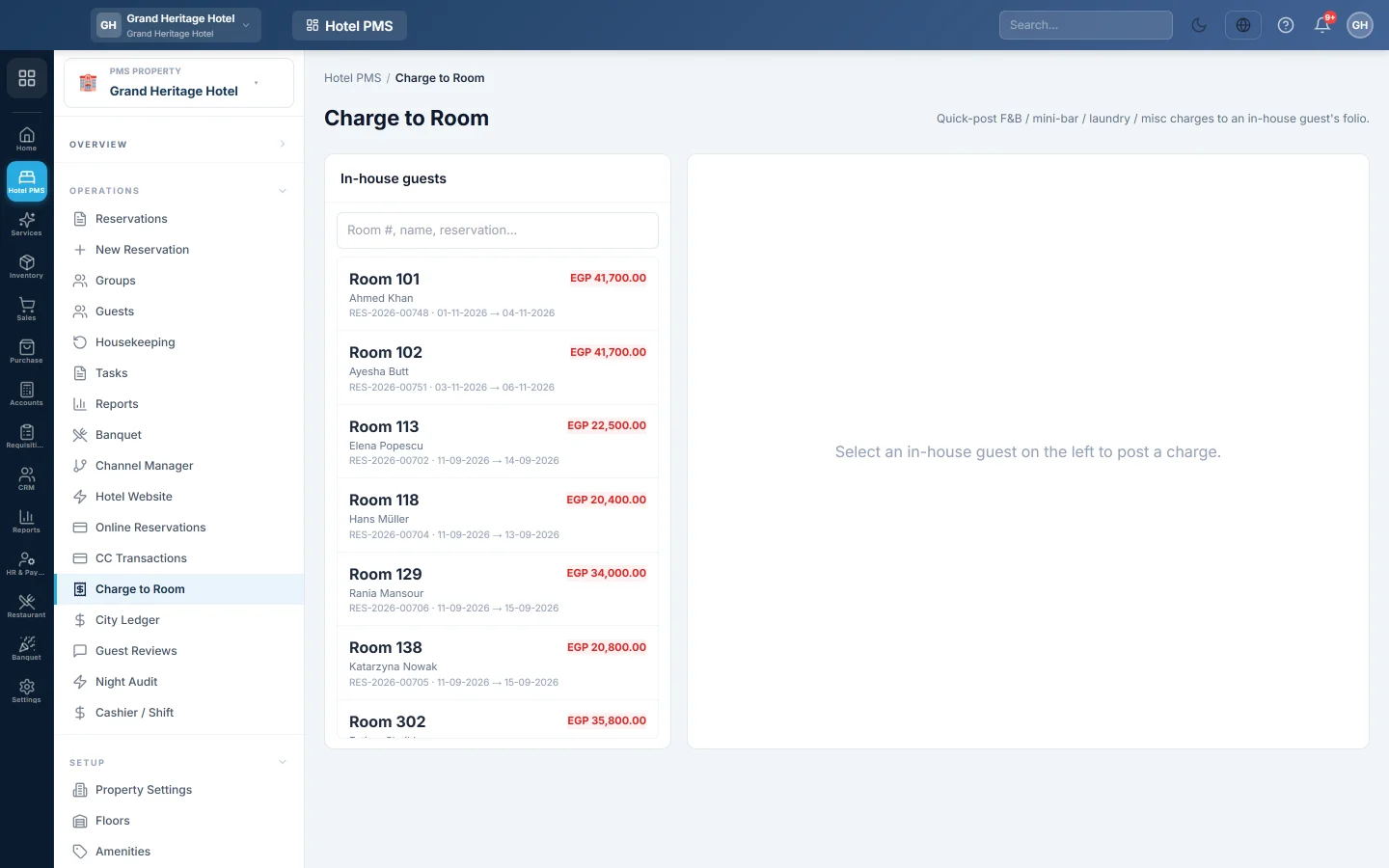
Charge to Room is the quick way to add something to an in-house guest's bill. You pick the guest by room number and post the charge; it lands on the guest's folio straight away. Tills in your restaurant or shop can do the same from the POS.
Before you begin
- The guest is checked in. Only in-house guests are listed.
- Your role needs the permission to post folio charges. See Users & Roles.
- For tills, the Hotel module and the outlet's POS are both in use. See POS Terminal and Outlets.
Where to find it
Open Hotel → Operations → Charge to Room.
Post a charge by room number
- Under In-house guests, search by room number, name or reservation number, and click the guest.
- Optionally click a quick button to fill in the form. The buttons are your active services from Services & Extras, each with its price, for example Breakfast — Rs 800.
- Pick the Charge type: F&B, Mini bar, Laundry, Transport, Extra bed, Service or Other.
- Check the Posting date.
- Type the Description, for example Room service — club sandwich.
- Enter the Quantity and Unit price (Rs). The label shows your hotel's currency. The Line total updates.
- Click Post charge.
The charge appears under Recently posted. Click Open folio to see the guest's whole bill.
Charge a till sale to the room
- At the POS till, ring up the sale as usual.
- At payment, click Charge to Room.
- In Charge to Room — pick a guest, search and click the in-house guest.
- Complete the sale.
The sale is posted to the guest's main folio as one food and beverage line named after the POS invoice, for example POS #1234 (3 item(s)). The receipt shows the room and the guest's new balance.
What happens in the books
A charge posted here posts nothing to your accounts yet. The night audit counts it as revenue for its date, or the folio settlement does if it was not audited. See Run the night audit.
For a till sale charged to the room, the POS does not record cash or sales revenue; the guest's folio does, when it is settled. The cost of the goods sold still posts at the till, because the stock left then.
Common questions
The guest is not in the list. Only checked-in guests appear. Check the guest in first, see Check a guest in.
The till says the charge could not be posted to the folio. The guest's folio may be closed or set to No Post. The sale is saved unpaid; post the amount here by hand, or ask the guest to pay at the till.
Can I charge to a second folio, for example the company's? This page posts to the guest's main folio. To move it, use Split… on the reservation page, see Post a charge to a folio.
Merci. Si vous avez encore besoin d’aide, écrivez à info@eloerp.net.