CC Transactions
Every online card transaction for the property, captured, refunded or failed, to reconcile against your payment gateway's statement and to refund a payment.
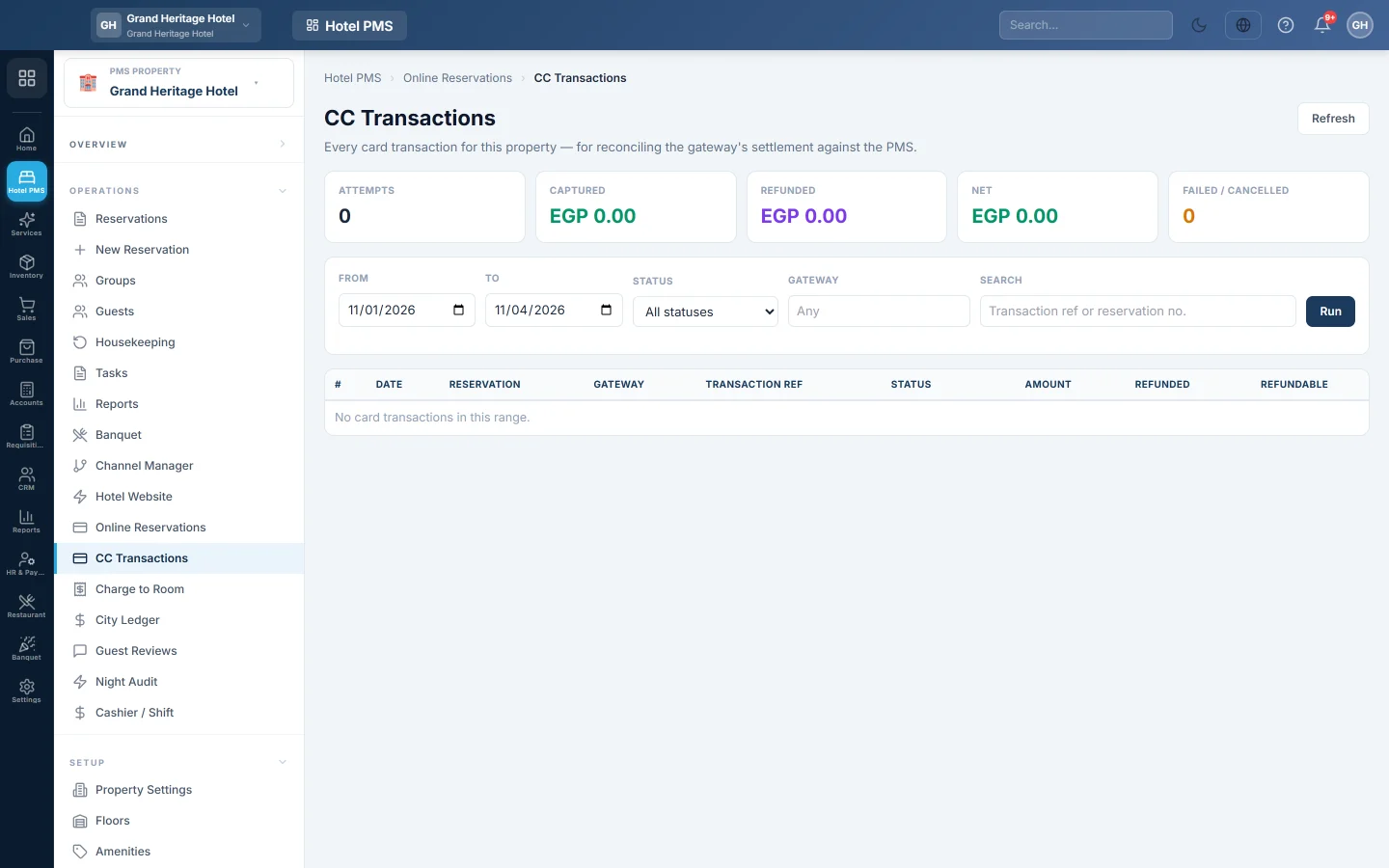
CC Transactions lists every online card payment taken for this property, so you can match them against your payment gateway's statement. Each row shows the reservation, the gateway, the transaction reference, the amount and what can still be refunded.
Before you begin
- Online payments come from a payment gateway set up for your Hotel Website.
- Your role needs the reservation permissions; refunds need the folio refund permission. See Users & Roles.
Where to find it
Open Hotel → Operations → CC Transactions.
Reconcile with the gateway
- Set From and To to the dates of the gateway's statement.
- Pick the Gateway if you use more than one.
- Click Run.
- Compare Captured, Refunded and Net with the statement. Attempts and Failed / Cancelled show tries that took no money.
Search by Transaction ref or reservation no. to find one payment. Status narrows the list, for example to failed payments.
Refund a payment
- Find the payment and check the Refundable amount.
- Click Refund… and enter the amount and the reason.
- Confirm.
The refund is sent through the gateway and posted to the guest's folio.
Common questions
A payment is on the gateway but not here. It may belong to another property, or to the shop or restaurant. Pick the property in the PMS Property box and run the dates again.
A payment shows as failed but the guest says they paid. Check the gateway's own dashboard with the Transaction ref. A payment that never reached EloERP usually means the gateway's webhook is not set up; check the webhook URL on the Payment Gateways page.
Are cash and desk card payments listed? No. Only online gateway payments are. For desk takings, see Cashier / Shift.
شكرًا لك. إذا كنت لا تزال بحاجة إلى مساعدة، راسلنا على info@eloerp.net.