Housekeeping
The housekeeping board, where you see which rooms are clean, dirty, inspected or out of order, change a room's status, build the day's cleaning tasks and track them to done.
The housekeeping board shows the state of every room: vacant or occupied, clean, dirty or inspected, and out of order or out of service. Housekeepers mark rooms clean here, and supervisors build and track the day's cleaning tasks.
Before you begin
- Your rooms exist, see Rooms. Floors make the house count more useful, see Floors.
- Your role needs the room status permission. See Users & Roles.
Where to find it
Open Hotel → Operations → Housekeeping.
How room status changes by itself
- Check-in sets the room to Occupied clean.
- Check-out sets it to Vacant dirty, so it shows up for cleaning.
- A room move sets the old room to Vacant dirty.
Everything else, housekeeping sets by hand.
Read the board
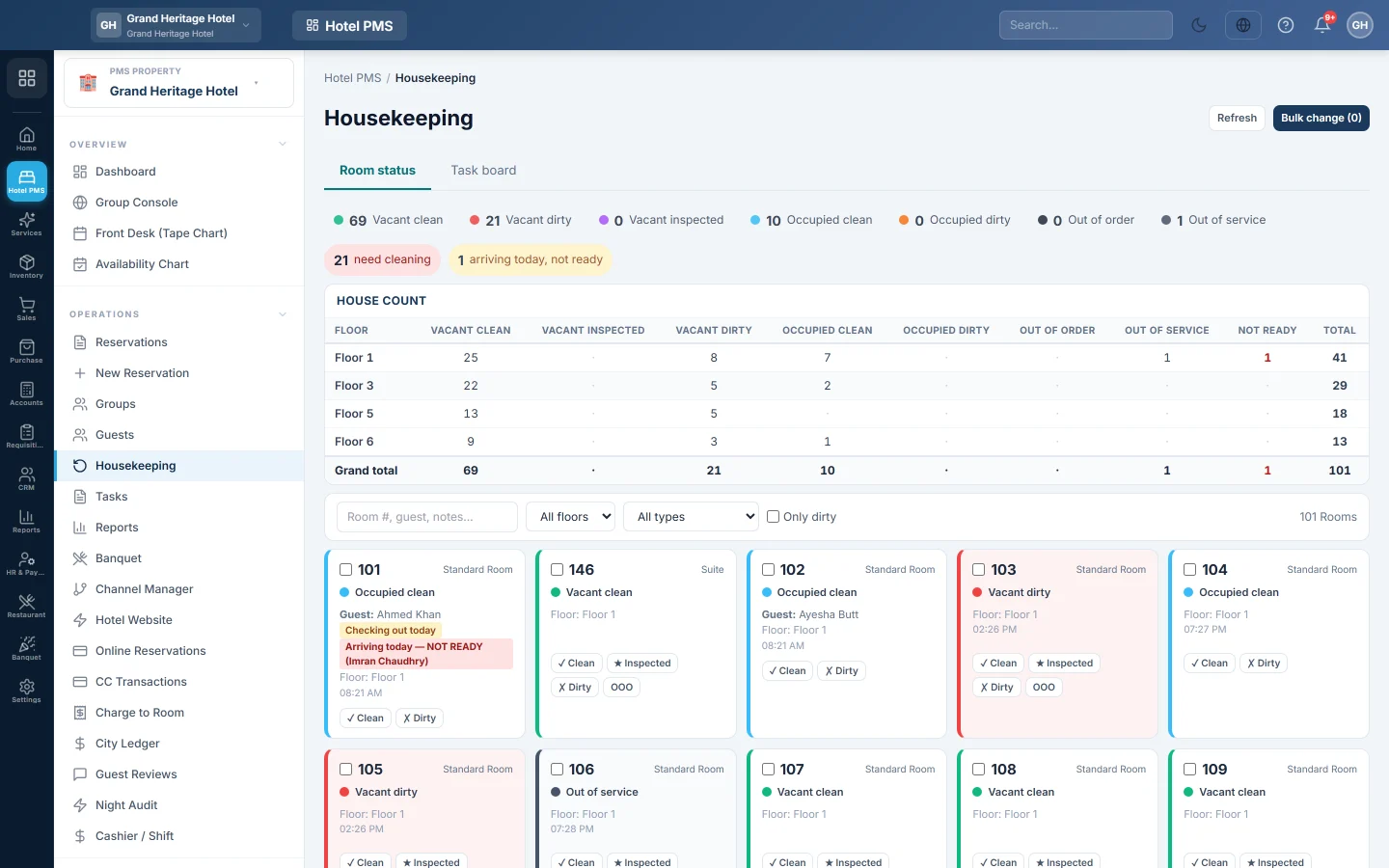
- The status strip counts rooms in each state, and how many need cleaning. Click a count to show only those rooms.
- arriving today, not ready shows rooms with a guest due today that are not clean yet. Clean these first.
- House count is a table of floors against statuses; click a number to filter the cards.
- Each room card shows the guest and a note such as Checking out today, Arriving today — NOT READY or Arriving tomorrow.
Use Room #, guest, notes…, All floors, All types and Only dirty to narrow the cards.
Change a room's status
- Find the room card.
- Click the button for the new state. A vacant room offers ✓ Clean, ★ Inspected, ✗ Dirty and OOO; an occupied room offers ✓ Clean and ✗ Dirty.
To change many rooms at once, tick them, click Bulk change, pick the New status and click Apply.
Build and track the day's tasks
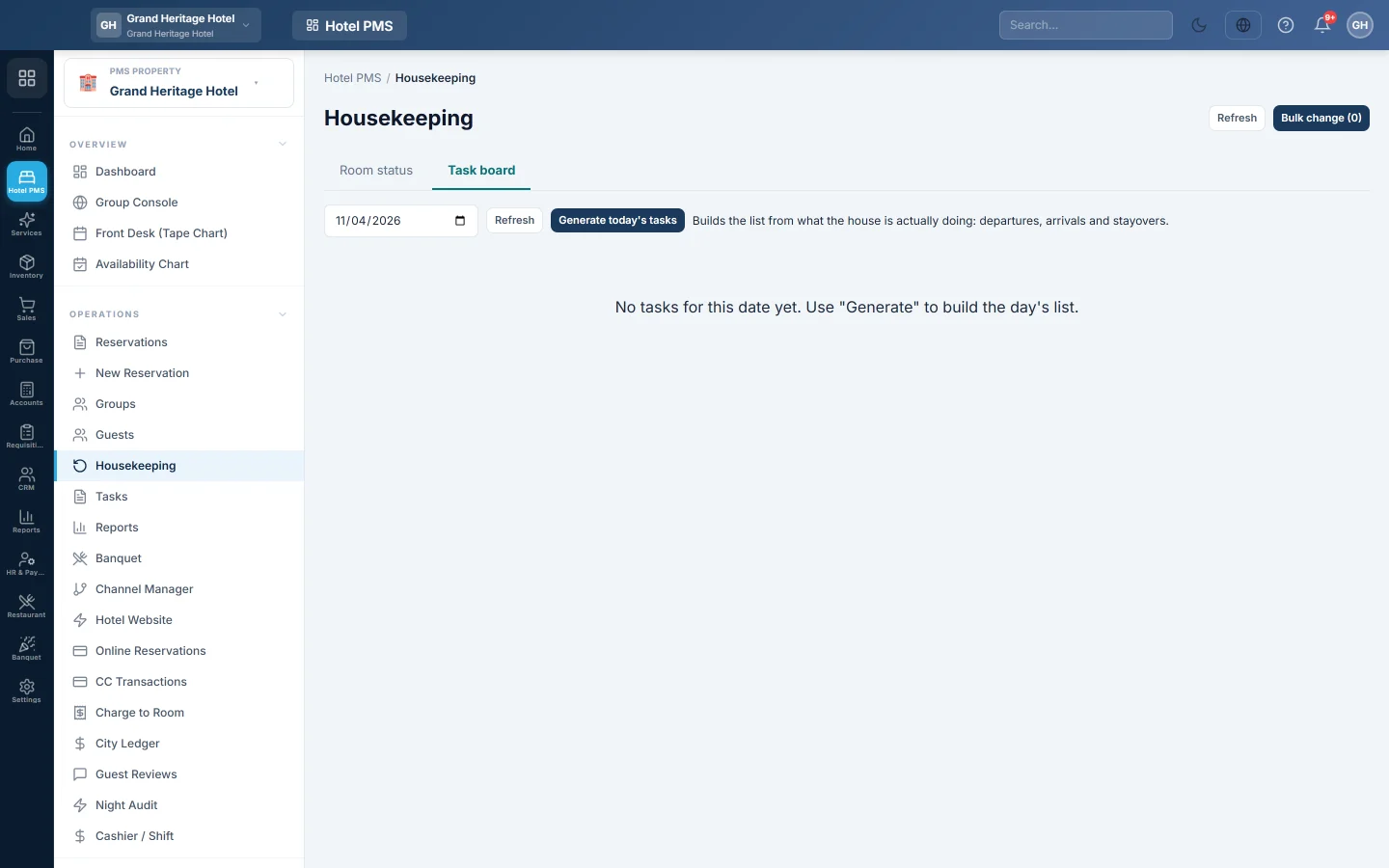
- Click Task board.
- Pick the date and click Generate today's tasks. EloERP builds the list from the departures, arrivals and stayovers.
- For each task, pick the housekeeper under Assigned to.
- As work moves on, click Start, then Finish. A supervisor clicks Verify. Use Block when a room cannot be done, and Unblock later.
The Credits and Minutes columns show the effort of each task. Click a status at the top of the board to show only those tasks. Room status goes back to the cards.
Common questions
A room is clean but still shows dirty on the tape chart. Its status was not updated. Click ✓ Clean on its card here.
The task board is empty. No tasks were generated for that date. Click Generate today's tasks.
Who can I assign tasks to? Staff users of your company. Add users in Users & Roles.
Where is the housekeeping report? The housekeeping reports, such as assignment and completion, are in PMS Reports Hub. Repairs and other jobs are on Tasks.
Thank you. If you still need help, write to info@eloerp.net.