Guests
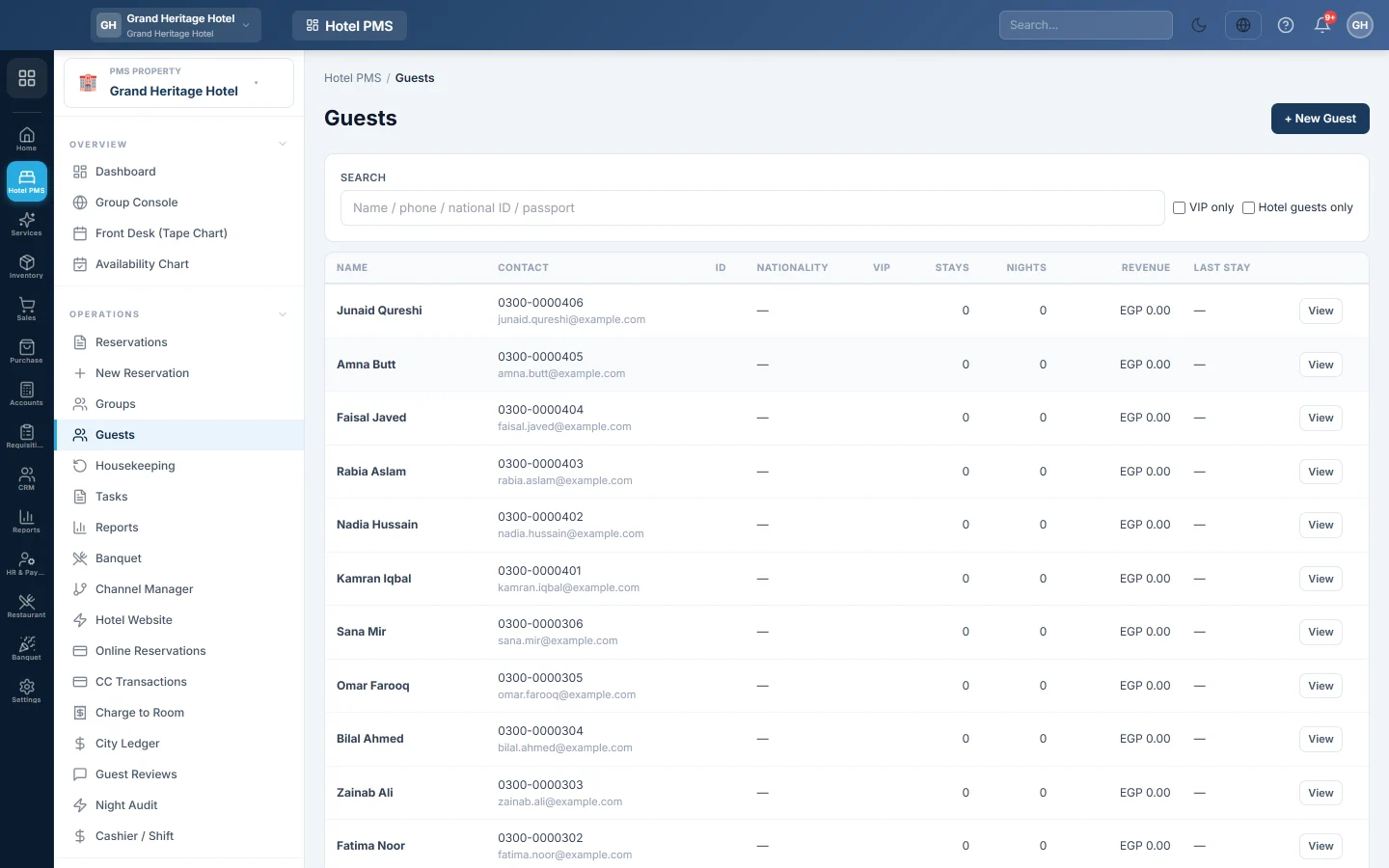
The hotel's guest list and guest profiles, with stays, nights, revenue, ID documents, folios and messages, and a warning when a new guest may already be on file.
Guests lists everyone who has stayed or booked, with their stays, nights and revenue. A guest's profile holds their contact details, ID documents, stay history, folios and the messages sent to them.
Before you begin
- Guests are customers in EloERP. A guest added here also appears in your customer list.
- Your role needs the guests permissions. See Users & Roles.
Where to find it
Open Hotel → Operations → Guests.
Find a guest
Type a name, phone, national ID or passport number in Search. Tick VIP only for VIP guests, or Hotel guests only to hide customers who never booked a room. Click a row, or View, to open the profile.
Add a guest
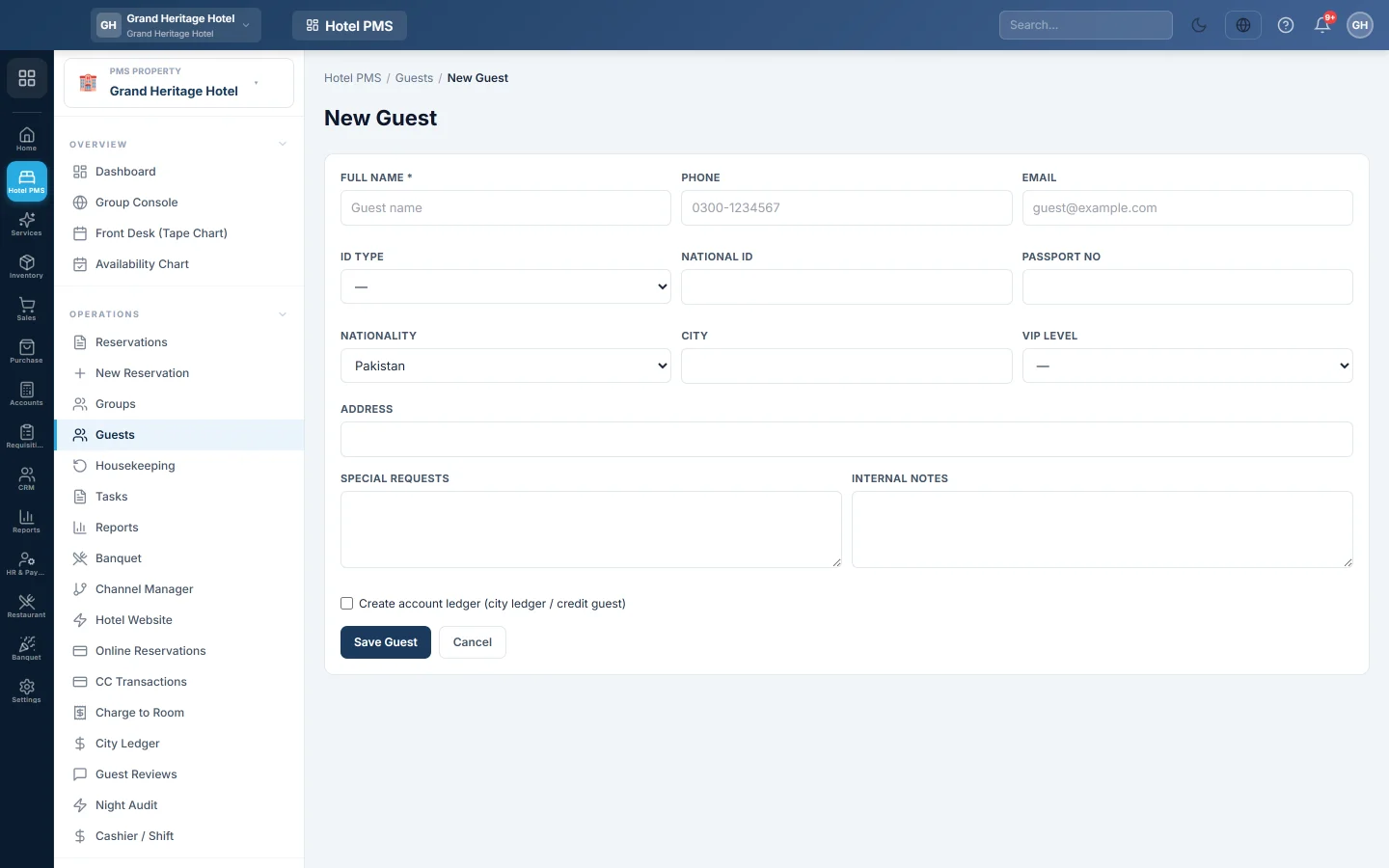
- Click + New Guest.
- Enter the Full Name, Phone and Email.
- Pick the ID Type (National ID, Passport or Other) and enter the number. For a passport, add the Passport No and Nationality.
- Add the City, Address, VIP Level, Special Requests and Internal Notes if you have them.
- Tick Create account ledger (city ledger / credit guest) only for a guest who will be billed later.
- Click Save Guest.
If someone with the same ID number or phone is already on file, EloERP lists them with what Matched on. Click Open existing, or These are different people — create anyway.
You can also add a guest while booking, from the reservation form.
Read a guest's profile
The top shows Stays, nights, Lifetime Revenue, Open Balance, Last Stay, Nationality and Comms Sent. The tabs hold the rest:
- Profile: contact details, ID, Preferred language, VIP level and notes. Click Edit to change them, then Save.
- Documents: scans of the guest's ID. Click + Upload scan and pick the type, such as National ID, Passport, Visa or Driving License.
- Stays: every reservation, with its status, dates, room, total and balance.
- Folios and Ledger: every bill, charge and payment.
- Communication: the emails and messages sent to the guest.
- Activity: what changed on the profile and when.
When a profile shares an ID number or phone with another record, a note Also on file as names it. Nothing is merged automatically.
Common questions
The guest shows as Blacklisted. The guest's record is flagged. The desk is warned when booking them, and the booking is still allowed.
Why does a booking show no profile next to the name? The booking has a name but no guest record linked, often from an online channel. Open the booking and pick or add the guest.
Can I see what a guest spent at the restaurant? Outlet bills charged to the room are on the guest's folios. See Charge to Room.
Where are guest registration details for the police kept? On the Guest Register (PK) report, built from guests' ID and travel details.
Thank you. If you still need help, write to info@eloerp.net.