Group Console
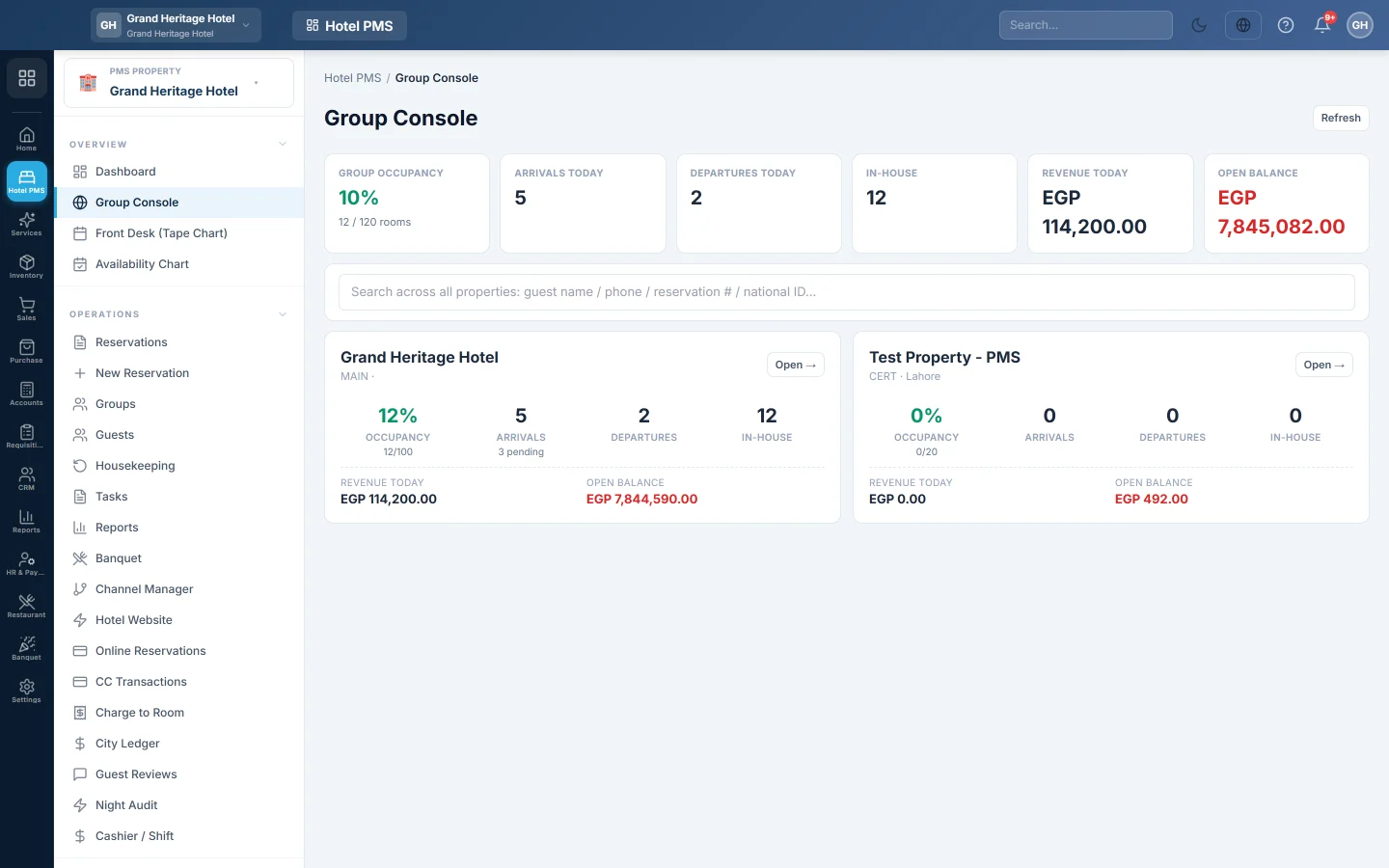
One screen for a hotel group, with each property's occupancy, arrivals, departures and money today, and a search for a guest or booking across every property.
The Group Console is for companies that run more than one hotel. It shows every property you can access side by side, with group totals at the top, and finds a guest or booking in any of them.
Before you begin
- Your company has more than one hotel property, usually one per branch. With one hotel the console shows that hotel only.
- You see the properties of your own branch. A user at the head office branch sees all of them. See Branches.
- Your role needs the group console permission. See Users & Roles.
Where to find it
Open Hotel → Overview → Group Console, or click Group Console (all properties) at the bottom of the PMS Property box in the side menu.
Read the console
The top row adds up the whole group: Group occupancy, Arrivals today, Departures today, In-house, Revenue today and Open balance.
Each property has a card with its Occupancy, Arrivals and how many are pending, Departures, In-house guests, Revenue today and Open balance. Click Refresh to update the numbers.
Open one property
Click Open → on a property's card. EloERP switches the PMS Property box to that hotel and opens its dashboard. Every hotel screen then works on that property.
Find a guest or booking in any hotel
- Type in the search box: a guest name, phone, reservation number or national ID.
- The results show Reservations and Guests from every property.
- Click a reservation to switch to its property and open it.
Common questions
A property is missing. It belongs to a branch your user cannot see. Ask an administrator to give you access to that branch.
The console says No properties configured yet. Open Property Settings in each branch once to create its property.
Do the group totals mix currencies? The totals add the numbers as they are. Use the totals only when all your hotels use the same currency.
Merci. Si vous avez encore besoin d’aide, écrivez à info@eloerp.net.