Field Permissions
Lock single fields on sales and purchase documents, such as the price, discount or warehouse, for a role, so its users cannot change them.
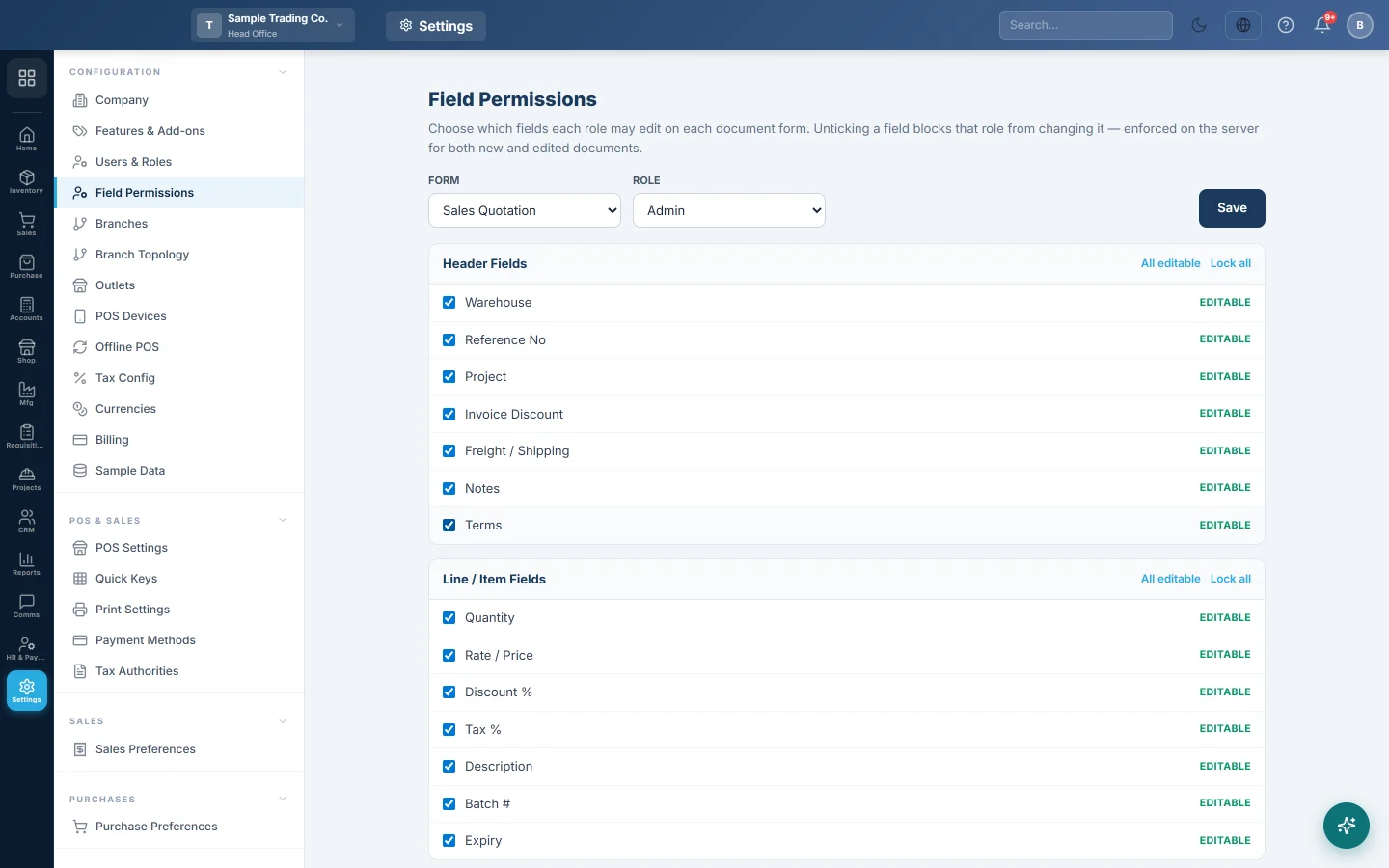
Field Permissions lets you lock single fields on a document for one role. For example, a Salesman role can make sale invoices but not change the Rate / Price or the Discount %. The server enforces the lock on new and edited documents, not just the screen.
Before you begin
- You need a role that can manage users or roles. Without it the page says field permissions can only be set by an administrator.
- Create the roles first. See Users & Roles.
Where to find it
Open Settings → Configuration → Field Permissions.
Lock fields for a role
- Under FORM, choose the document, for example Sales Invoice.
- Under ROLE, choose the role, for example Salesman.
- Untick each field the role must not change. It shows Locked in red.
- Click Save. A Saved ✓ message appears.
Use All editable or Lock all to set a whole section at once. Repeat for each form and role you need.
The forms and fields you can lock
The forms are Sales Quotation, Sales Order, Sales Invoice, Sales Return, Delivery Note, Purchase Quotation, Purchase Order, Purchase Invoice, Purchase Return and Goods Receipt Note.
| Section | Examples of fields |
|---|---|
| Header Fields | Warehouse, Reference No, Due Date, Project, Invoice Discount, Freight / Shipping, Notes, Terms |
| Line / Item Fields | Quantity, Rate / Price, Discount %, Tax %, Description, Batch # |
The fields offered differ slightly per form.
What happens when a field is locked
When a user in that role saves the document, whatever they typed in a locked field is dropped. On an edited document the value already saved is kept. On a new document the field is left at its default.
Common questions
A user has two roles. Which lock wins? The most open one. A field is locked only when every role the user has locks it.
Can I lock the customer or the date? No. A document cannot be made without them, so they are always editable.
I locked the price but the user still changed it. Check you clicked Save for the right FORM and ROLE. Also check the user does not have another role, or super-admin rights.
How do I stop a cashier giving large discounts on the POS? Set Max Discount % on the role in Role Permissions, or switch discounts off in POS Settings.
Terima kasih. Jika masih butuh bantuan, kirim email ke info@eloerp.net.