HR & Payroll Reports
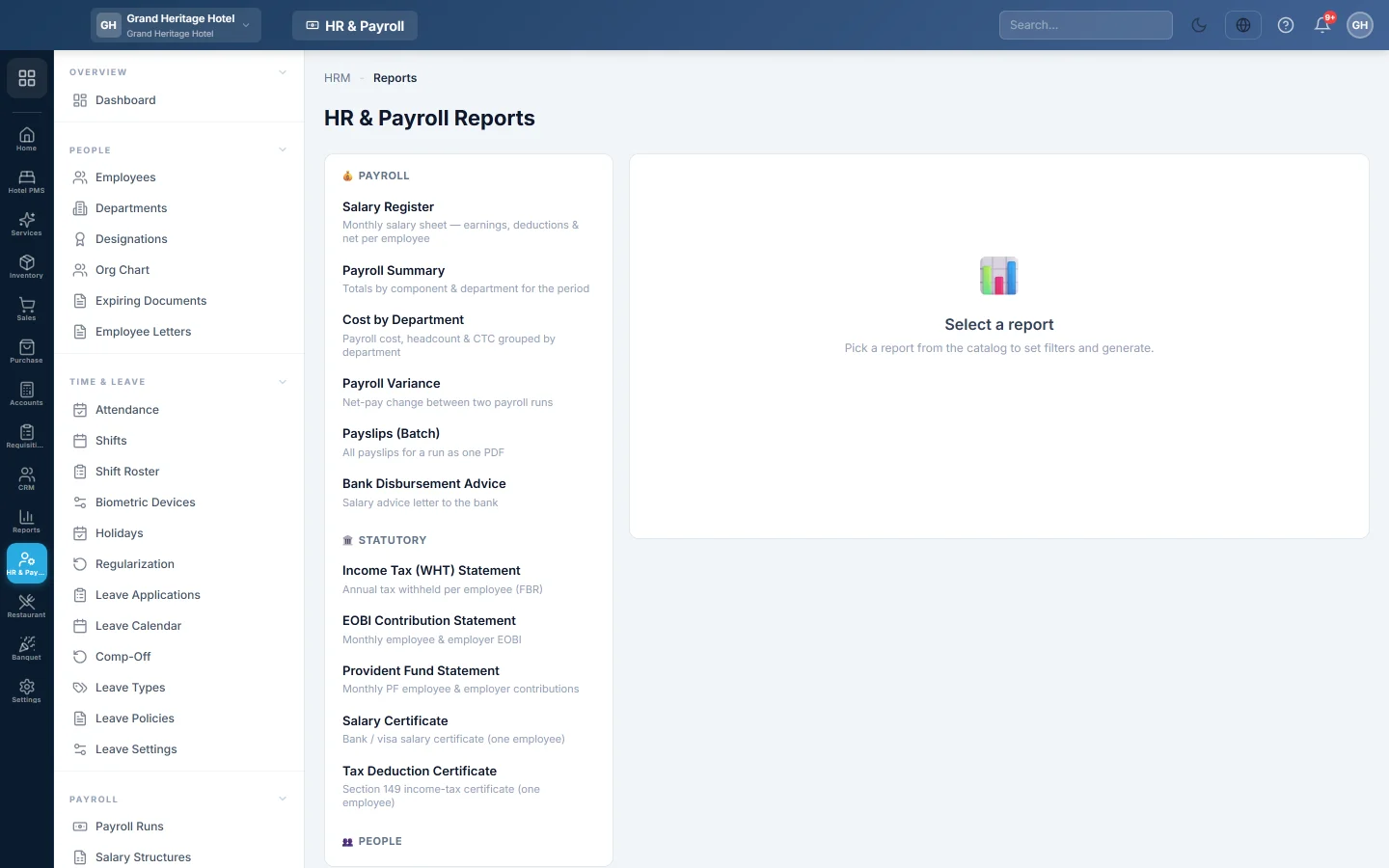
The catalogue of HR reports, covering salary register, payroll summary, statutory statements and certificates, people, attendance, leave and loans.
HR & Payroll Reports holds every HR report in one catalogue. Pick a report, set its filters and click Generate.
Before you begin
- Payroll runs, attendance and leave exist for the period you report on.
Where to find it
Open HR & Payroll → Payroll → HR & Payroll Reports.
Run a report
- Click a report in the catalogue on the left.
- Fill its filters: a Payroll Run, a Year or Month, dates, a Department, or one Employee, depending on the report.
- Click Generate.
- Use Search to filter the rows, then Print or Download PDF.
Some reports, such as certificates and batch payslips, are formatted documents. They open in a new tab.
The catalogue
| Group | Reports |
|---|---|
| Payroll | Salary Register · Payroll Summary · Cost by Department · Payroll Variance · Payslips (Batch) · Bank Disbursement Advice |
| Statutory | Income Tax (WHT) Statement · EOBI Contribution Statement · Provident Fund Statement · Salary Certificate · Tax Deduction Certificate |
| People | Employee Directory · Headcount & Demographics · Service / Tenure · Employee Profile Sheet · Full & Final Settlement |
| Time & Leave | Attendance Register (Muster) · Attendance Summary · Leave Balance · Leave Register |
| Loans & Compliance | Loan & Advance Ledger · Document & Contract Expiry |
A few that need a word of explanation:
- Payroll Variance compares two runs: pick Run A (base) and Run B (compare) to see whose net pay changed.
- Payslips (Batch) puts every slip of a run into one PDF.
- Bank Disbursement Advice is the salary advice letter to your bank.
- Tax Deduction Certificate is the Section 149 income-tax certificate for one employee.
- Service / Tenure shows length of service and gratuity eligibility.
Common questions
Where is the salary sheet for one month? Choose Salary Register and pick the payroll run. Each run also offers Register CSV, Payroll Sheet PDF and Excel Register at its top.
Where do I get the WHT return as a file? On Payroll Reports, as a CSV.
Why is a report empty? Nothing matches the filters, for example a month with no payroll run. Widen the dates or pick another run.
Vielen Dank. Wenn Sie weitere Hilfe brauchen, schreiben Sie an info@eloerp.net.