Salary Components
Define the earnings, deductions and employer contributions that make up pay, as a fixed amount or a percentage of basic or gross.
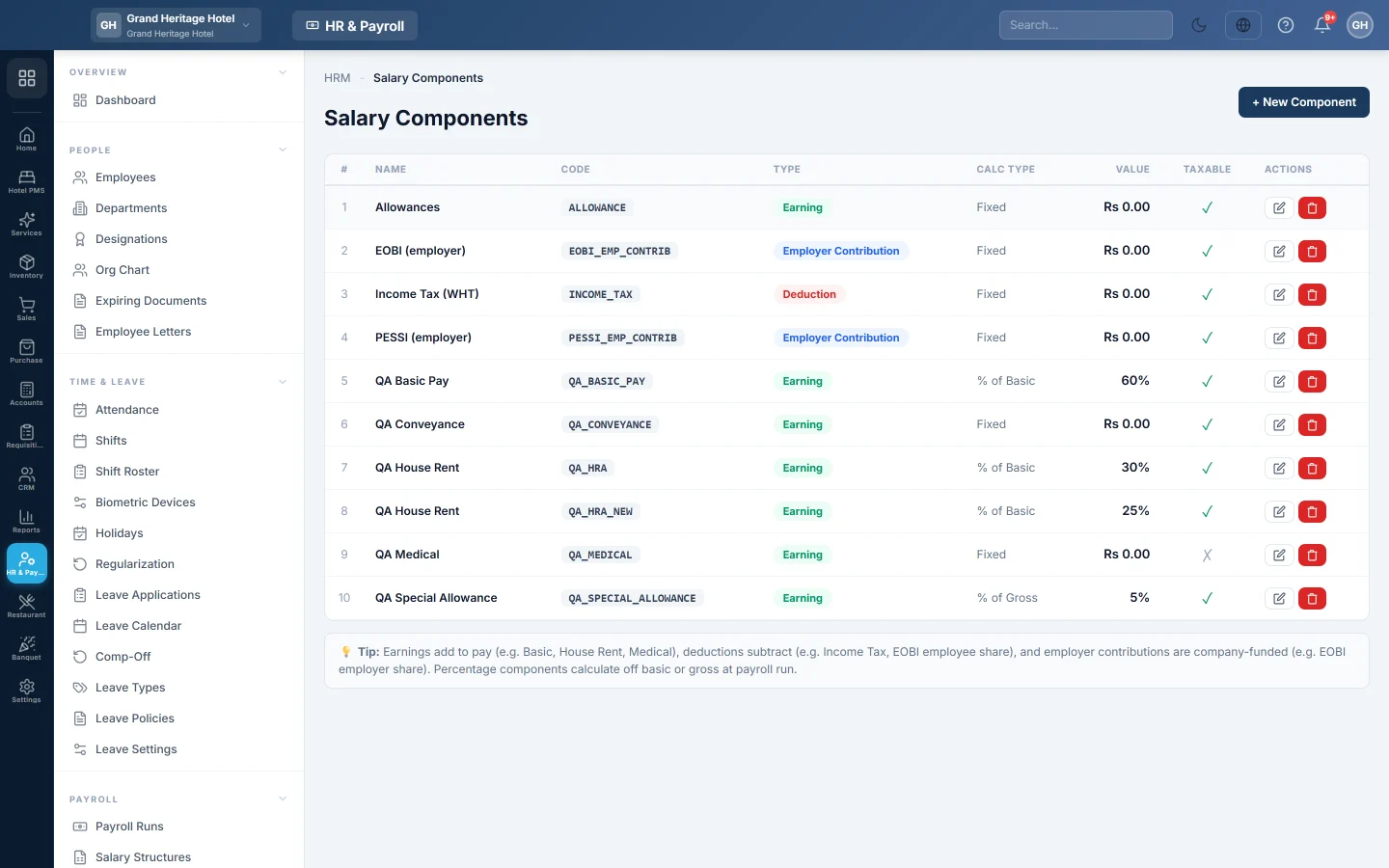
Salary components are the building blocks of pay. Earnings add to pay, such as Basic, House Rent or Medical. Deductions take from it, such as Income Tax or the employee's EOBI share. Employer contributions are paid by the company, such as the employer's EOBI share.
Before you begin
- Your role needs the payroll permissions to manage salary components. See Users & Roles.
Where to find it
Open HR & Payroll → Payroll → Salary Components.
Add a component
- Click + New Component.
- Type the NAME, for example "House Rent Allowance", and a CODE, for example HRA. The code is upper case and must be unique.
- Pick the TYPE: Earning, Deduction or Employer Contribution.
- Pick the CALCULATION TYPE:
- Fixed: type the AMOUNT (RS).
- Percentage of Basic or Percentage of Gross: type the PERCENTAGE (%).
- Tick Taxable on every earning that counts towards income tax.
- Optional: set the SORT ORDER for where it appears on the payslip.
- Click Create.
Change or stop a component
Click Edit on its row, make the change and click Update. Click Deactivate to stop using a component while keeping it on past payslips.
Common questions
Where do I use components? In Salary Structures. A component does nothing until a structure includes it.
Is income tax a component I have to set up? Income tax, EOBI and social security are worked out by payroll from Statutory & Tax Slabs when you press Apply Tax/EOBI/OT.
What does Taxable do? Taxable earnings are added up to work out monthly income tax. Leave it off for earnings that are exempt.
Where do I add a one-off bonus? Use + Ad-hoc on the payroll run, or Bonus & Deductions.
Vielen Dank. Wenn Sie weitere Hilfe brauchen, schreiben Sie an info@eloerp.net.