Leave Settings
Choose how many approval levels a leave application needs, and how comp-off credits are earned and expire.
Leave Settings holds two company-wide choices: how many people must approve a leave application, and how comp-off credits are earned and how long they last.
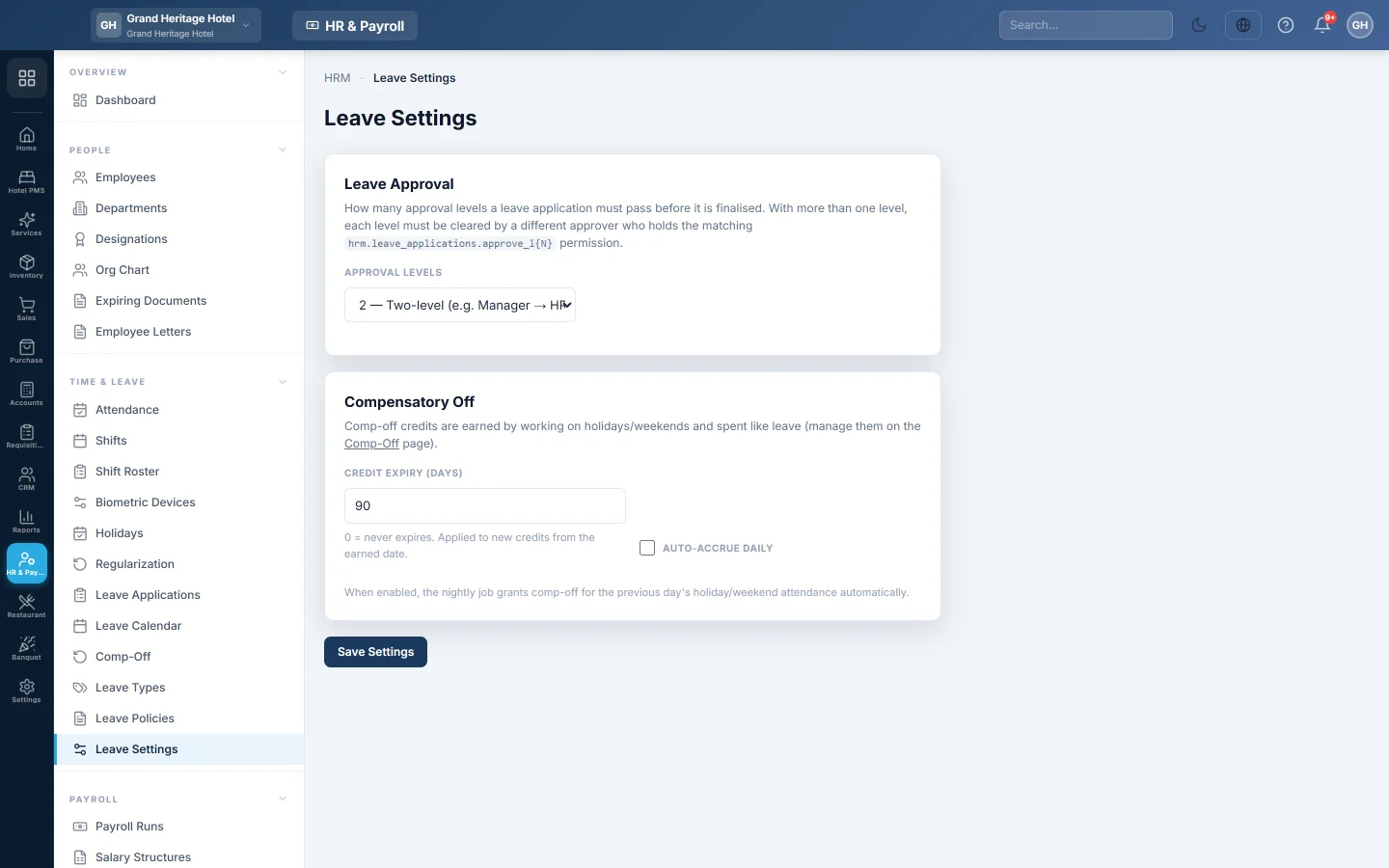
Before you begin
- Only users allowed to manage HR settings can change these. See Users & Roles.
Where to find it
Open HR & Payroll → Time & Leave → Leave Settings.
Set the approval levels
- Under Leave Approval, pick the APPROVAL LEVELS:
- Single approver (default)
- Two-level (e.g. Manager → HR)
- Three-level (Manager → HR → Director)
- Click Save Settings.
With more than one level, each level must be cleared by a different approver. Each approver needs the approval permission for their level, such as level 1 or level 2, on their role.
Set the comp-off rules
- Under Comp-Off, type the CREDIT EXPIRY (DAYS). 0 means credits never expire. The expiry applies to new credits from their earned date.
- Tick Auto-accrue daily to credit comp-offs every night for anyone who worked on the previous day's holiday or weekend.
- Click Save Settings.
Common questions
I changed to two levels. What happens to pending applications? Applications keep the number of levels they had when they were submitted. New applications use the new setting.
Who gives the approval permissions? Your administrator, on Users & Roles.
Where do I grant a comp-off by hand? On Comp-Off.
谢谢。 如果仍需帮助,请发邮件至 info@eloerp.net。