Logs
See every automatic, bulk and WhatsApp message with its status and error, read what was sent, and retry a failed one.
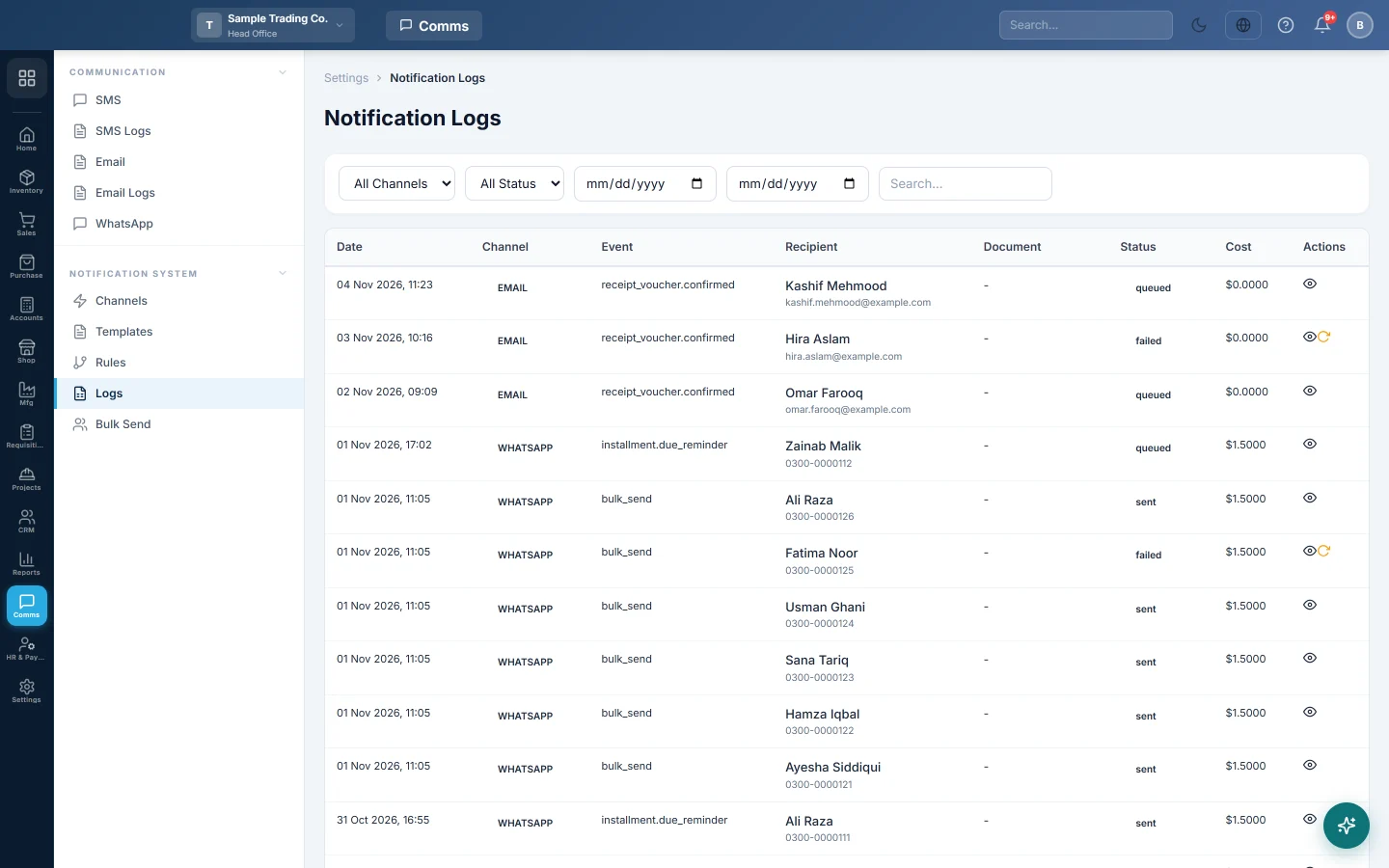
Notification Logs is the record of messages sent through your channels: automatic messages from rules, bulk sends, WhatsApp messages, SMS from the SMS Center and channel tests. Use it to check that a message went out, and why one failed.
Before you begin
- Messages appear here once a rule, a bulk send or a manual send has run. See Rules.
Where to find it
Open Communication → Notification System → Logs.
Find a message
- Choose a channel in All Channels: SMS, Email or WhatsApp.
- Choose a status in All Status, such as Sent or Failed.
- Set the from and to dates.
- Type a name, phone number, email or document number in Search....
Each row shows the Date, Channel, Event, Recipient, the Document it was about, the Status and the Cost if your provider reports one.
Read a message
Click View to open Notification Detail. It shows the recipient and their number or address, the document, the Subject and Body that were sent, the provider's reference and status, any Error, and the Created, Sent and Delivered times.
Retry a failed message
- Fix the cause first, for example correct the customer's number or reconnect the WhatsApp phone.
- Click Retry on the failed row, or in Notification Detail.
The message is queued again. Retry is offered only for Failed and Rejected messages.
What the statuses mean
| Status | Meaning |
|---|---|
| Queued | Waiting to go out, or waiting for its delay. |
| Sending | Being handed to the provider. |
| Sent | The provider accepted it. |
| Delivered | The provider confirmed it reached the phone or mailbox. |
| Failed | It could not be sent. Read the Error. |
| Rejected | The provider refused it, for example a blocked number. |
Common questions
A retried message still fails. The cause is still there. Read the Error; for a wrong number, correct it on the customer and send again from the document.
Why are emails from Compose Email not here? They are in Email Logs.
Messages stay Queued for a long time. Queued messages normally go out within a minute or two. If many stay queued, ask your provider to check the background sending.
Teşekkür ederiz. Hâlâ yardıma ihtiyacınız varsa info@eloerp.net adresine yazın.