Email Logs
See every email sent from Compose Email, open one to read it, and check why a send failed.
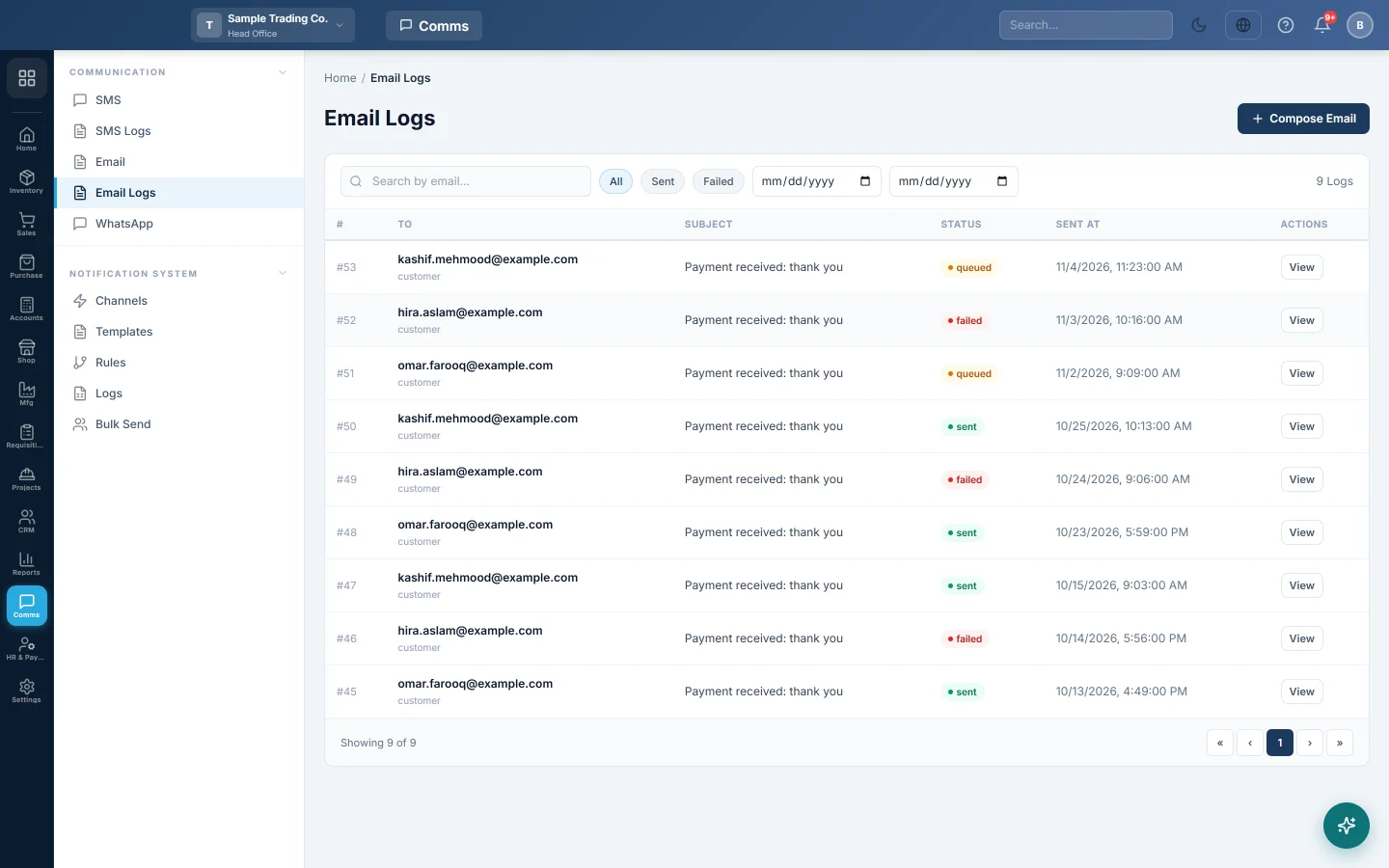
Email Logs lists the emails sent from the Compose Email page, with the address, subject, status and time.
Before you begin
- Emails appear here once they are sent from Email.
Where to find it
Open Communication → Communication → Email Logs.
Find and read an email
- Type part of the address in Search by email....
- Click All, Sent or Failed, and set the two dates if needed.
- Click View on a row.
Email Preview shows To:, Subject:, Status:, the message and, for a failed email, the Error:. Click Close when done. Compose Email at the top opens a new email.
Common questions
Why are my automatic emails not here? This list covers Compose Email only. Emails sent by rules or Bulk Send are in the notification Logs.
An email shows Failed. The mail server refused it. The Error: line in the preview says why, for example a wrong address.
Teşekkür ederiz. Hâlâ yardıma ihtiyacınız varsa info@eloerp.net adresine yazın.