SMS Logs
See every SMS sent from the SMS Center, whether it went through, and find a message by phone number or date.
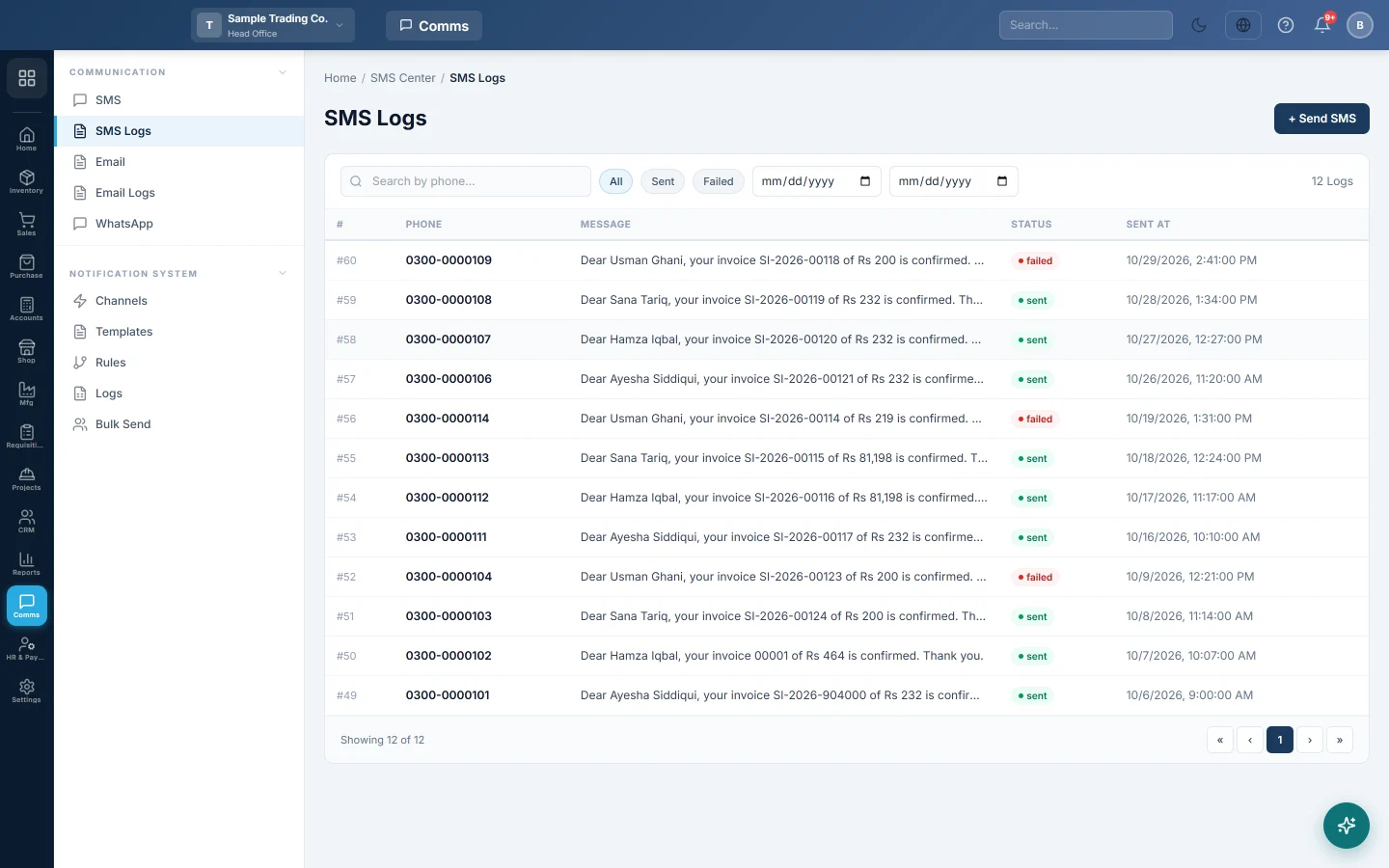
SMS Logs lists the messages sent from the SMS Center, with the number, the text, the status and when it went.
Before you begin
- Messages appear here once they are sent from SMS.
Where to find it
Open Communication → Communication → SMS Logs.
Find a message
- Type part of the number in Search by phone....
- Click All, Sent or Failed.
- Set the two dates to narrow the period.
The list shows the Phone, Message, Status and Sent At. Send SMS at the top opens the SMS Center.
Common questions
Why are my automatic SMS not here? This list covers the SMS Center only. Messages sent by rules or Bulk Send are in the notification Logs, with the reason for any failure.
A message shows Failed. Why? Your SMS provider refused it, for example a wrong number, no balance or a blocked sender. The full error is on the same message in the notification Logs.
Does Sent mean the phone received it? It means your provider accepted it. Delivery to the handset is up to the provider.
Teşekkür ederiz. Hâlâ yardıma ihtiyacınız varsa info@eloerp.net adresine yazın.