Guest Register (PK)
The register of guests who arrived in a period, with their ID type and number, nationality, room and party size, for the police and provincial authorities.
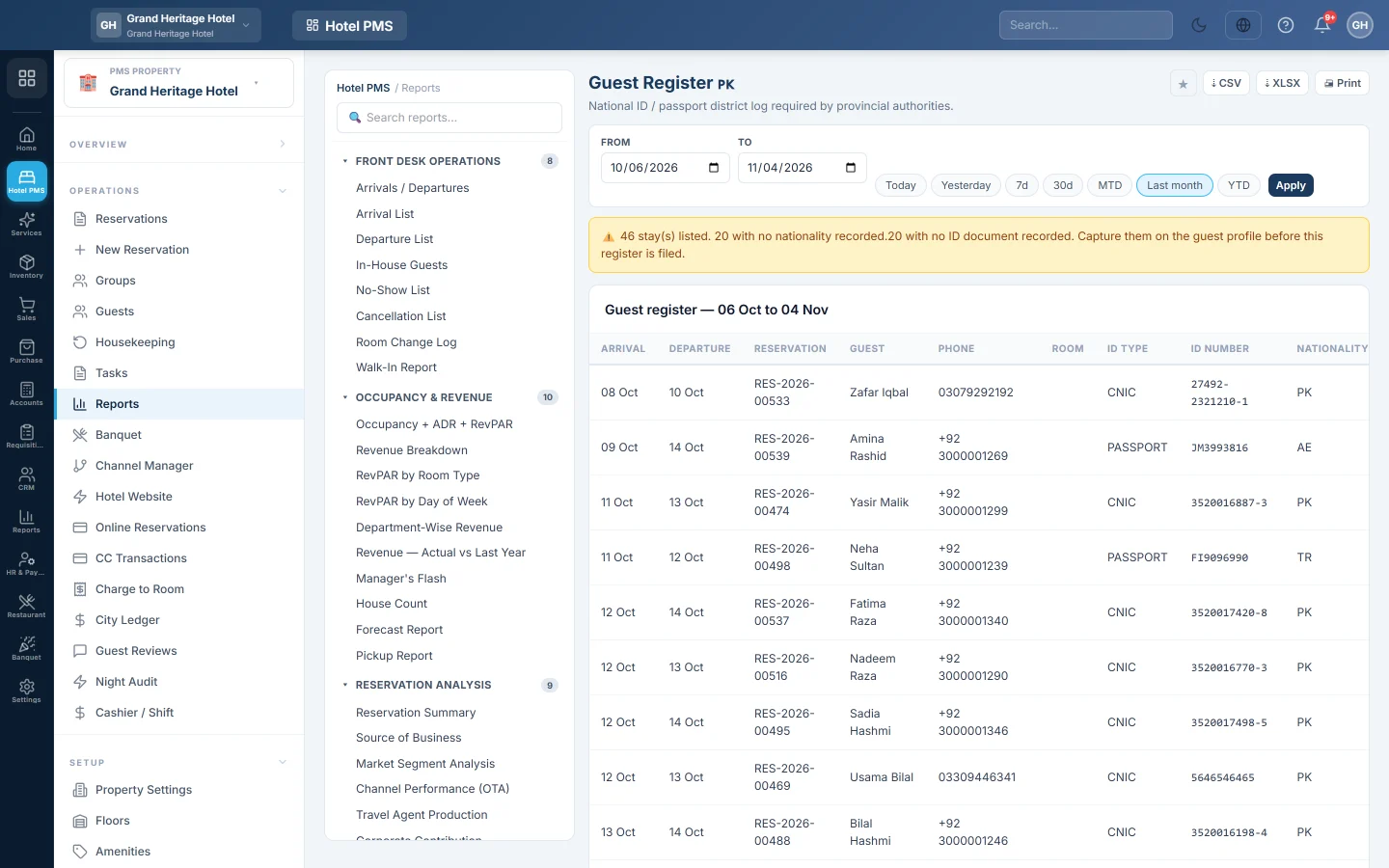
The Guest Register lists every guest who arrived in a period with their identity details, as the police and provincial authorities ask hotels to keep. It also tells you which stays are missing an ID or a nationality.
Before you begin
- Guests' ID type, ID number and nationality are recorded on their profiles. See Guests.
- Your role needs the hotel compliance permission. See Users & Roles.
Where to find it
Open Reports → Hotel PMS Reports → Guest Register (PK). It is also in the PK Compliance pack in the PMS Reports Hub.
Run the register
- Set From and To to the period the authority asks for, for example Today or 7d.
- Click Apply.
- Read the checks at the top: how many stays are listed, how many have no nationality recorded and how many have no ID document recorded.
- Fix any missing details on the guest profiles, then click Apply again.
- Click Print, or ⇣ XLSX for the authority's spreadsheet.
Read the register
Each line shows the Arrival, Departure, Reservation, Guest, Phone, Room, ID Type, ID Number, Nationality, Adults and Children. Missing details show as Not recorded, never a guess.
Bookings arriving in the period that are confirmed, in-house or checked out are listed.
Common questions
A guest shows Not recorded for nationality. Open the guest's profile, click Edit and pick the nationality.
Why is a guest listed who has not arrived yet? Confirmed bookings arriving in the period are included. Run the register after the day's check-ins, or for past dates.
Where do I keep a copy of the guest's ID? Upload it on the guest's Documents tab, see Guests.
Teşekkür ederiz. Hâlâ yardıma ihtiyacınız varsa info@eloerp.net adresine yazın.