Settings
Switch selling by weight and rate on, choose whether the rate is quoted per tola or per gram, and set the stone weight and making-discount approval options.
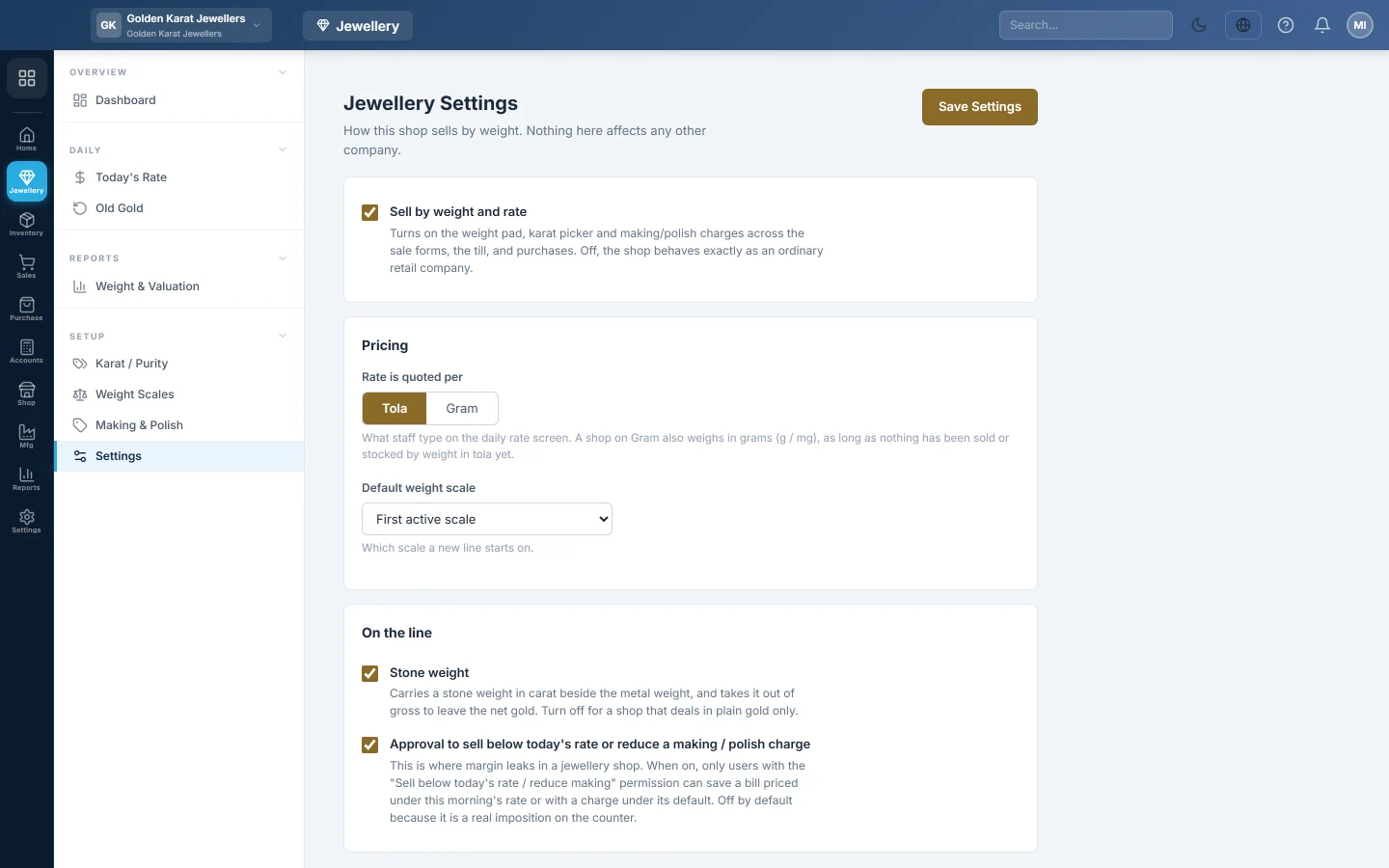
Jewellery Settings decides how your shop sells by weight. Switching it on adds the weight pad, the karat picker and making charges to the sale forms, the POS till and purchases.
Before you begin
- Your service provider must have granted the jewellery module to your company. Until then this screen says the module is not enabled.
- You need the Manage Jewellery Settings permission. See Users & Roles.
Where to find it
Open Jewellery → Setup → Settings.
Switch selling by weight on
- Tick Sell by weight and rate.
- Under Rate is quoted per, click Tola or Gram.
- Click Save Settings.
The first time you switch it on, EloERP sets up a starting point for you:
- A weight scale: Tola / Masha / Ratti for a tola shop, or Gram / Milligram for a gram shop.
- The usual karats: 24K, 22K, 21K, 18K and Silver 925.
- The charge types: Making (Majoori), Polish, Stone Setting and Stone (per carat).
Rates and charge amounts stay at 0. You set the rate each morning on Today's Rate and the charges on Making & Polish.
Choose the line options
- Default weight scale: the scale a new line starts on. First active scale suits most shops.
- Stone weight: adds a gross weight, a stone weight and a carat box to each line. The stone weight comes off the gross to leave the net gold. Leave it off if you deal in plain gold only.
- Approval to sell below today's rate or reduce a making / polish charge: when on, a bill with a charge under its default rate is refused. Only a user with the Sell Below Today's Rate / Reduce Making Charge permission can save it.
Click Save Settings after any change.
Common questions
I do not see the Jewellery menu. The module has not been granted to your company. Ask your service provider.
I switched it off. Is my data gone? No. The karats, scales, rates and old bills stay. The weight fields just stop showing on the forms.
If I switch it off and on again, do I get a second set of karats? No. The defaults are added only where nothing exists yet.
Who can make a sale with a reduced making charge? A user whose role has Sell Below Today's Rate / Reduce Making Charge. They make the sale themselves; there is no separate approval step.
Teşekkür ederiz. Hâlâ yardıma ihtiyacınız varsa info@eloerp.net adresine yazın.