Making & Polish
Set the charges a jeweller adds on top of the metal, such as making, polish, stone setting and stones, how each is quoted, its default rate and the income account it posts to.
Making & Polish lists what the shop charges on top of the metal: making (majoori), polish, stone setting and stones. Each type has a default rate the counter can change on the line, and its own income account.
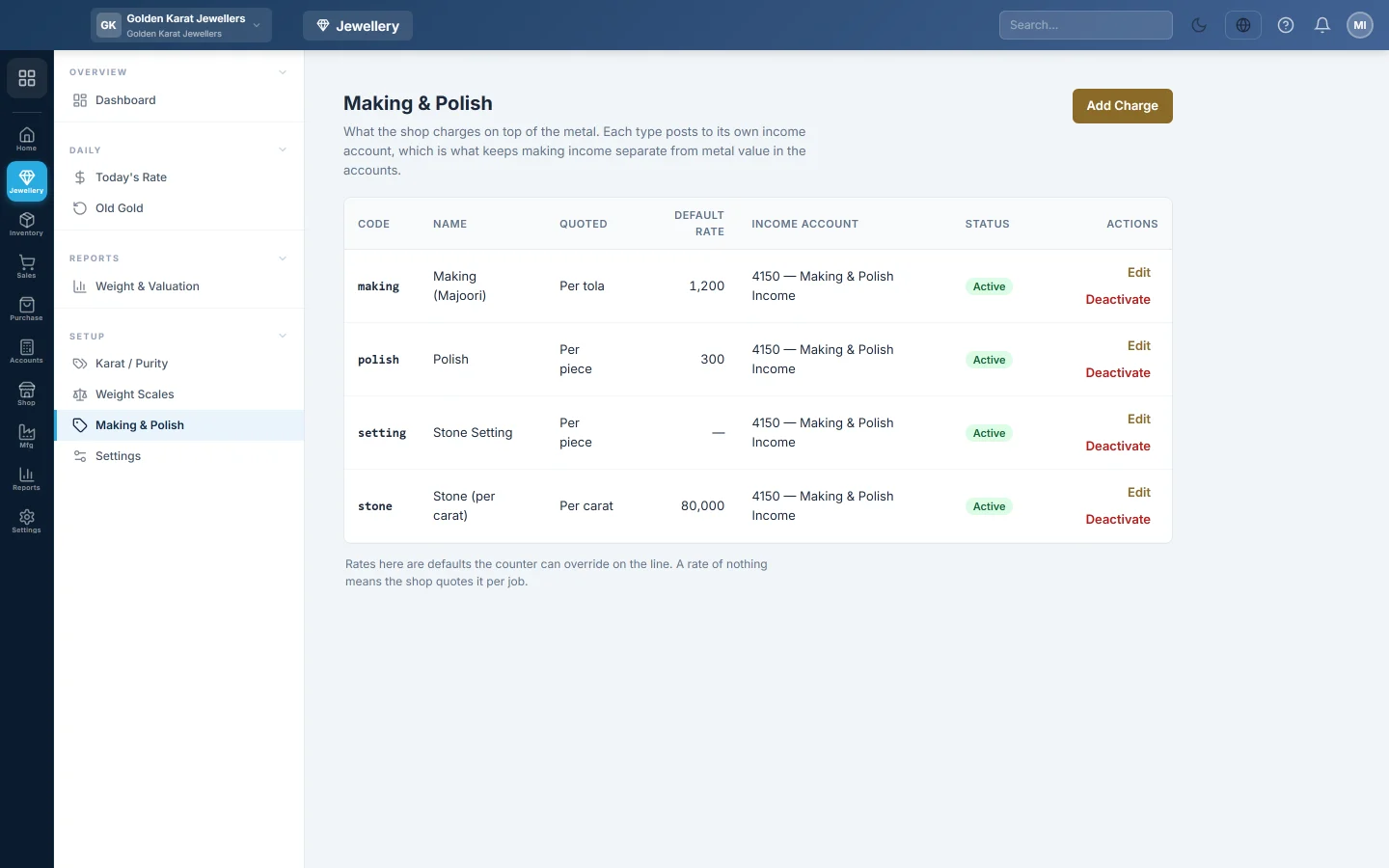
Before you begin
- Switching selling by weight on in Settings adds Making (Majoori), Polish, Stone Setting and Stone (per carat), all at rate 0.
- To post making income to its own account, create an income account first in Chart of Accounts.
- You need the Manage Making / Polish Charge Types permission.
Where to find it
Open Jewellery → Setup → Making & Polish.
Set a charge's default rate
- Click Edit on the charge, for example Making (Majoori).
- Under How it is quoted, pick one:
- Per piece: a flat amount on the line, however heavy it is.
- Per tola (or Per gram): multiplied by the weight. This is the usual way making is quoted.
- Per ratti (or Per milligram): multiplied by the weight in the smallest unit.
- % of metal value: a share of weight × rate on that line.
- Per carat: multiplied by the stone weight in carat, for stones.
- Type the Default rate, for example Rs 1,200 per tola. Leave it at 0 to quote it per job.
- Choose the Income account. Sales Revenue (default) keeps the charge inside sales.
- Click Save.
Click Add Charge to add a new type, for example Engraving, with a unique Code and Name.
Retire a charge
Click Deactivate and confirm. Old bills keep it; new lines cannot add it.
What happens in the books
When a sale is confirmed, each charge is credited to its own income account, apart from the metal value in Sales Revenue. A sale return takes it back out of the same account. A charge with no income account is booked inside Sales Revenue.
Common questions
Can the counter change the rate on one bill? Yes. The rates here are defaults. On the line, open Making & charges and type another rate. A charge quoted per piece, per tola or as a % can also be switched between Amount, % of metal and per tola for that piece.
Why is my stone charge 0 on every bill? Its default rate is 0. Type the rate per carat on the line, or set a default here.
Where do I see how much making I earned? On the Making & Charges Income tab of Weight & Valuation.
Teşekkür ederiz. Hâlâ yardıma ihtiyacınız varsa info@eloerp.net adresine yazın.