By Plan
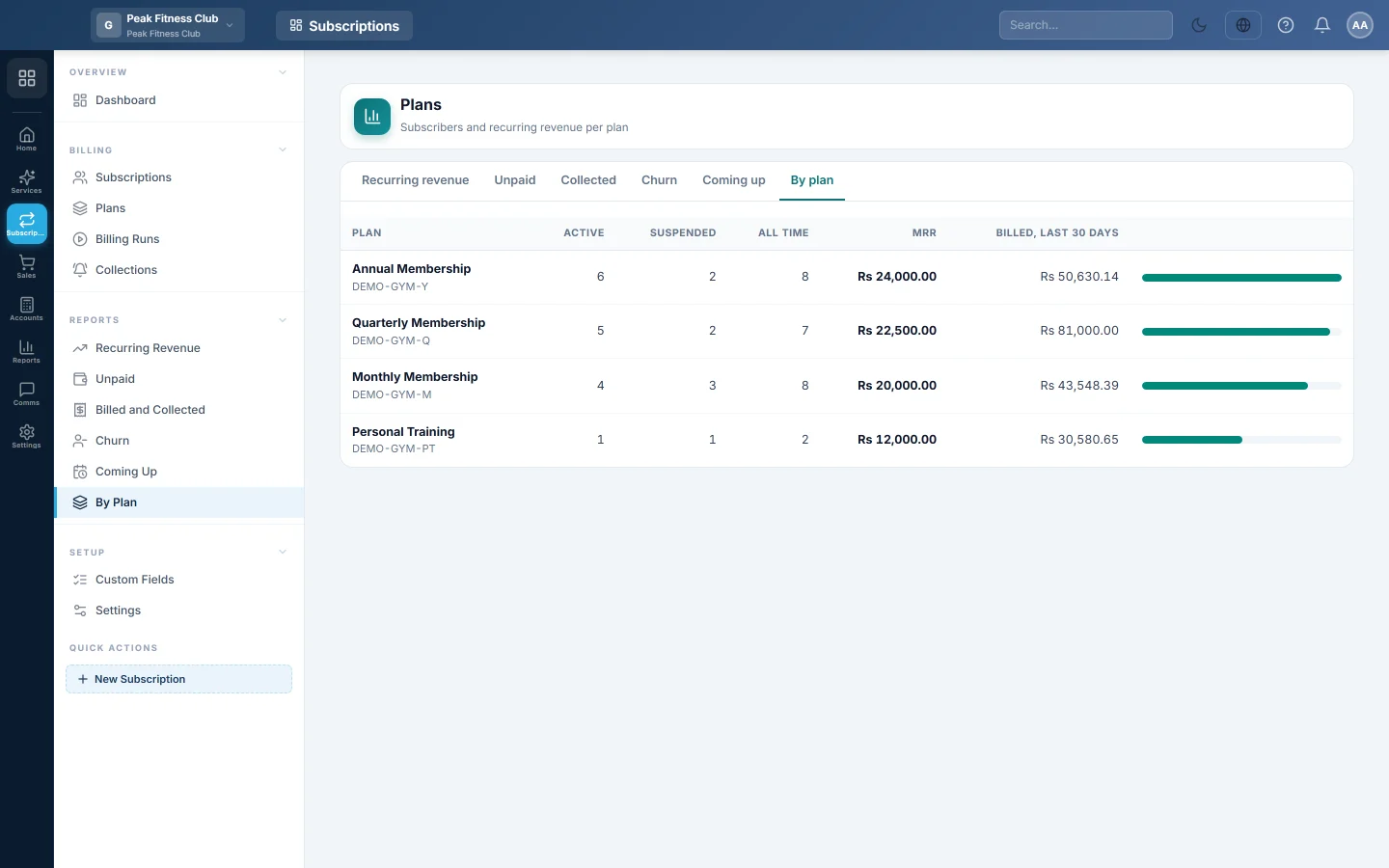
Subscribers and monthly recurring revenue for each plan, with what each plan billed in the last 30 days.
The By plan report shows how many subscribers each plan has and what each one is worth every month. Use it to see which plans carry your business.
Before you begin
- Your role needs permission to view Subscriptions reports. See Users & Roles.
Where to find it
Open Subscriptions → Reports → By Plan. The tabs at the top switch between all six Subscriptions reports.
Read the report
The plans are listed with the highest monthly value first:
| Column | Meaning |
|---|---|
| Plan | The plan name and code. |
| Active | Live subscriptions: active, on trial or past due. |
| Suspended | Subscriptions switched off for non-payment. |
| All time | Every subscription the plan has had, including ended ones. |
| MRR | The monthly value of the plan's live subscriptions. |
| Billed, last 30 days | What the plan's invoices came to in the last 30 days. |
The bar on the right shows each plan's share of the total MRR. Click a row to open the subscription list filtered to that plan.
Common questions
Why does a plan show MRR but nothing billed? Its subscribers did not reach a billing date in the last 30 days, for example on a yearly plan.
Why does the branch filter not change this report? This report always covers the whole company.
How is MRR worked out for a quarterly plan? The period price is turned into one month: a quarterly price is divided by 3, a yearly price by 12. Each customer's own price and discount are used.
Obrigado. Se ainda precisar de ajuda, escreva para info@eloerp.net.