Catalogue
Keep the list of services clients can book, with their category, duration, clean-up time, price and staff commission.
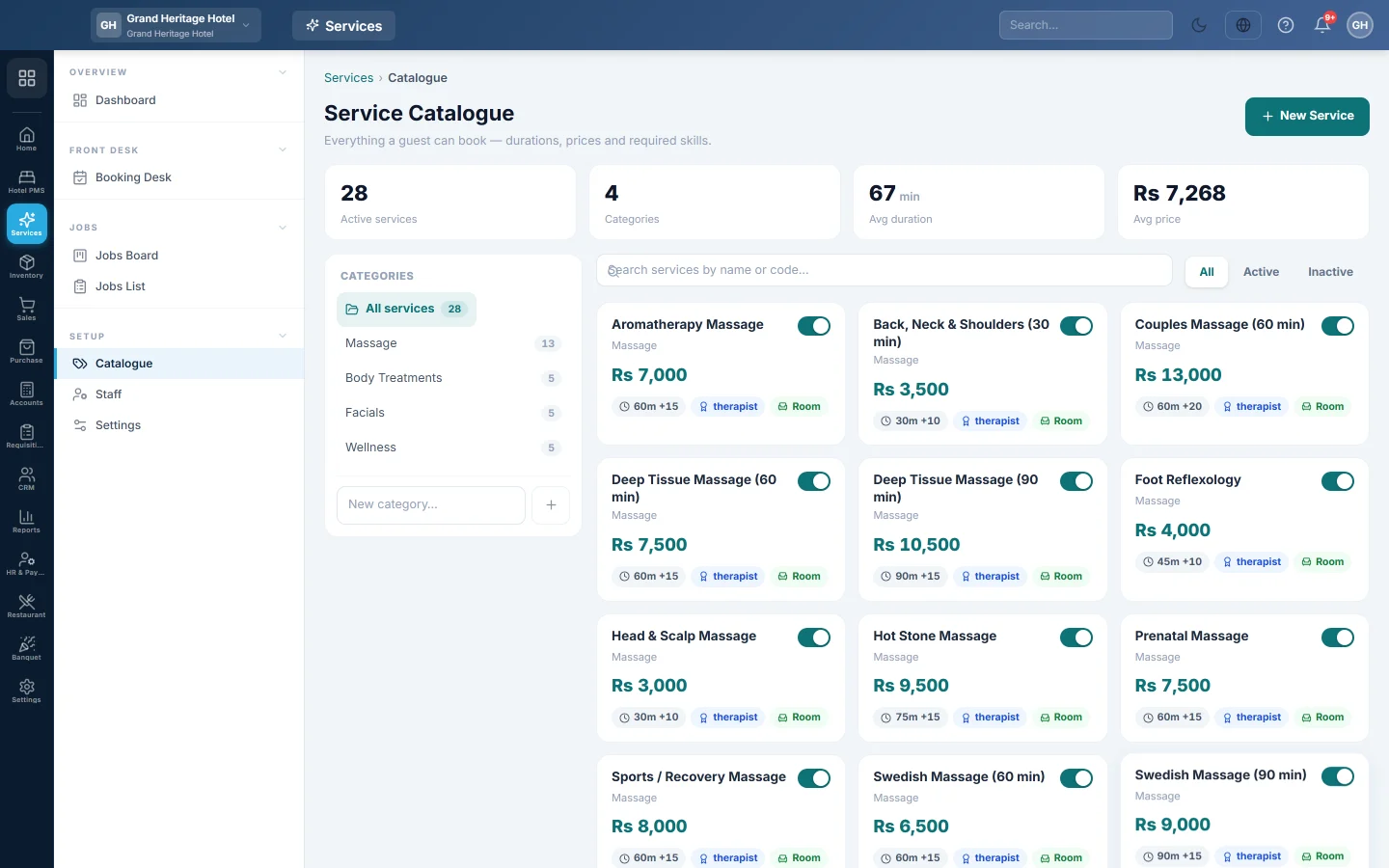
The Service Catalogue is everything a client can book: each service with its duration, clean-up time, price and the commission its staff member earns. The booking desk, the jobs and the POS till all read it.
Before you begin
- The quickest start is an industry preset on Settings. It fills the catalogue for you.
- You need the Manage Service Catalogue permission to add or change services.
Where to find it
Open Services → Setup → Catalogue.
Add a service
- Click New Service.
- Type the Service name, for example Ladies Haircut & Style.
- Pick the Category, or — none —. Optionally type a Code.
- Type the Duration (minutes) and the Buffer / clean-up (min). Together they block the staff member's time on the desk.
- Type the Base price, for example Rs 2,500.
- Type the Commission % the staff member earns on it, for example 10.
- Optionally type the Required skill, for example colorist. The booking desk warns when you pick a staff member who does not have it.
- Choose whether it Needs a chair, room or other resource.
- Leave Active on and click Save Service.
Organise categories
- Type a name in New category… on the left and click Add category.
- Use the arrows to move a category up or down, the pencil to rename it, and the bin to delete it. A category that still has services cannot be deleted.
- Click a category to show only its services, or All services to see them all.
Change, pause or delete a service
- Click a service card to edit it. Changes apply to future bookings only.
- Click the switch on the card to make it Inactive. Inactive services are hidden from the booking screens.
- Click Delete in the edit panel to remove it. Past jobs keep it.
Common questions
Where does the commission go? It is paid on the payroll of the staff member who did the work. See Pay staff commission on services.
Why can I not see a service on the booking desk? It is inactive. Click the switch on its card to activate it.
Do services take stock? No. Use a Part line on the job for products used, such as a hair colour tube or a phone screen. See Complete a job and collect payment.
Gracias. Si todavía necesita ayuda, escriba a info@eloerp.net.