Pay staff commission on services
Pay stylists, therapists and technicians a commission on the services they deliver, using each service's commission % from the catalogue, through the monthly payroll.
Service staff often earn a share of each service they deliver. EloERP works this out from the Commission % on each service and adds it to the staff member's payroll for the month.
Before you begin
- Each service has its Commission % on Catalogue.
- Each staff member is on Staff. Saving them there creates their HR employee record, which is where the commission is paid.
- You run payroll in HR & Payroll. See Payroll Runs.
- You need the permission to manage commission rules. See Commissions & Targets.
Where to find it
Open HR & Payroll → Payroll → Commissions & Targets.
Create the service commission rule
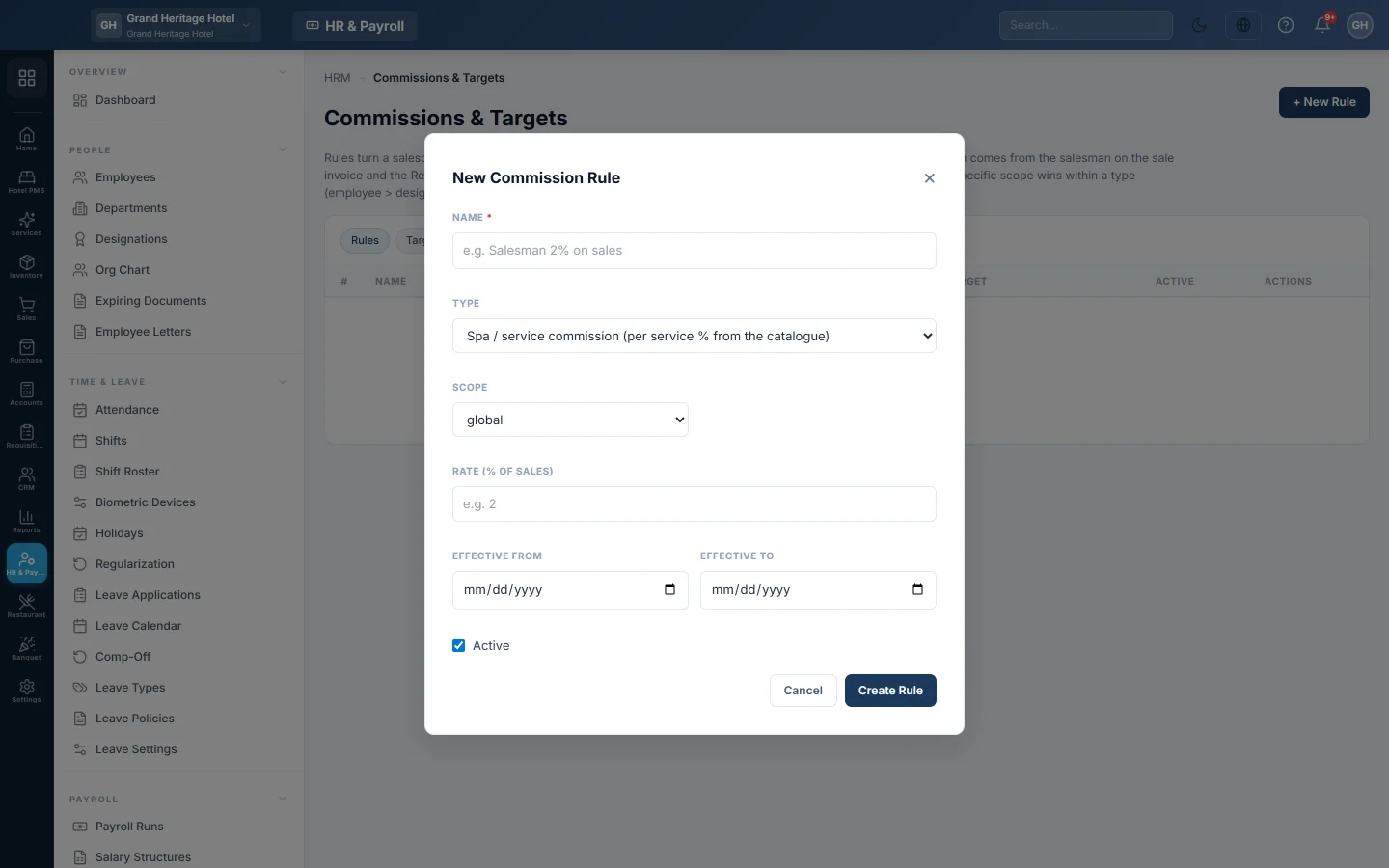
- On the Rules tab, click + New Rule.
- Type the Name, for example Service commission.
- Under Type, pick Spa / service commission (per service % from the catalogue).
- Pick the Scope, usually global, or a designation such as Stylist.
- In Rate (% of sales), type the rate for services that have no commission % of their own, or 0.
- Set Effective from and leave Active on.
- Click Create Rule.
How it is worked out
For each staff member, EloERP takes the service lines on jobs first finished in the payroll month: the month the job first reached Done or Billed. A job counts once, so a job done in one month and billed in the next is paid in the first. Services sold straight at the till count too, as they are billed the moment they are sold. A line counts for the staff member named on it, or else the job's lead. Each line pays its service's Commission %; a service without one pays the rule's rate.
For example, a Rs 2,500 haircut at 10% earns Rs 250.
Pay it
- Make the month's payroll run. See Payroll Runs.
- On the draft run, click Apply Tax/EOBI/OT.
The commission is added as an earning on each staff member's row.
Common questions
A stylist got no commission. Check that the rule is active for that month, that the jobs first reached Done or Billed in that month, and that the stylist is the lead or is named on the line. For a till sale, check that the stylist was picked under Staff… on the cart line.
Does a cancelled job count? No. Cancelled jobs are left out.
Can different services pay different rates? Yes. Set the Commission % on each service in Catalogue.
Thank you. If you still need help, write to info@eloerp.net.