Jobs Board
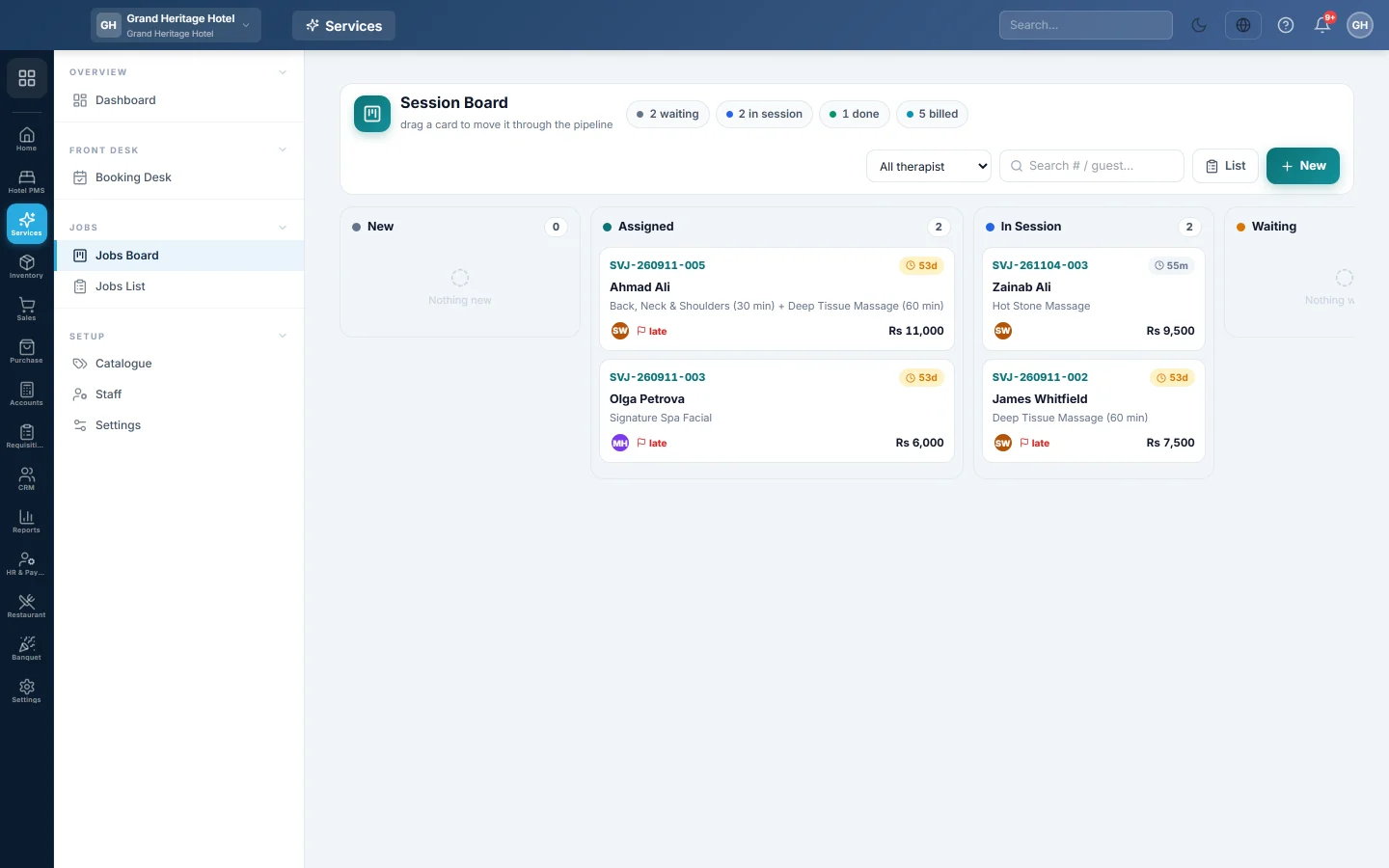
A board with one column per job status, from new to closed, where you drag job cards along as the work moves and open any card to work on it.
The Jobs Board shows every open job as a card in a column for its status: new, assigned, in progress, waiting, final check, done, billed and closed. Drag a card to the next column as the work moves.
Before you begin
- Jobs come from checking a client in on the Booking Desk, or from New on this board.
- Moving a card needs the Move Jobs Through the Status Pipeline permission.
- With a preset applied, the columns use your trade's words, for example In Chair for a salon or Under Repair for a repair shop.
Where to find it
Open Services → Jobs → Jobs Board.
Read a card
Each card shows the job number, a flag for high or urgent priority, how long it has been in this status, the client, the services and the staff on it. A card past its promised time is marked late.
The chips at the top count the jobs waiting, in progress, done and billed. Use the staff list and the search box to narrow the board.
Move a job along
- Drag the card to the next column.
- Drop it. A column the job cannot move to shows as blocked while you drag over it.
The usual path is New → In Progress → Final Check → Done. A job can go on hold (Waiting) and come back. Moving a job to Done takes its parts out of stock.
You cannot drag a job to Billed. Billing happens with Bill & collect on the job card. See Complete a job and collect payment.
Open or add a job
- Click a card to open its job card.
- Click New to start a job without a booking, for example a phone left for repair.
- Click List to see the same jobs as a table. See Jobs List.
Common questions
I cannot drag cards. Your role lacks the permission to move jobs. Open the card and ask a manager.
A job is missing from the board. Cancelled jobs are not shown. Find them on Jobs List with the status filter.
Does the client get a message when the job moves? Only if your company has set up a message rule for service job events in the notification settings.
Спасибо. Если помощь всё ещё нужна, напишите на info@eloerp.net.