Facility Profile
The hospital's licensing identity, its legal name, Healthcare Commission registration and drug licence, printed on the statutory registers and returns.
Facility Profile holds the hospital's licensing details. The statutory registers print the legal name and Healthcare Commission number, and the facility profile return lists the drug licence and pharmacist.
Before you begin
- Viewing needs the HIMS settings view right; saving needs the HIMS settings manage right.
- Keep your licence papers at hand to copy the numbers and dates exactly.
Where to find it
Open Hospital → Setup → Facility Profile.
Fill in the profile
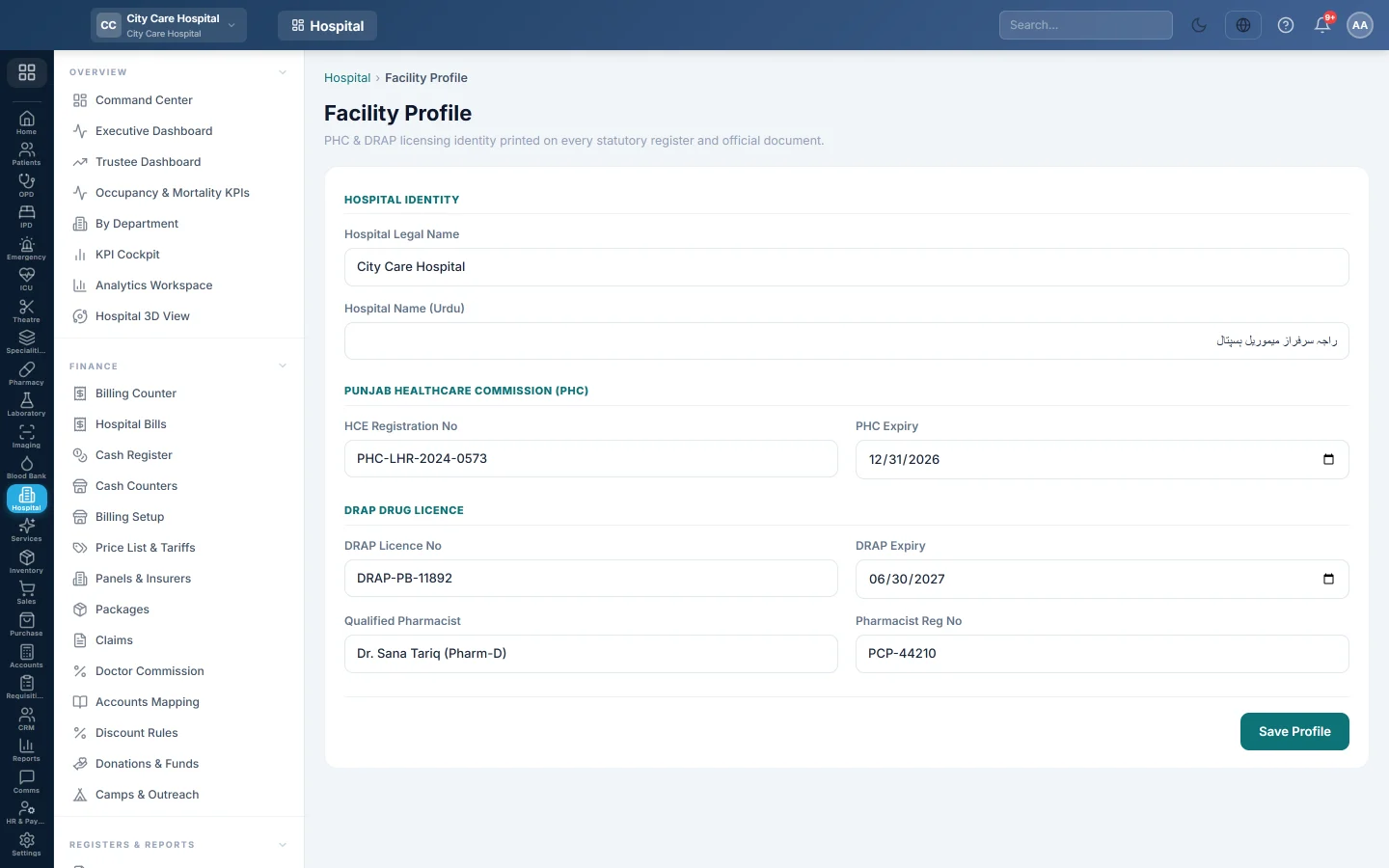
- Under Hospital Identity, type the Hospital Legal Name as registered, and the Hospital Name (Urdu) if you use it.
- Under Punjab Healthcare Commission (PHC), type the HCE Registration No and the PHC Expiry date.
- Under DRAP Drug Licence, type the DRAP Licence No, DRAP Expiry, the Qualified Pharmacist and the Pharmacist Reg No.
- Click Save Profile. ✓ Saved appears.
Where it is used
- Statutory Registers print the PHC registration number in the subtitle.
- The Facility Profile / MSDS Return in the Reports Library lists the licence details, bed capacity and prescriber staffing.
Common questions
My regulator is not the Punjab Healthcare Commission. Type your own regulator's registration number in HCE Registration No.
Does this change the name on receipts? No. Receipts and invoices use the company name and logo from Company.
Every field is empty after saving. Saving needs the settings manage right. Check the message next to the button.
Terima kasih. Jika masih butuh bantuan, kirim email ke info@eloerp.net.