Report Packs
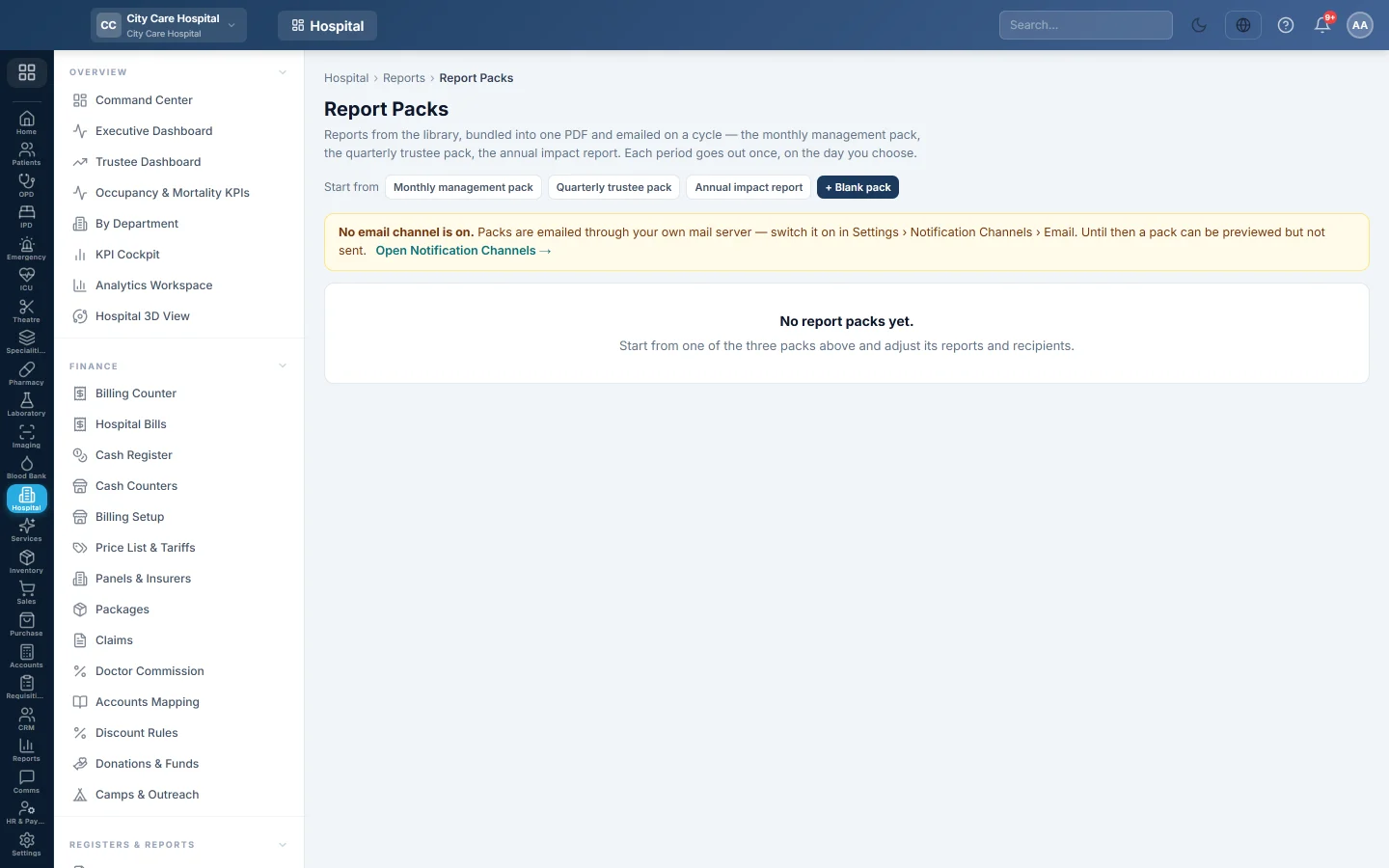
Bundle reports from the library into one PDF and email it on a cycle, such as the monthly management pack, the quarterly trustee pack or the annual impact report.
A report pack is a set of reports from the library, bundled into one PDF, or one CSV per report, and emailed on a cycle. Each period goes out once, on the day you choose.
Before you begin
- Viewing and previewing need the HIMS reports view right. Creating, editing and sending need the HIMS settings manage right.
- Packs are emailed through your own mail server. Switch it on in Settings › Notification Channels › Email. Until then a pack can be previewed but not sent.
Where to find it
Open Hospital → Registers & Reports → Report Packs.
Create a pack
- Next to Start from, click a ready-made pack (Monthly management pack, Quarterly trustee pack or Annual impact report), or + Blank pack.
- Type the Name.
- Choose the cycle under Every and the Sent on day.
- Choose the Format: One PDF or CSV per report.
- Type the Email to addresses, separated by commas.
- Under Reports, search the library and add reports; click Remove to drop one.
- Keep Active — send it on schedule ticked and click Save.
The cycle covers the previous calendar month, quarter or year. A quarterly pack goes out in January, April, July and October; a yearly pack in January.
Check and send
- Preview PDF builds the pack now, without sending.
- Send a test to me emails it to you only.
- Send now sends it to the pack's list straight away.
- History shows each send, scheduled or by hand, and whether it was Sent or Failed.
Each pack shows Last sent, or Last attempt failed when the last send did not go.
Common questions
The pack says No email channel is on. Switch on email under Notification Channels, then send again.
Will Send now stop this month's scheduled send? No. Only a scheduled send to the pack's own list marks the period as done.
How do I stop a pack for a while? Edit it and untick Active. It shows as Paused.
Teşekkür ederiz. Hâlâ yardıma ihtiyacınız varsa info@eloerp.net adresine yazın.