Laboratory Reports
Run the lab's reports for a period, from daily summary and turnaround time to revenue by test or section, referrer business and commission, and sample rejections.
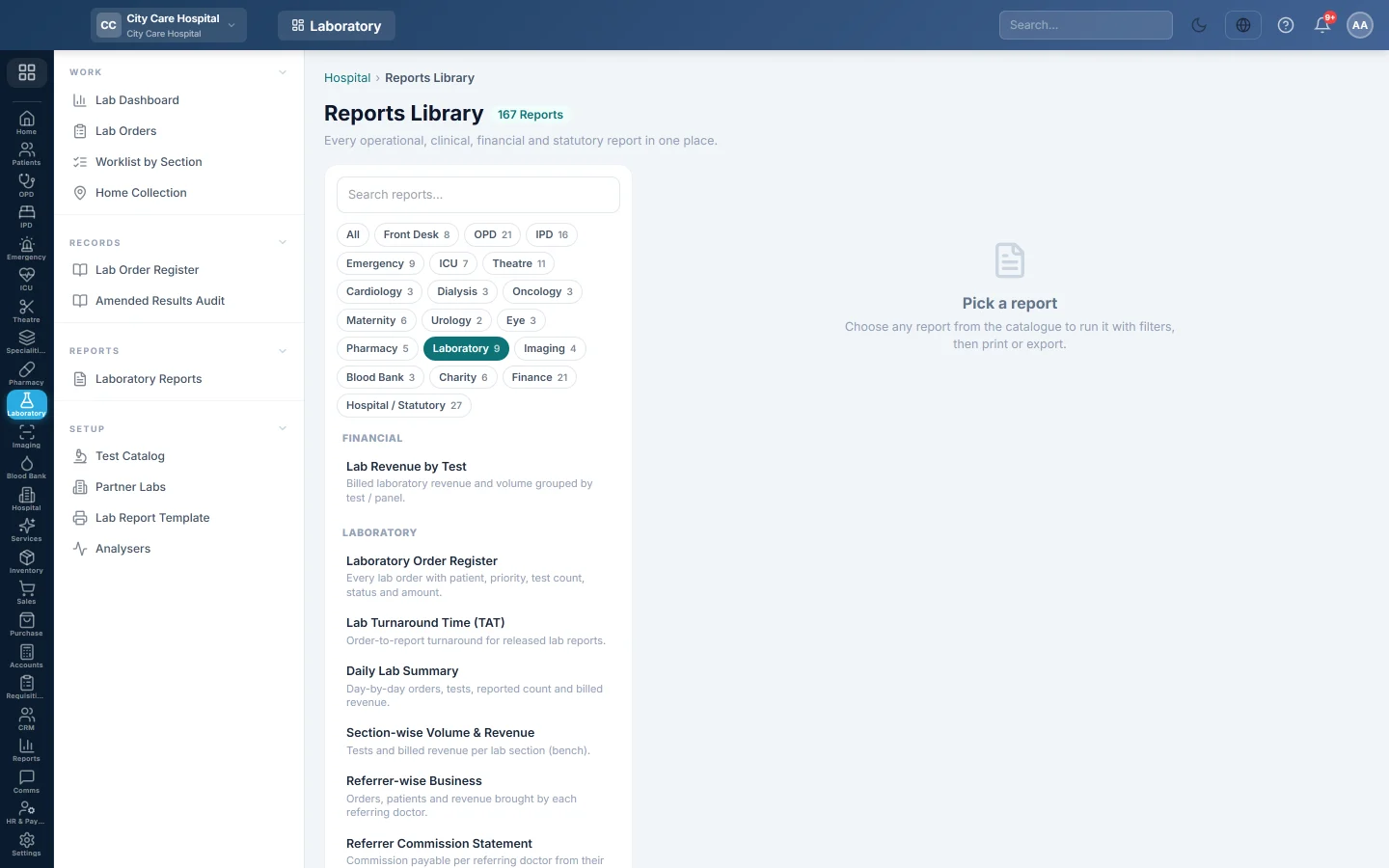
Laboratory Reports opens the hospital Reports Library filtered to the lab's reports. Pick one, set the period, run it, then print or export it.
Before you begin
- Your role has the permission to view hospital reports. See Users & Roles.
- Commission figures need each referring doctor's Lab Referral Commission % set on their record under Doctors.
Where to find it
Open Laboratory → Reports → Laboratory Reports. The Laboratory chip is selected on the left.
Run a report
- Click a report in the list on the left.
- Set From and To, and any filter the report offers, such as Doctor.
- Click Run.
- Click A4 to print it, or CSV to download all rows.
The lab reports
| Report | What it shows |
|---|---|
| Laboratory Order Register | Every order with patient, priority, tests, amount and status. See Lab Order Register. |
| Lab Turnaround Time (TAT) | Each released report, with the time from order to report, and the average. |
| Daily Lab Summary | Per day: orders, patients, tests, reports released and the value of the orders. |
| Section-wise Volume & Revenue | Per section: orders, tests and their value, with each section's share. |
| Lab Revenue by Test | Per test or panel on billed orders: orders, times ordered, value and share. |
| Referrer-wise Business | Per referring doctor: orders, patients and value. |
| Referrer Commission Statement | Per referring doctor: reported and paid orders, their net billed amount, the commission % and the commission due. |
| Sample Rejection Log | Every rejected or flagged specimen, with its condition and reason. |
Laboratory Order Register and Lab Turnaround Time (TAT) also filter by Doctor. The register filters by Status and Entered By too.
Common questions
A referrer has business but no commission. Their Lab Referral Commission % is not set, or their orders are not yet reported and paid.
Why do the value columns differ between reports? The Daily Lab Summary and Section-wise report count every order that is not cancelled, billed or not. Lab Revenue by Test counts billed orders only. For the money actually collected, see the hospital's finance reports.
The TAT report is empty. No report released in the period. TAT is measured from booking to release.
谢谢。 如果仍需帮助,请发邮件至 info@eloerp.net。