Lab Order Register
List every lab order in a period with patient, priority, number of tests, amount, status and report time, and print or export it.
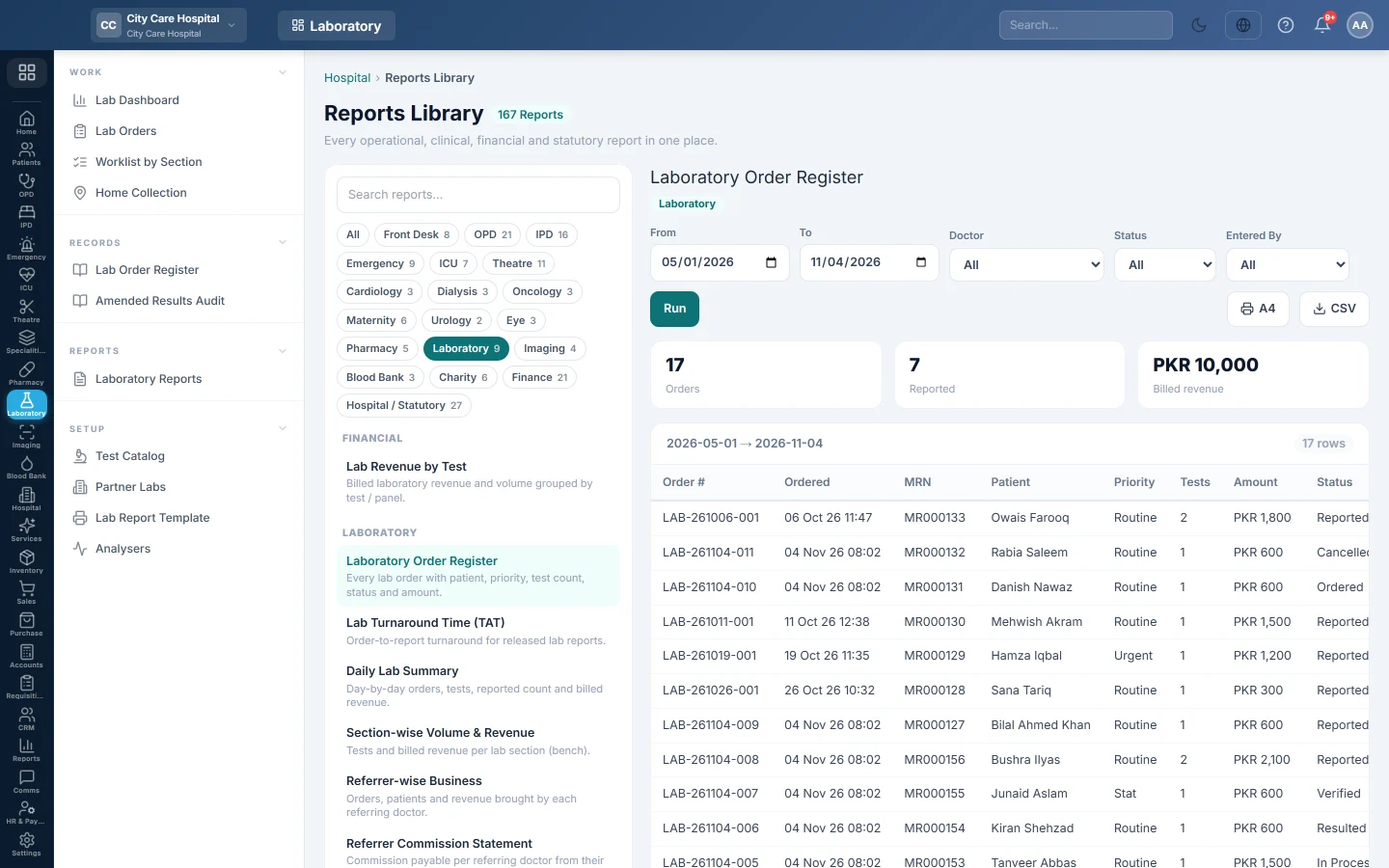
The Laboratory Order Register is the lab's record book: one row per order booked in the period, with what it was charged and when it was reported.
Before you begin
- Your role has the permission to view hospital reports. See Users & Roles.
- The orders come from Lab Orders.
Where to find it
Open Laboratory → Records → Lab Order Register. It opens in the Reports Library and runs for the current month.
Run the register
- Set From and To. The register uses the date each order was booked.
- Narrow it if you like:
- Doctor: orders from one referring doctor.
- Status: orders at one stage, such as Reported or Cancelled.
- Entered By: orders booked by one user.
- Click Run.
The summary shows the number of Orders, how many are Reported and the Billed revenue. The table lists Order #, Ordered, MRN, Patient, Priority, Tests, Amount, Status and Reported. Long results are paged, 50 rows at a time.
Print or export
- Click A4 to print the register on your letterhead, in landscape.
- Click CSV to download every row with the same filters, for Excel.
Common questions
Billed revenue is less than the total of the Amount column. Billed revenue counts only orders that have a bill. Unbilled and ward orders are left out.
Why is a cancelled order listed? The register lists every order booked. Pick a Status to leave others out.
Where is the list of today's open orders? Use Lab Orders. Its Print Register prints the orders on screen.
شكرًا لك. إذا كنت لا تزال بحاجة إلى مساعدة، راسلنا على info@eloerp.net.