Worklist by Section
See each lab bench's open tests in three columns, to collect, to result and to verify, with STAT work first.
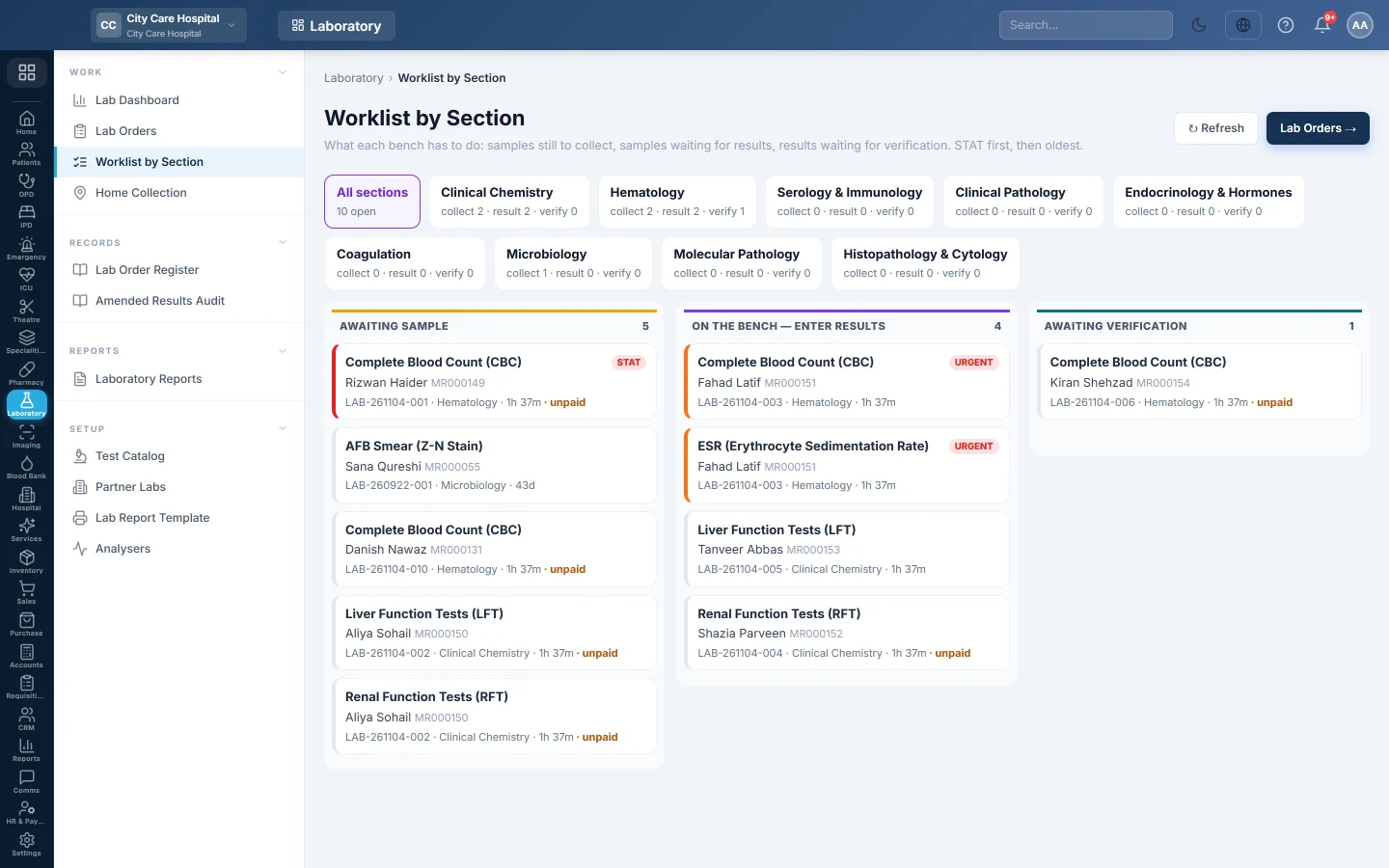
The Worklist by Section shows every open test, one card per test, so each bench sees its own work. STAT and urgent tests come first, then the oldest.
Before you begin
- Your tests are grouped into sections, such as Haematology and Chemistry, in the Test Catalog.
- Your role has a Laboratory permission, such as View Laboratory or Enter Lab Results.
Where to find it
Open Laboratory → Work → Worklist by Section.
Use the worklist
- Click a section button at the top, or All sections. Each button shows how many tests it has to collect, result and verify.
- Read the columns:
- Awaiting sample: booked, no sample yet.
- On the bench — enter results: sample collected or received, results still to type.
- Awaiting verification: results entered, waiting for Technical Verify.
- With a partner lab: shown only when tests are out at a partner lab.
- Click a card to open its order and do the work. See Take a lab sample and enter results.
Each card shows the test, the patient and MRN, the order number, the section and how long ago it was ordered. A red edge means STAT; orange means urgent. The card also shows ER, the ward and bed, unpaid for a walk-in not yet billed, or on admission bill.
The list refreshes itself every minute. Click ↻ Refresh to update it now.
Common questions
A released report is not on the worklist. The worklist shows open work only. Find released reports on Lab Orders under Reported.
A test shows unpaid. The walk-in order has not been billed yet. See Bill a lab order.
A section is missing. It is inactive in the Test Catalog.
شكرًا لك. إذا كنت لا تزال بحاجة إلى مساعدة، راسلنا على info@eloerp.net.