Blood Bank Reports
Run the blood bank reports for collections and screening, issues and transfusions, and blood bank revenue by component, then print them on A4 or export to CSV.
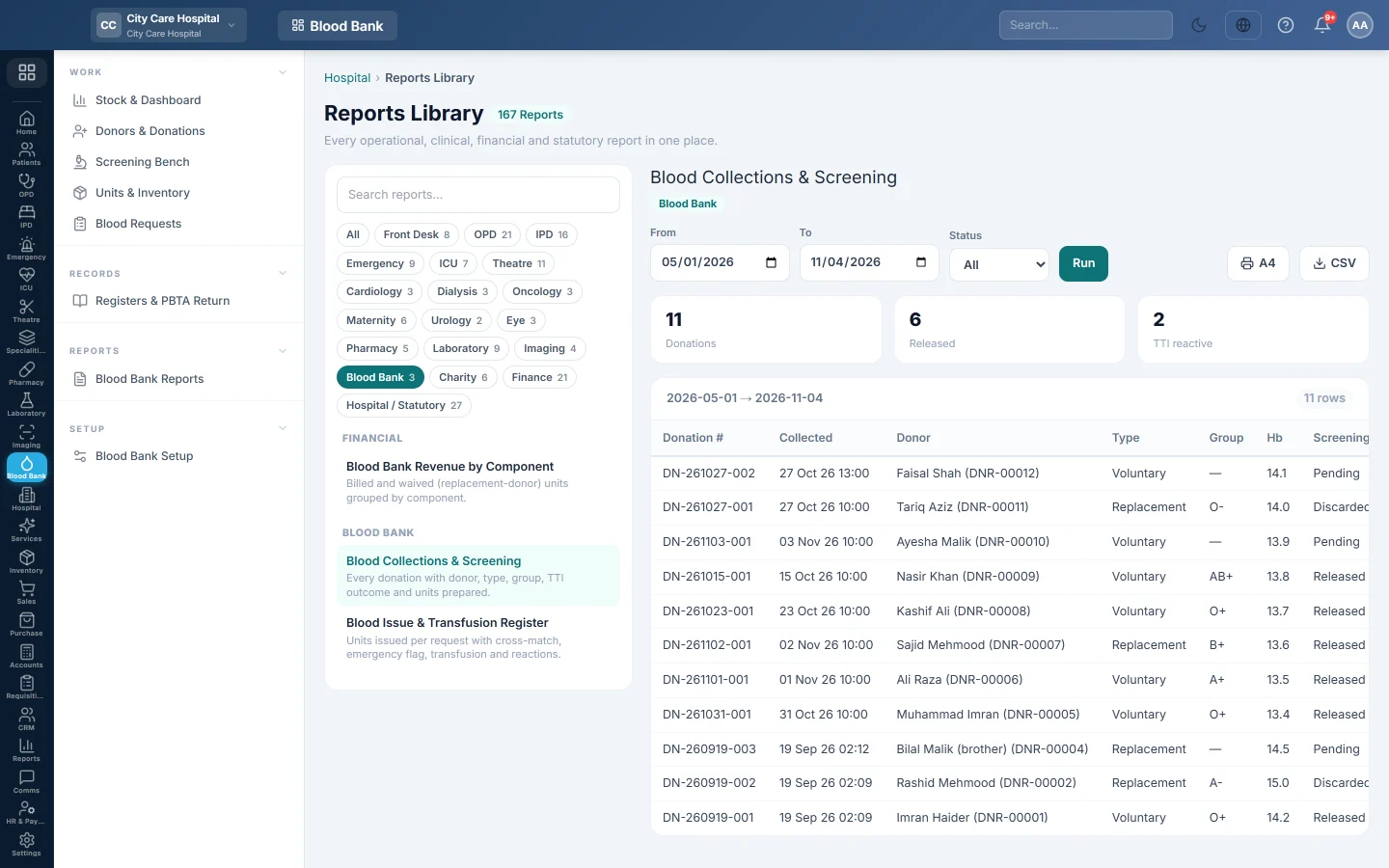
Blood Bank Reports opens the hospital Reports Library filtered to blood bank reports. Pick a report, set the dates and run it on screen, print it on A4 or export it to CSV.
Before you begin
- Your role needs the permission to view hospital reports. See Users & Roles.
- Revenue figures appear only for requests that were billed or waived on Blood Requests.
Where to find it
Open Blood Bank → Reports → Blood Bank Reports. The Blood Bank chip is already selected in the catalogue on the left.
The reports
| Report | What it shows |
|---|---|
| Blood Collections & Screening | Every donation with donor, type, group, Hb, screening outcome and units prepared. Totals for donations, released and TTI reactive. A Status filter picks pending, released or discarded. |
| Blood Issue & Transfusion Register | Each issued unit with request, patient, unit group, where it went, the emergency flag, transfusion time, reactions and returns. |
| Blood Bank Revenue by Component | Billed units, waived units and revenue per component, with each component's share. |
Run a report
- Click the report in the catalogue. It runs for the current month.
- Change From and To, and the Status where offered.
- Click Run.
- Click A4 to print, or CSV to download every row.
The printout carries your hospital name, logo, address and the date range.
Common questions
Why is a returned unit missing from the revenue report? Returned units are left out. Only units still issued count.
Does the revenue report show the discount? No. It shows unit prices of billed units. The bill discount is on the hospital bill and in the finance reports.
Where are the statutory registers? On Registers & PBTA Return.
I see reports from other departments. Click All or another chip to browse; the blood bank menu just opens with Blood Bank selected.
Vielen Dank. Wenn Sie weitere Hilfe brauchen, schreiben Sie an info@eloerp.net.