Registers & PBTA Return
Print the seven statutory blood bank records and the monthly statistics summary for the Punjab Blood Transfusion Authority from the same day-to-day data.
Registers & PBTA Return builds the records a blood transfusion authority inspects, straight from your donors, donations, screenings, units, cross-matches, issues and reactions. Nothing is typed twice.
Before you begin
- Your role needs View Blood Bank or Manage Blood Bank Workflow. See Users & Roles.
- The registers are only as complete as the daily work. Record every donation, screening, issue and transfusion in EloERP.
Where to find it
Open Blood Bank → Records → Registers & PBTA Return.
Choose a register
Click a tab:
| Tab | What it lists |
|---|---|
| Donor Record | Donors registered in the period, with CNIC, group, type, donations and deferral. |
| Blood Collection Record | Each donation with weight, Hb, BP, bag, volume, outcome and phlebotomist. |
| TTI Screening Record | Each donation's group and every test result with kit lot, and who tested and verified. |
| Blood Products Record | Every unit prepared, with expiry, status and any discard reason. |
| Cross-matching Record | Each cross-match with patient group, unit group, method, antibody screen and result. |
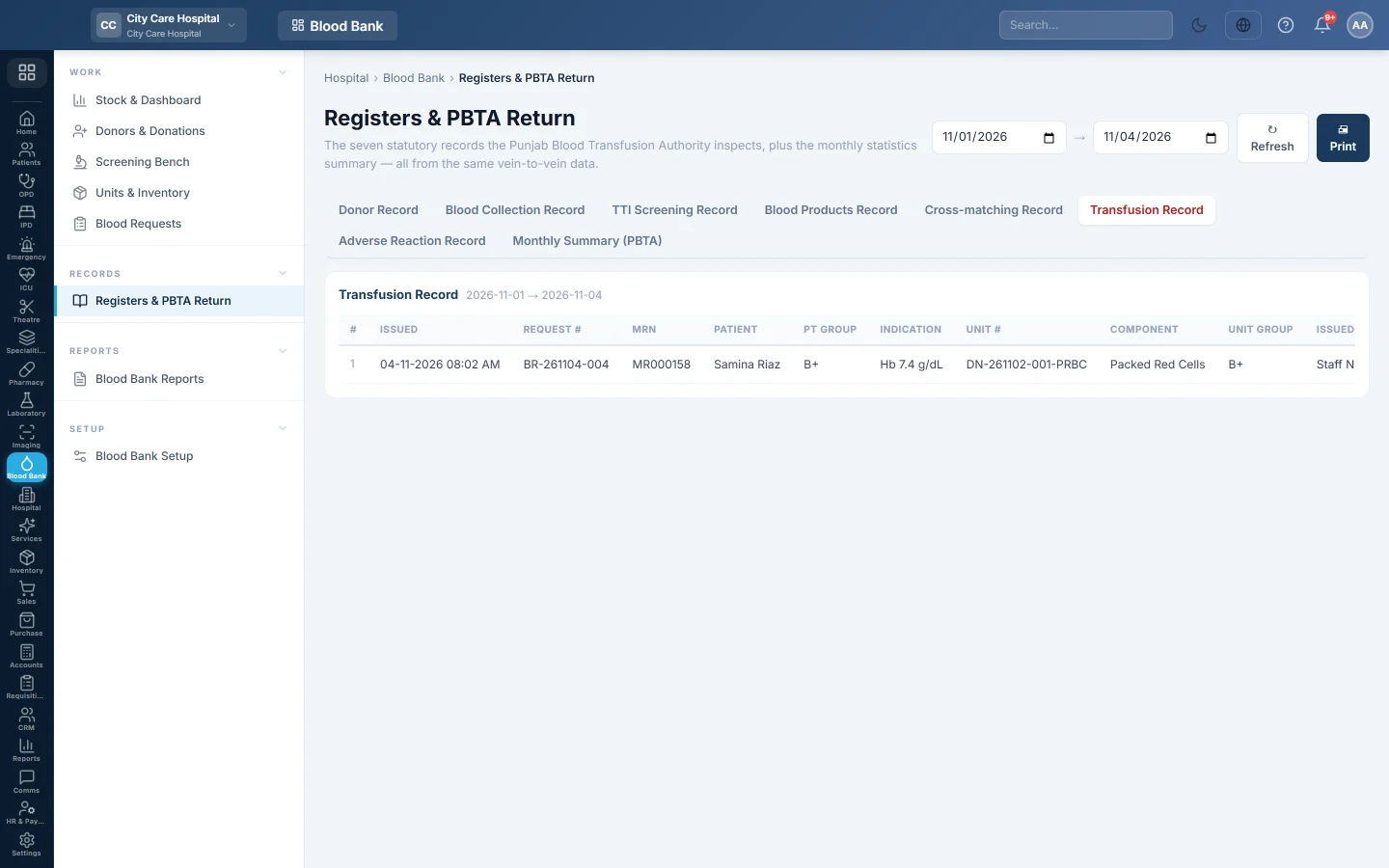
| Transfusion Record | Each issued unit, the emergency flag, the transfusion times, the nurse and any return. |
| Adverse Reaction Record | Each reaction with type, severity, action and whether it was reported. |
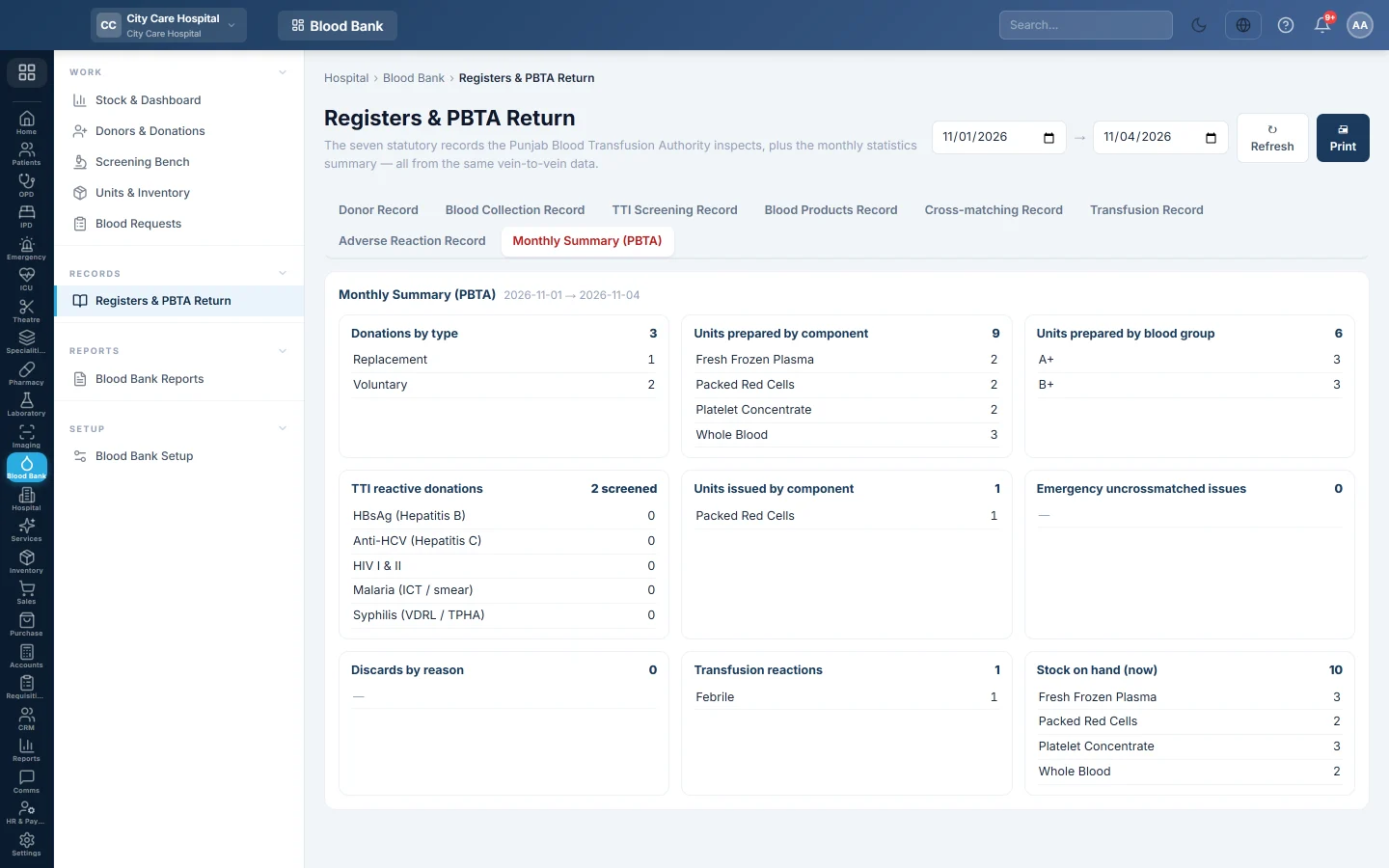
| Monthly Summary (PBTA) | The month's statistics in one page. |
Print the monthly return
- Click Monthly Summary (PBTA).
- Set the first and last day of the month in the two date boxes. The register reloads when you change a date.
- Check each section, from donations by type and units prepared to TTI reactive donations per test. The last sections cover issues, emergency issues, discards, reactions and stock on hand.
- Click 🖨 Print.
Common questions
A register is empty. Nothing was recorded in that date range. Each register filters on its own date: registration, collection, preparation, cross-match, issue or reaction date.
Why does Stock on hand not follow my dates? It is a snapshot of the units on your shelf now, whatever range you pick.
Can I export a register to Excel? Print it, or use the blood bank reports in Blood Bank Reports, which export to CSV.
Does the screening record include donations still pending? Yes. The monthly summary counts only donations whose screening was verified.
Gracias. Si todavía necesita ayuda, escriba a info@eloerp.net.