Eye Clinic Register
List every eye visit in a period with vision, refraction and pressure for each eye, the plan and who saw the patient.
The Eye Clinic Register is the eye department's record book: one row per eye visit, with vision, refraction and pressure for the right and left eye, and the plan.
Before you begin
- Your role has the permission to view hospital reports. See Users & Roles.
- Visits are recorded in the Eye Clinic.
Where to find it
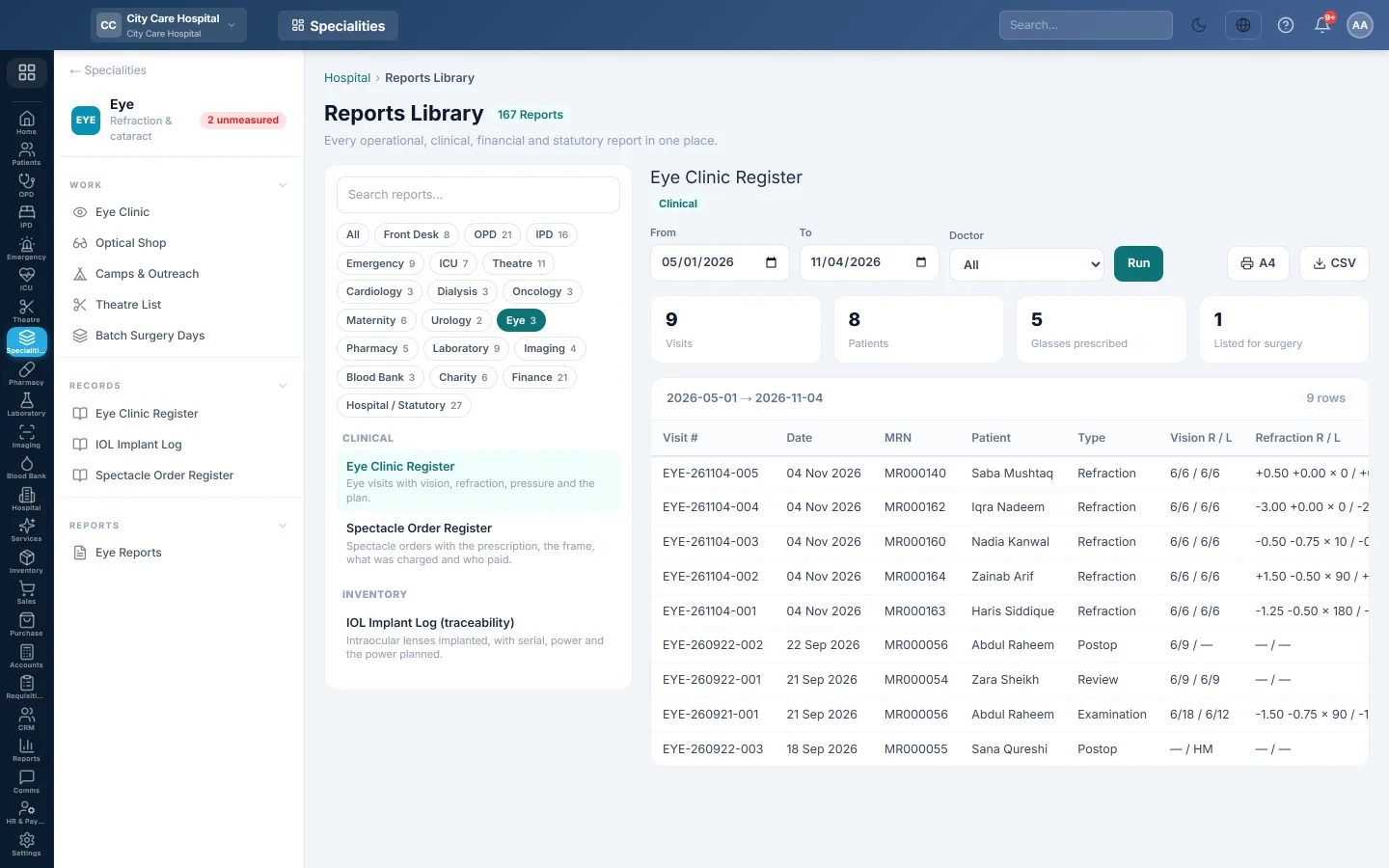
Open Specialities → Eye → Records → Eye Clinic Register. It opens in the Reports Library and runs for the current month.
Run the register
- Set From and To. The register uses each visit's date.
- Narrow it if you like:
- Doctor: visits seen by one doctor.
- Click Run.
The summary shows the number of Visits, the Patients seen, how many had Glasses prescribed and how many were Listed for surgery. The table lists Visit #, Date, MRN, Patient, Type, Vision R / L, Refraction R / L, IOP R / L, Plan and Seen By. Long results are paged, 50 rows at a time.
Print or export
- Click A4 to print the register on your letterhead.
- Click CSV to download every row with the same filters, for Excel.
Common questions
Listed for surgery counts visits, not operations. It counts visits whose plan is Surgery. The operations themselves are in the theatre list and the IOL Implant Log.
Where are the spectacle orders? See Spectacle Order Register.
谢谢。 如果仍需帮助,请发邮件至 info@eloerp.net。